foldout

Spreadsheets with formulas you can read

Excel and Google Sheets templates built the way we build websites: no macros, nothing hidden, and a Formulas sheet that explains every calculation in plain words. Open the live preview to see each sheet with sample numbers before you download.

12 spreadsheets · 12 free · $9 Pro · all 12 for $29 · built for Excel 2016+, Google Sheets, Numbers

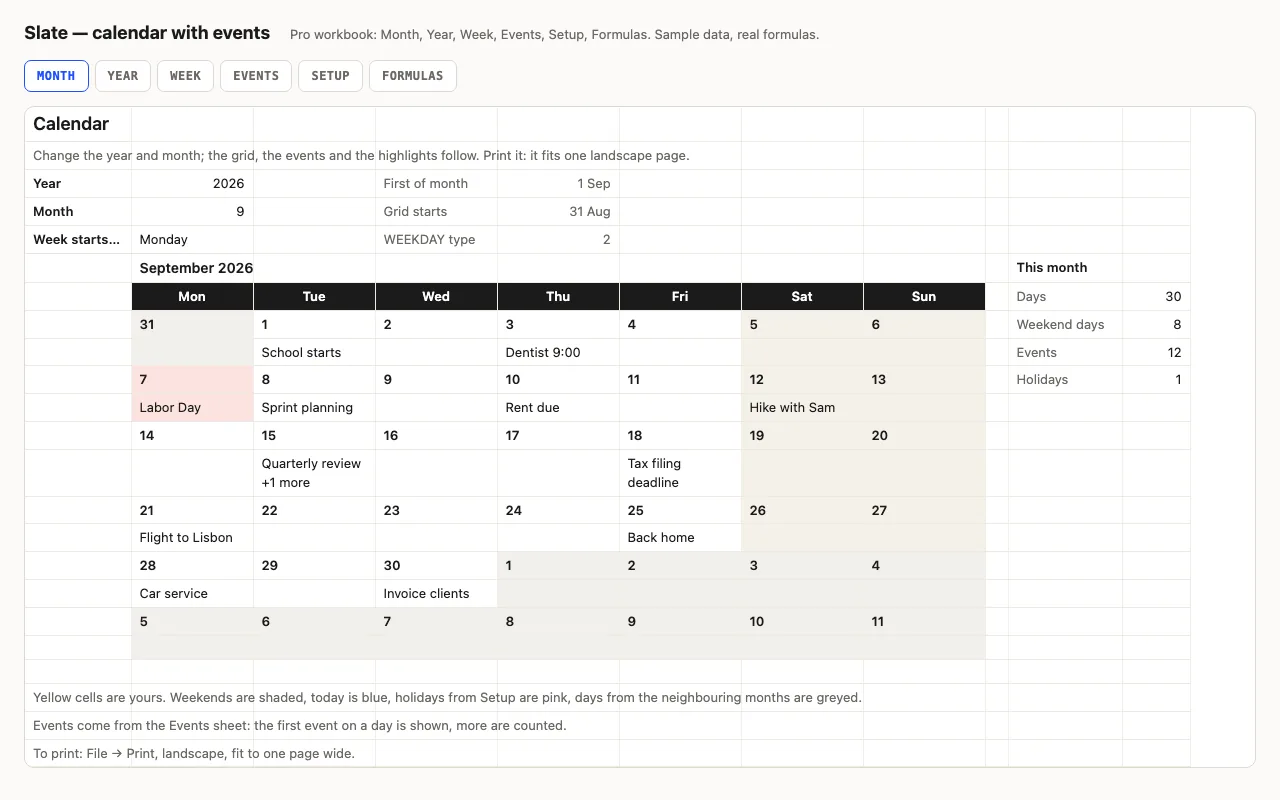
Slate — calendar spreadsheet preview

Type a year and a month and the calendar redraws itself: weekends shaded, today blue, other months greyed, and your events written into the right days from a list. Pro adds the whole year on one sheet, a week planner, holidays, and a formulas walkthrough. No macros.

  • XLSX
  • No macros
  • WEEKDAY
live demo →
Tick — task checklist spreadsheet preview

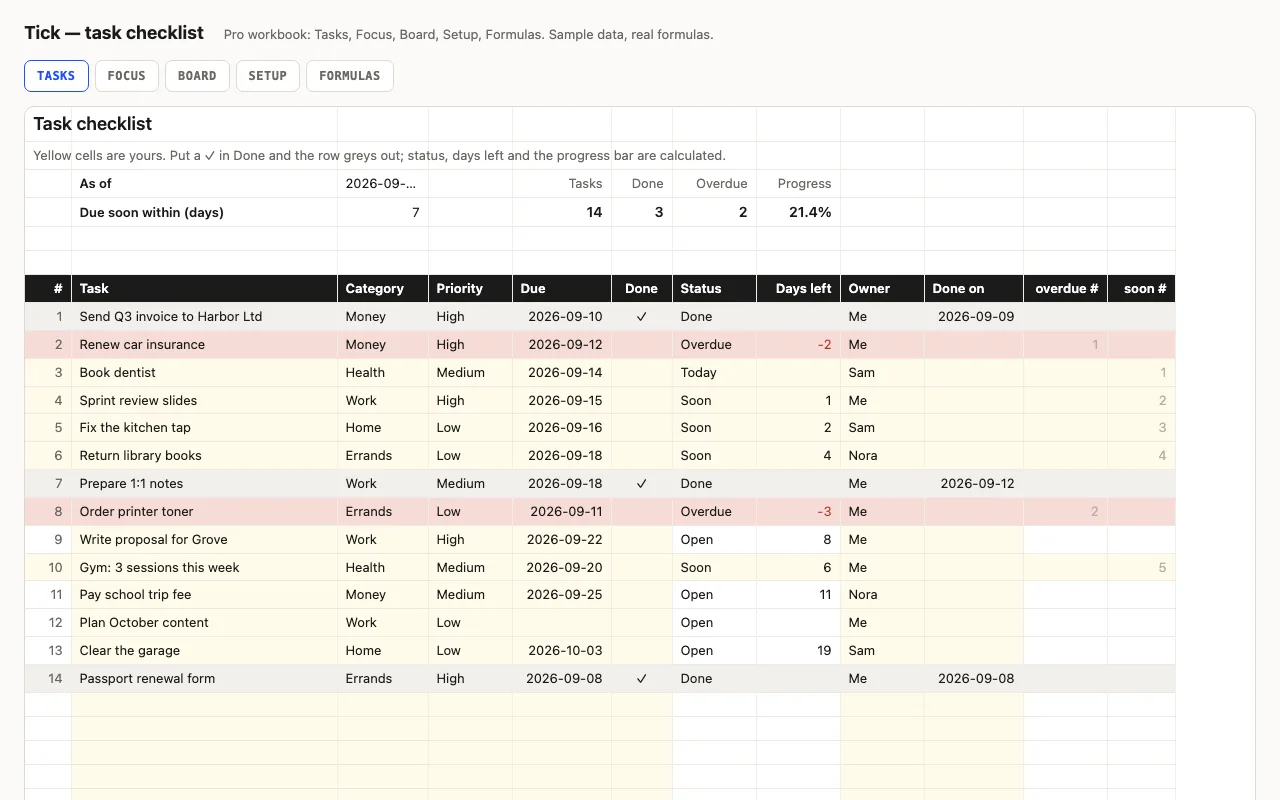
A to-do list that knows what's late: task, category, priority, due date and a ✓ when done; status (Done, Overdue, Today, Soon, Open), days left and a progress bar are calculated. Pro adds a Focus sheet listing what's overdue and due this week, a Board with counts per category, person and priority, and a formulas walkthrough. No macros.

  • XLSX
  • No macros
  • COUNTIFS
live demo →
Clock — timesheet spreadsheet preview

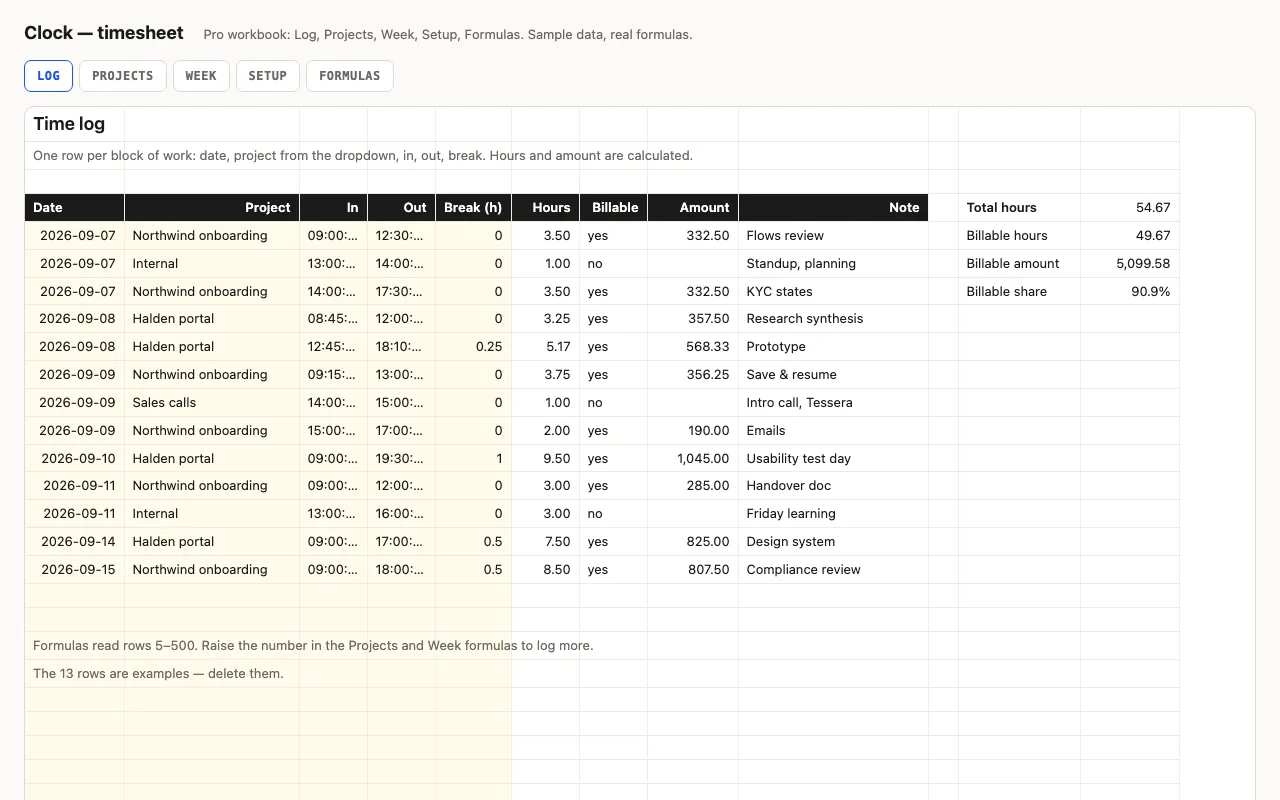
Type in and out as times and a break in hours; hours and overtime are calculated, night shifts past midnight included. Pro adds a log with projects and hourly rates, billable amounts per project and per week, distinct days worked, and a formulas walkthrough. No macros.

  • XLSX
  • No macros
  • Time arithmetic
live demo →
Principal — loan amortization spreadsheet preview

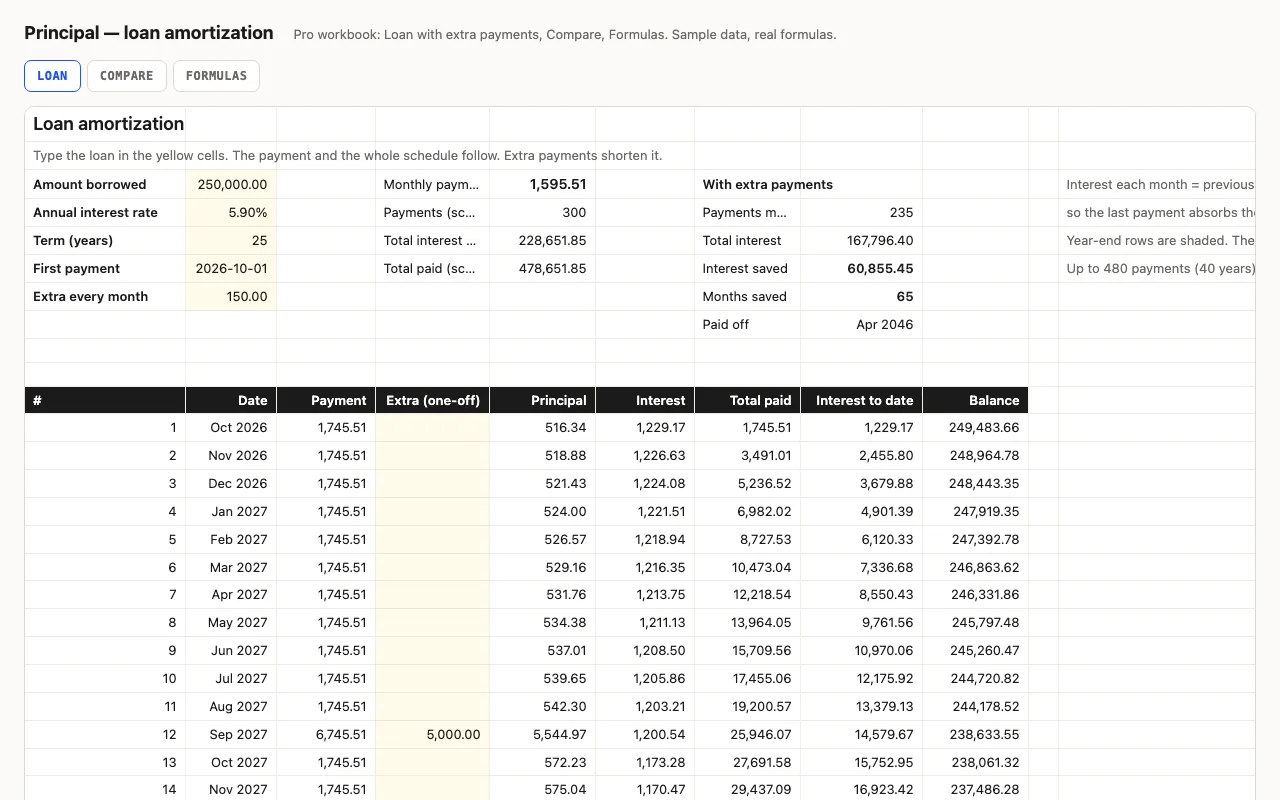
Amount, rate, term, first payment: the monthly payment and a full schedule where interest is computed month by month from the balance, rounded to cents like a lender, so every figure is visible. Pro adds extra payments with payoff date and interest saved, a rate-and-term comparison grid, and a formulas walkthrough.

  • XLSX
  • No macros
  • PMT
live demo →
Roll — attendance tracker spreadsheet preview

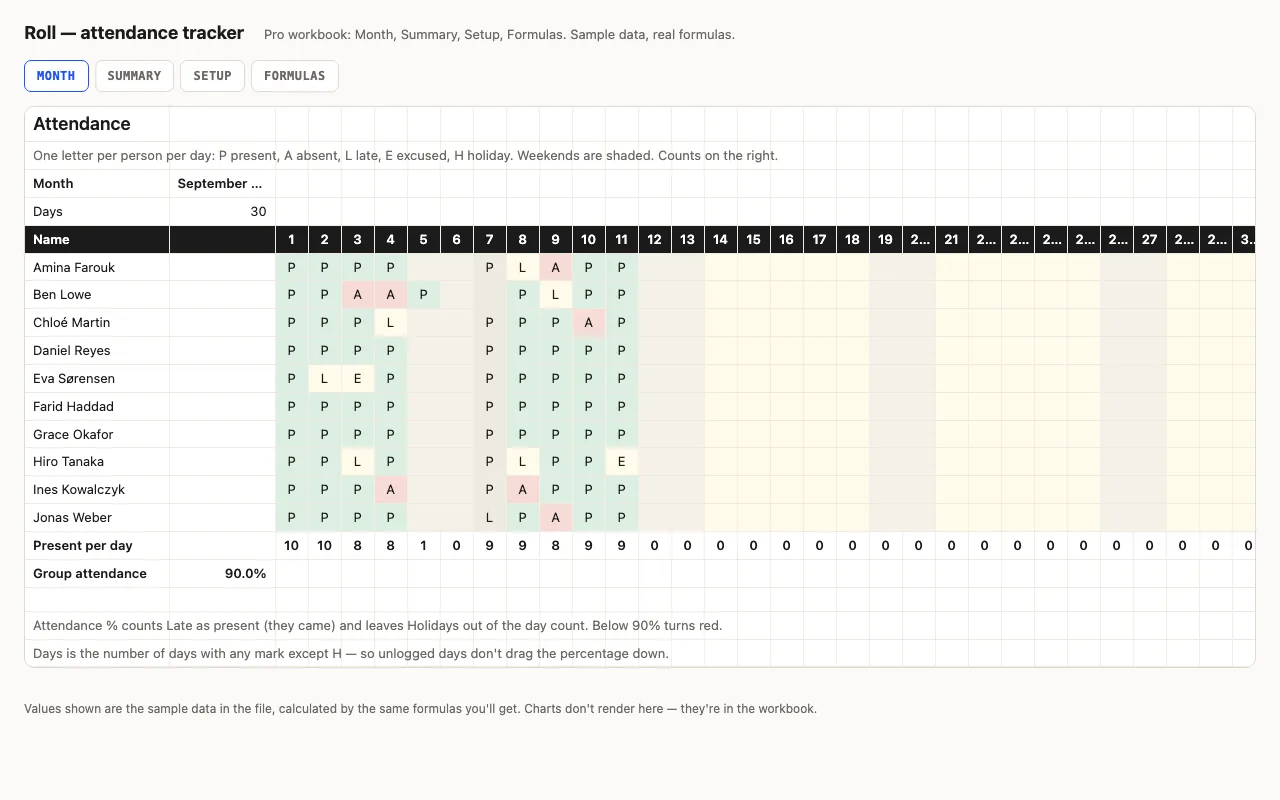
Names down the side, days across, one letter per cell — P, A, L, E, H — from a dropdown, coloured. Counts per person, attendance % that counts Late as present and leaves holidays out, present per day, weekends shaded. Pro adds a Summary with bars and flags, holidays from Setup, and a formulas walkthrough. No macros.

  • XLSX
  • No macros
  • COUNTIF
live demo →
Rota — shift schedule spreadsheet preview

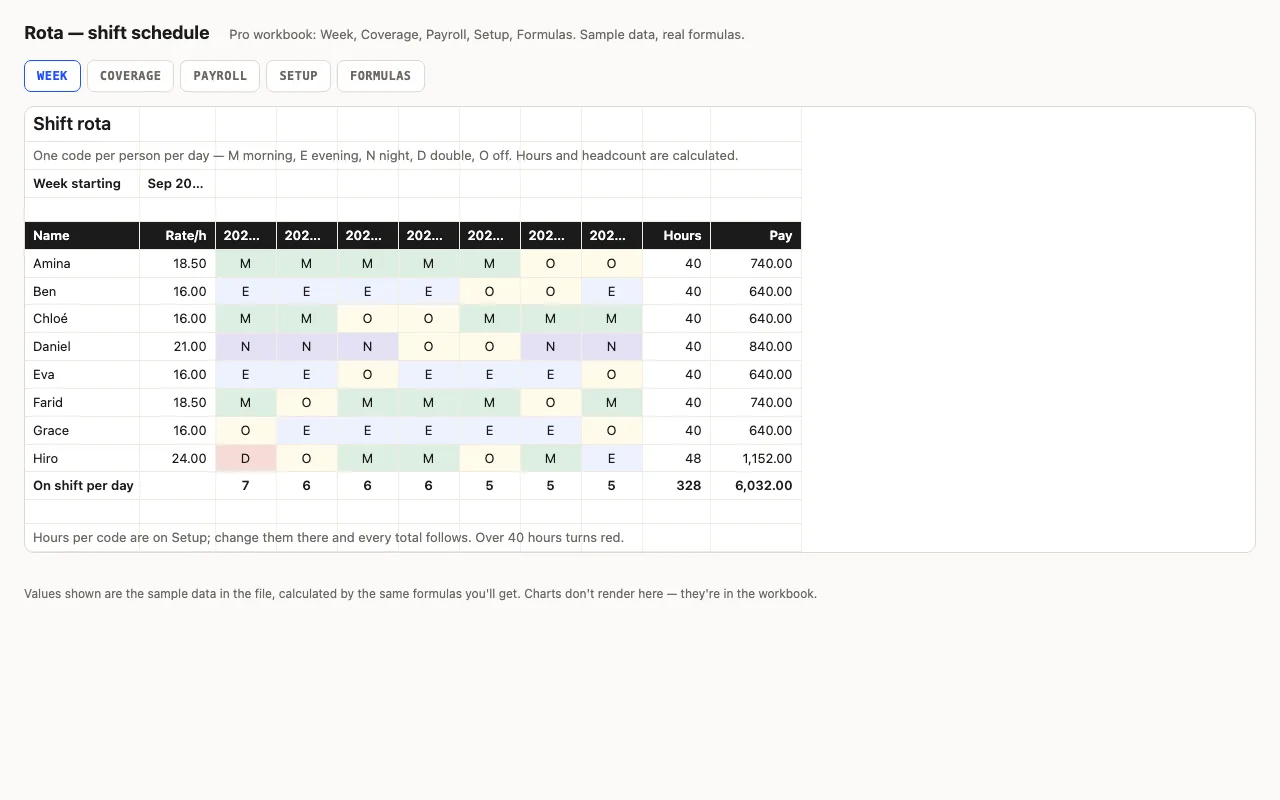
A week of shifts: people down the side, seven days across, a shift code per cell from a dropdown — hours and pay per person come from the code table, headcount per day is counted. Pro adds coverage against required staffing per shift, payroll with overtime, and a formulas walkthrough. No macros.

  • XLSX
  • No macros
  • SUMPRODUCT
live demo →
Outlay — expense tracker spreadsheet preview

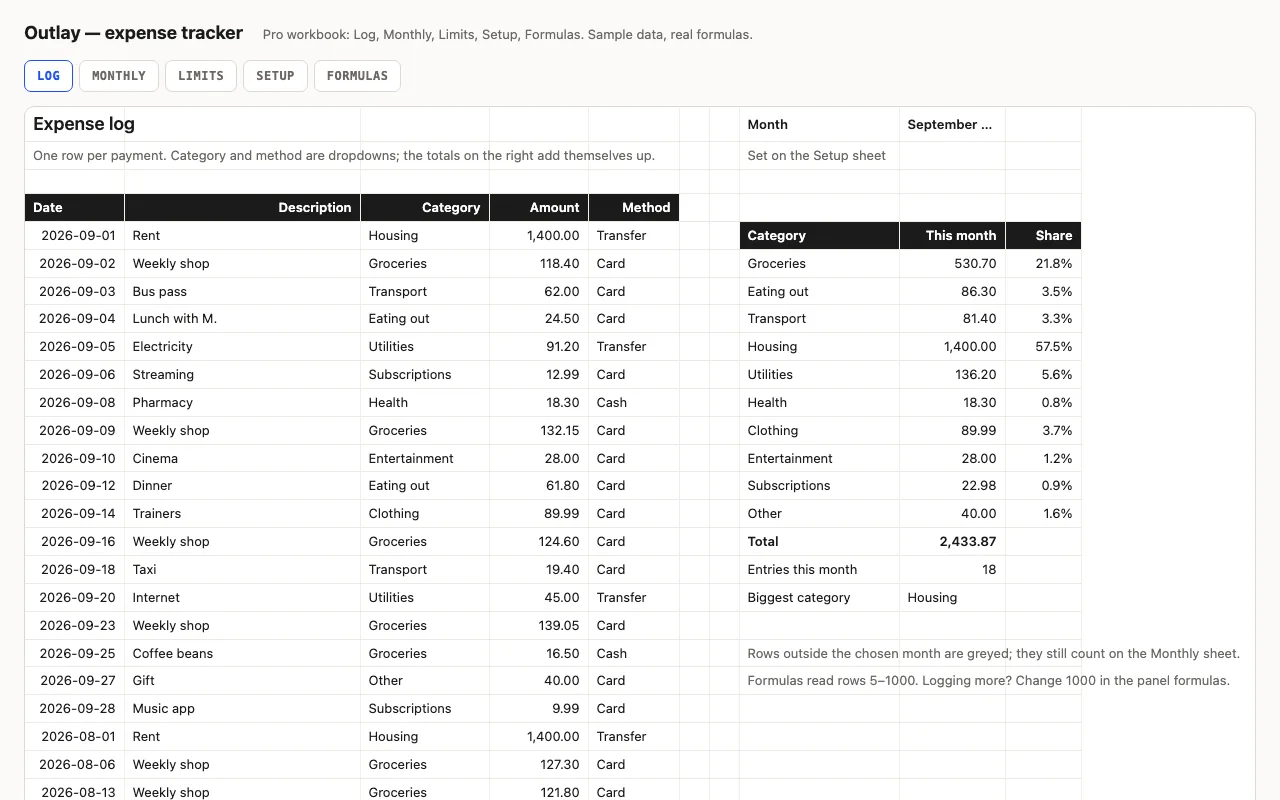
An expense log for Excel and Google Sheets that totals itself: this month by category with data bars, twelve months back, and spending against the limits you set — every formula visible. Pro adds the Monthly and Limits sheets, a Setup sheet with limits, and a formulas walkthrough.

  • XLSX
  • No macros
  • SUMIFS
live demo →
Shelf — inventory tracker spreadsheet preview

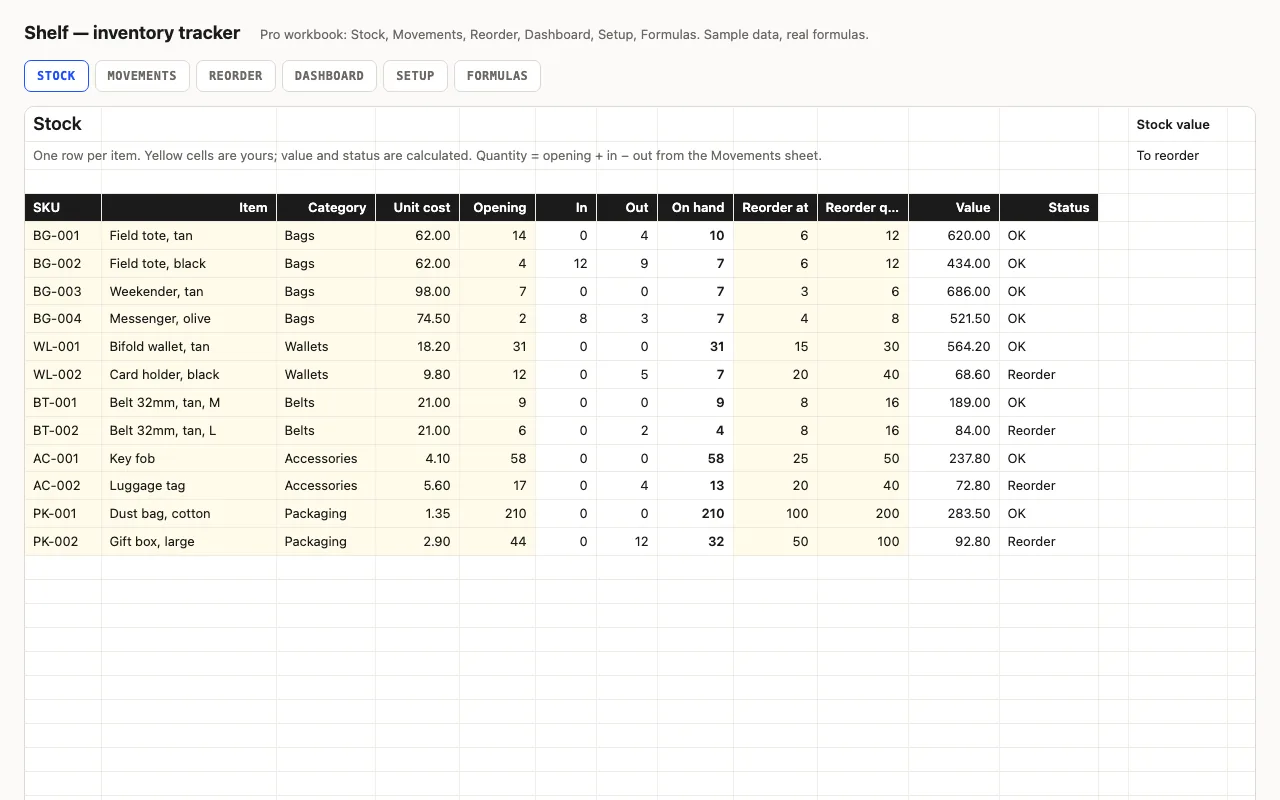
Stock levels, reorder points and stock value for Excel and Google Sheets, every number a visible formula. Status turns yellow at the reorder point and red at zero. Pro adds a Movements log that updates quantities, a Reorder list with the cost to restock, a Dashboard by category, and a formulas walkthrough.

  • XLSX
  • No macros
  • SUMIFS
live demo →
Streak — habit tracker spreadsheet preview

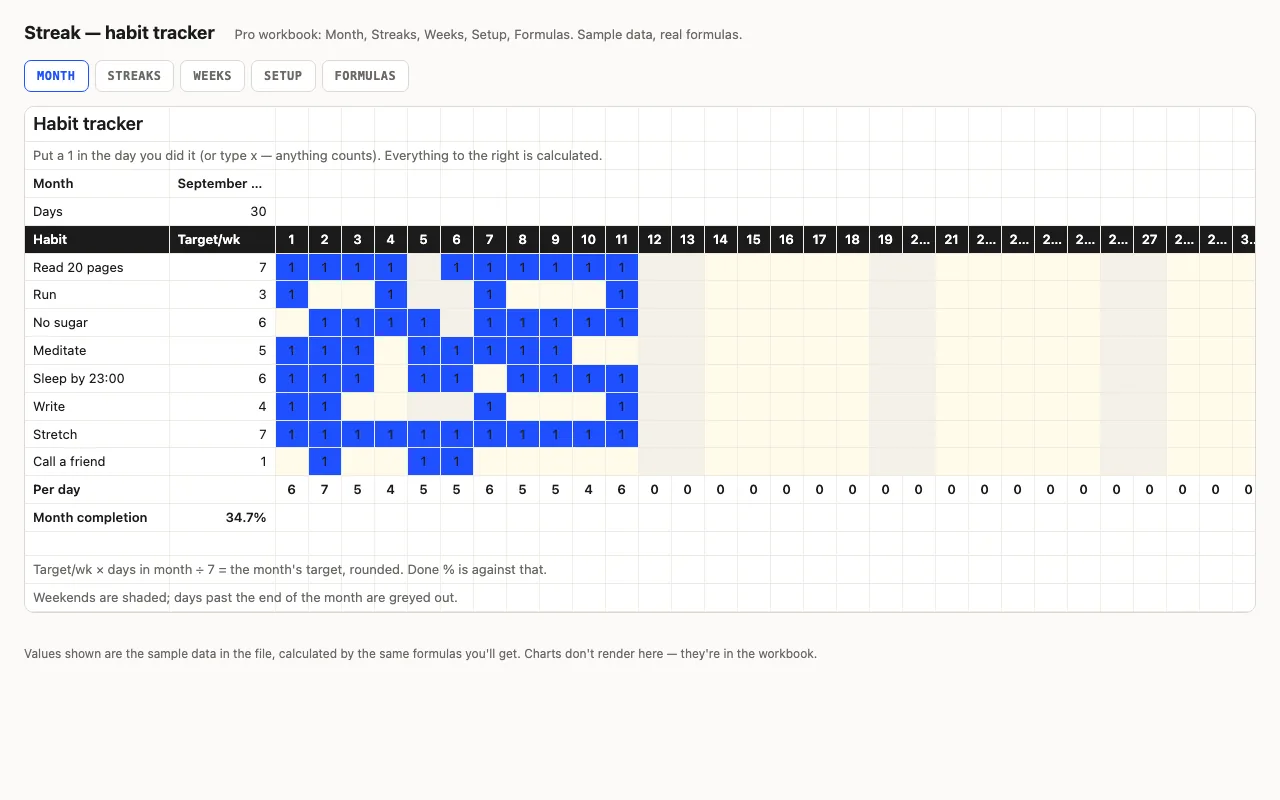
Habits down the side, days across the top, a mark when you did it. Done counts, a monthly target scaled from your weekly one, completion bars, weekends shaded. Pro adds current and best streaks with the running count on its own sheet, a by-week view, and a formulas walkthrough. No macros.

  • XLSX
  • No macros
  • COUNTA
live demo →
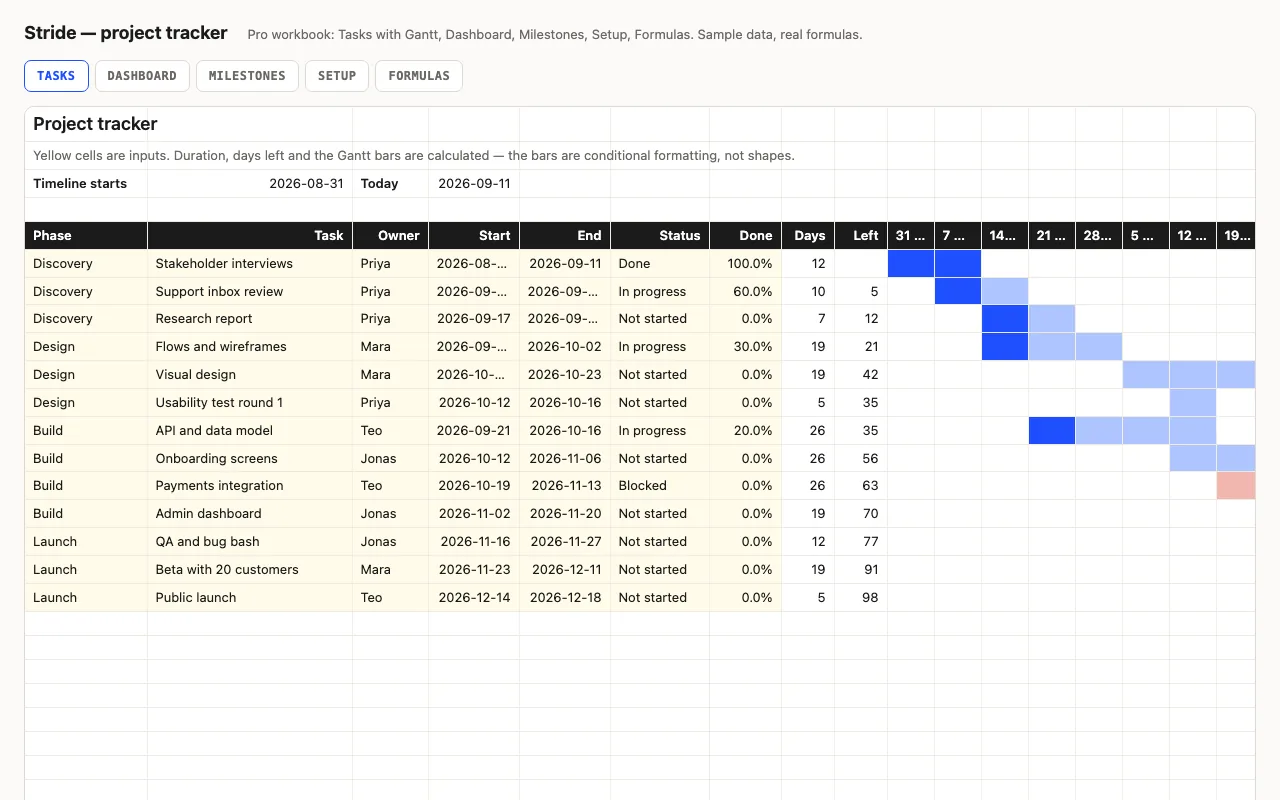
Stride — project tracker spreadsheet with Gantt chart preview

A task list with a Gantt chart drawn entirely by conditional formatting — no shapes, no macros. Start and end dates make the bar, Done % fills it, Blocked turns it red, a line marks this week. Pro adds a 26-week timeline, a Dashboard, Milestones and a formulas walkthrough.

  • XLSX
  • No macros
  • Gantt
live demo →
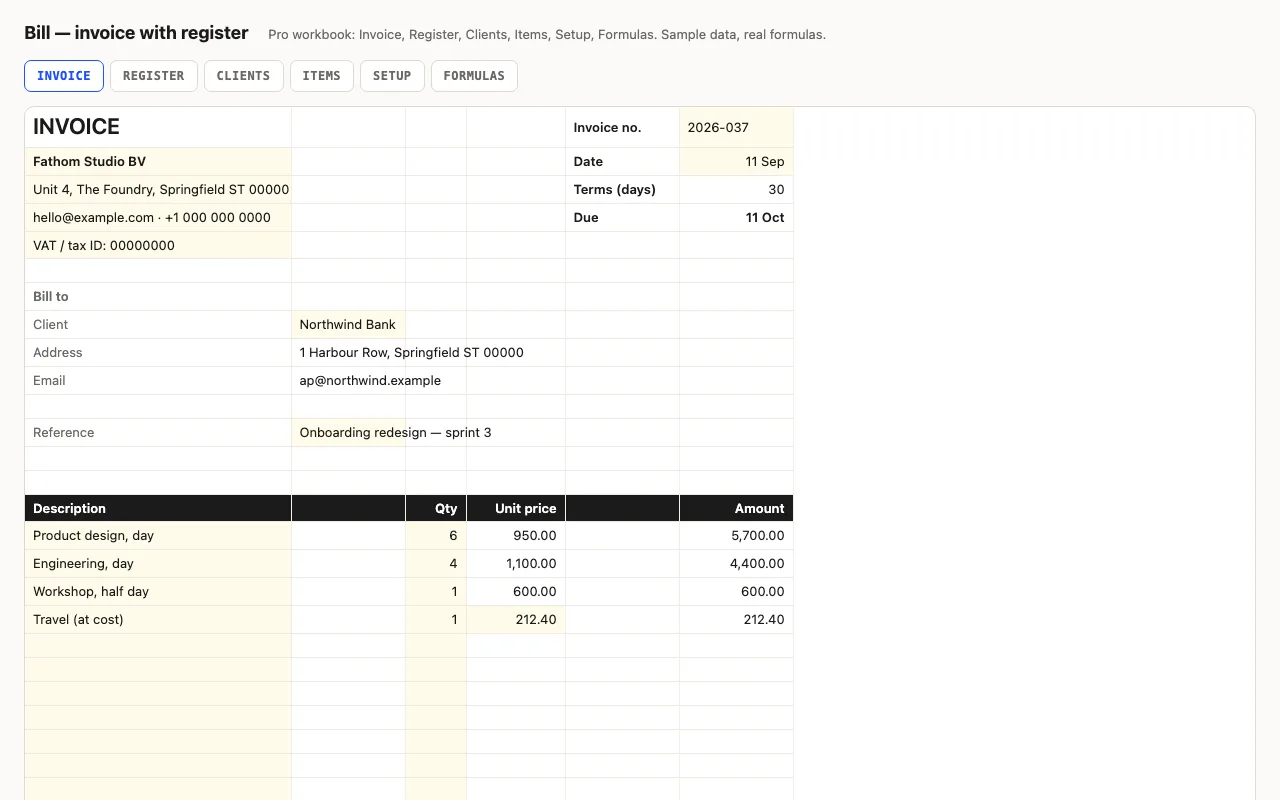
Bill — invoice spreadsheet with a register preview

An invoice that adds itself up and prints on one page: line items, discount, tax, total, due date from terms. Pro fills the client's details and item prices from lists, and keeps a register of every invoice — outstanding, days overdue, status, aging buckets, next number. No macros.

  • XLSX
  • No macros
  • INDEX/MATCH
live demo →
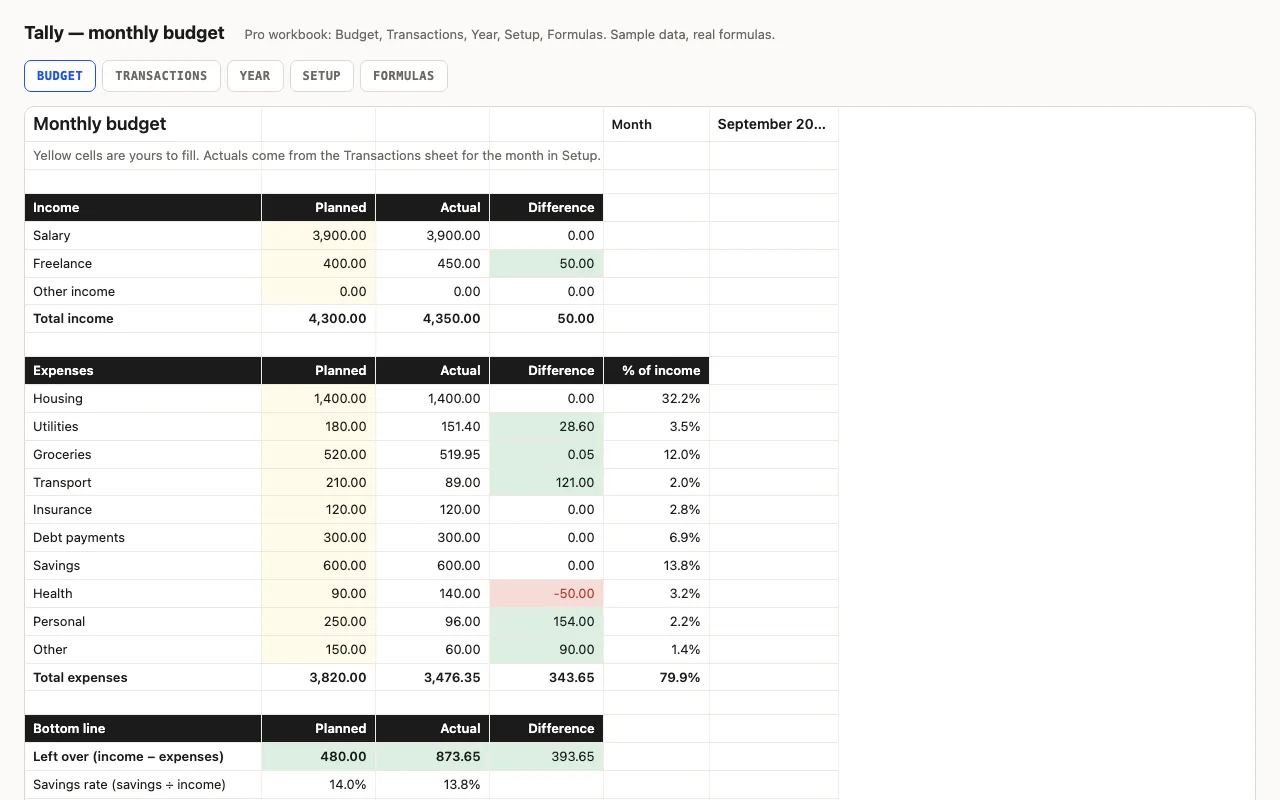
Tally — monthly budget spreadsheet preview

A monthly budget for Excel and Google Sheets with every formula visible: planned vs actual by category, red/green differences, savings rate. Pro adds a transactions log that fills the budget automatically, a twelve-month view with a chart, and a sheet explaining each formula.

  • XLSX
  • No macros
  • SUMIFS
live demo →

Why a spreadsheet from a code shop

Most budget and tracker templates hide how they work: locked cells, formulas nested six deep, a macro that does something on open. When a number looks wrong you can't tell why. Ours are the opposite — every cell you didn't type is a formula you can click, and the Pro workbooks carry a sheet that walks through each one.

The files are generated by code, which is why they're consistent: yellow cells are always input, differences are always red when they're bad, ranges stop at a stated row instead of a whole column (Google Sheets thanks you), and the same sample data runs through the free and Pro versions so you can compare.

Questions

Do these need macros?
No. Every workbook is formulas, named ranges, data validation and conditional formatting — nothing that triggers a security warning, nothing hidden.
Do they work in Google Sheets?
Yes. Upload the file or open it from Drive. The functions used are all supported; the README of each template lists what changes, if anything.
Were they tested in Excel?
They are built for Excel 2016+, Google Sheets and Numbers. Every workbook is recalculated in LibreOffice and by a second, independent formula engine on the sample data, the totals are compared with numbers worked out outside any spreadsheet, and every formula cell is scanned for errors. We do not run Excel itself on the build machine, so we say built for, not tested in.
What is in the free version?
The core sheet, working, with a credit line at the bottom. Pro adds the other sheets, a Formulas walkthrough, no credit line, and twelve months of updates.