foldout
Free + Pro 5-sheet workbook no macros

Takings — daily cash-up spreadsheet

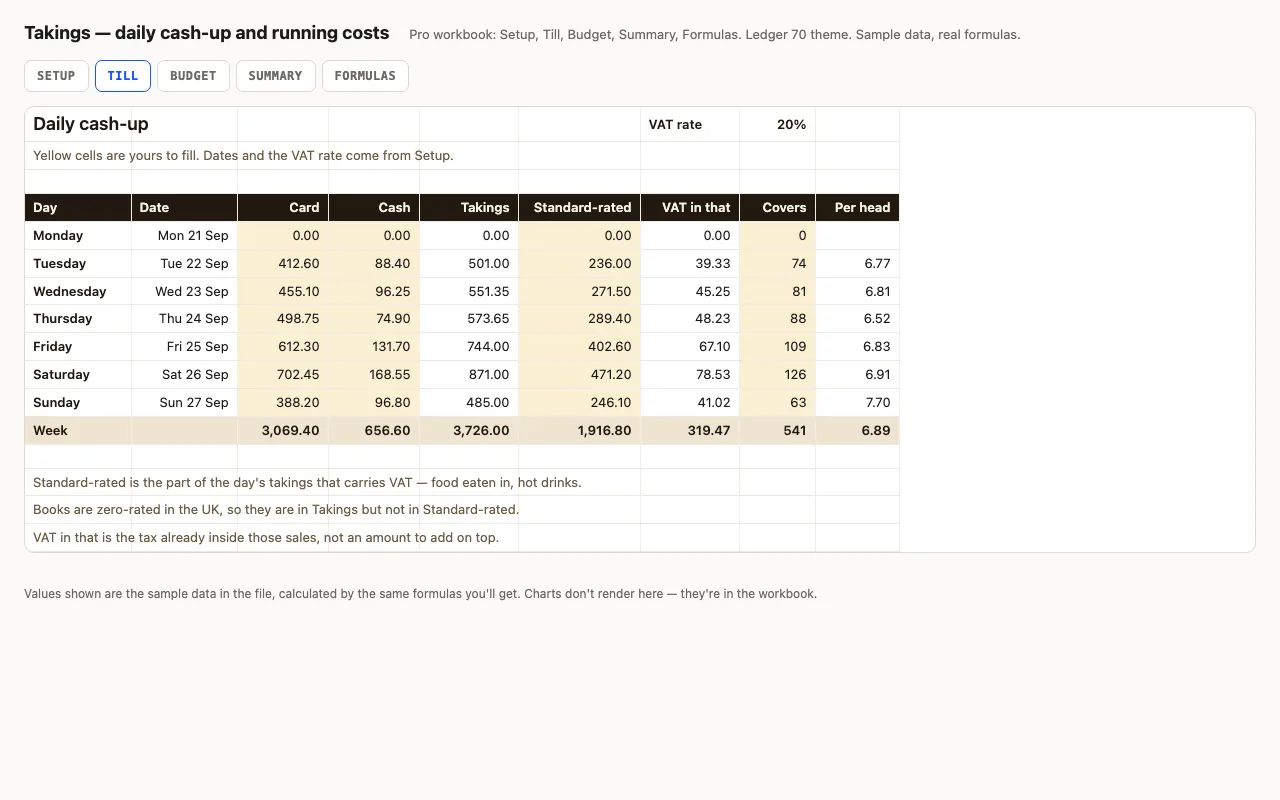
A week of trading, one row a day: card, cash, how much of it carried VAT, and how many people came in. Takings, the VAT already inside those sales and the spend per head are calculated. Pro adds the month's running costs with a budget, a variance and an On plan / Watch / Over status on every line, plus a summary that reads the week back to you. No macros.

  • XLSX
  • No macros
  • VAT inside gross
  • INDEX/MATCH
  • Conditional formatting
  • Google Sheets

The sheets

  1. 01
    Till

    Seven days, one row each: card and cash kept apart, takings added up, how much of the day carried VAT and the tax already inside it, covers and spend per head. A week totals row under a heavy rule.

    Free + Pro
  2. 02
    Setup

    Shop name, the Monday the week starts on, the VAT rate and the budget month. The Till sheet reads its dates and rate from here.

    Pro
  3. 03
    Budget

    Ten running-cost lines with budget, actual, variance and a status worked out for you: On plan, Watch or Over, coloured by conditional formatting.

    Pro
  4. 04
    Summary

    The week read back: card share, covers, spend per head, best day found with INDEX and MATCH, VAT inside the week, gross margin and labour as a share of takings.

    Pro
  5. 05
    Formulas

    Eight formulas explained in plain words, including why the VAT inside a gross figure is one sixth and not a fifth.

    Pro

Built for

  • Excel 2016+
  • Google Sheets
  • Numbers

Every workbook is recalculated in LibreOffice and by a second, independent formula engine on the sample data; the totals are compared with numbers worked out outside any spreadsheet, and every formula cell is scanned for errors. We don't run Excel itself on the build machine, so this says built for, not tested in — open the live preview to see the numbers the formulas produce.

What that means app by app: in Google Sheets, in Apple Numbers, in LibreOffice Calc.

Pro

$5

Every page, the Pro-only pages, the source files, no attribution, and 12 months of updates and email support.

Seven days of card, cash and covers
yes
VAT inside the standard-rated sales
yes
Spend per head, day and week
yes
Running costs with budget and variance
yes
On plan / Watch / Over status
yes
Week summary, margin and labour share
yes
Dates and VAT rate on a Setup sheet
yes
Formulas walkthrough sheet
yes
Credit line on the sheet
not required
Updates and support
12 months, email

Licence

Use it for unlimited personal and commercial purposes, including client work.
Do not resell the spreadsheet itself, alone or in a bundle.

Full licence terms →

One row a day, and the day adds itself up

Card and cash go in separately, because that is how they arrive and how they get checked — the card figure against the statement, the cash against what is actually in the tin. Takings are the two added together, and the spend per head is takings over covers, blank on a day you were shut rather than an error.

The week totals row sits under a heavy rule with the same weights the rest of this design system uses: a hairline between rows, a heavier one before a total.

The VAT column people get wrong

Prices on the board include VAT, so the tax is a fraction of what you took, not twenty per cent added on top. At a 20 per cent rate it is one sixth of the gross:

VAT in that = standard-rated × rate ÷ (1 + rate)

Adding 20 per cent to the takings instead overstates the bill by a quarter, which is the kind of mistake that only shows up at the quarter end.

There is a separate column for standard-rated sales because a lot of small shops take money at two rates on the same day — in the UK, books are zero-rated and a hot drink to have in is not. If everything you sell carries VAT, put the day’s takings in both columns and the sum is unchanged. This is arithmetic, not tax advice; what is standard-rated is your accountant’s call.

A status instead of a number to squint at

Every cost line on the Budget sheet gets one of three words rather than a colour you have to interpret:

=IF(B5="","",IF(D5<=0,"On plan",IF(D5<=B5*0.05,"Watch","Over")))

At or under budget is On plan. Over by up to five per cent of that line is Watch. Past that is Over — the one to open first. The five per cent is written into the formula, not buried in a setting, so you can see the rule and change it.

What the summary will not tell you

Gross margin here is takings less the stock those takings came from, over takings. It is not profit — rent, wages and insurance are on the Budget sheet, which runs by the month while the till runs by the week.

And a week is a short read. One wet Saturday moves every figure on that sheet, which is worth remembering before you redo the menu on the strength of it.

Checked twice, in two engines

Every formula in both files is recalculated by two independent engines before release — the formulas library and LibreOffice — and compared against values worked out separately in Python. Twenty-six checks, and a sweep that fails the build if any cell comes back #VALUE!, #REF! or #DIV/0!.
Free download

  • takings.xlsx · Till sheet
  • README.md · LICENCE.txt

Pro download

  • takings-pro.xlsx · Setup, Till, Budget,
  • Summary, Formulas
  • README.md · LICENCE.txt (Pro)

Read before you build

Version history

  • 1.0.02026-09-24

    First release

  • 0
    macros
  • 8
    formulas explained
  • 26
    checks the build runs
  • 2
    engines the formulas are checked in

Related spreadsheets

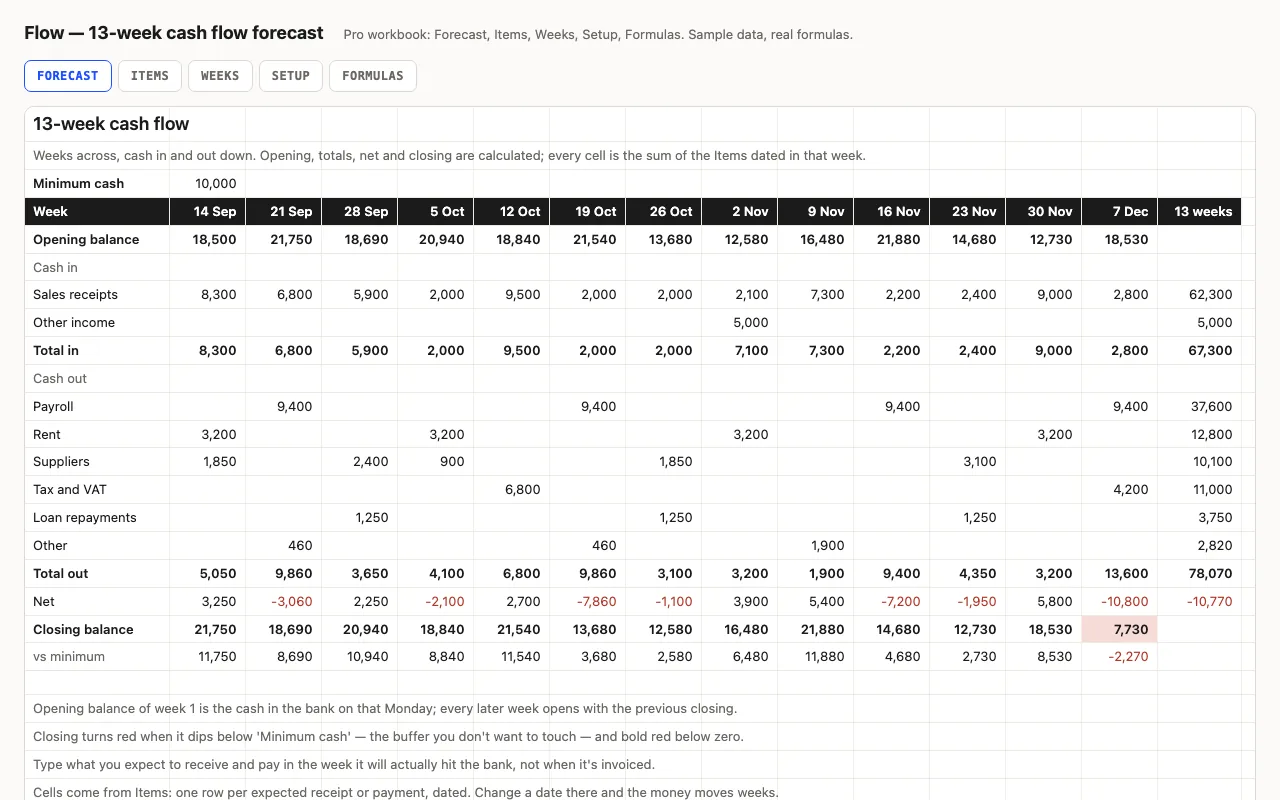
Flow — 13-week cash flow forecast spreadsheet preview

Thirteen weeks across, cash in and out down: the balance carries forward, weeks below your buffer turn red, and the lowest point and its week are found for you. Pro fills the grid from a dated list of expected receipts and payments and shows what's still outstanding from past weeks. No macros.

  • XLSX
  • No macros
  • SUMIFS
live demo →
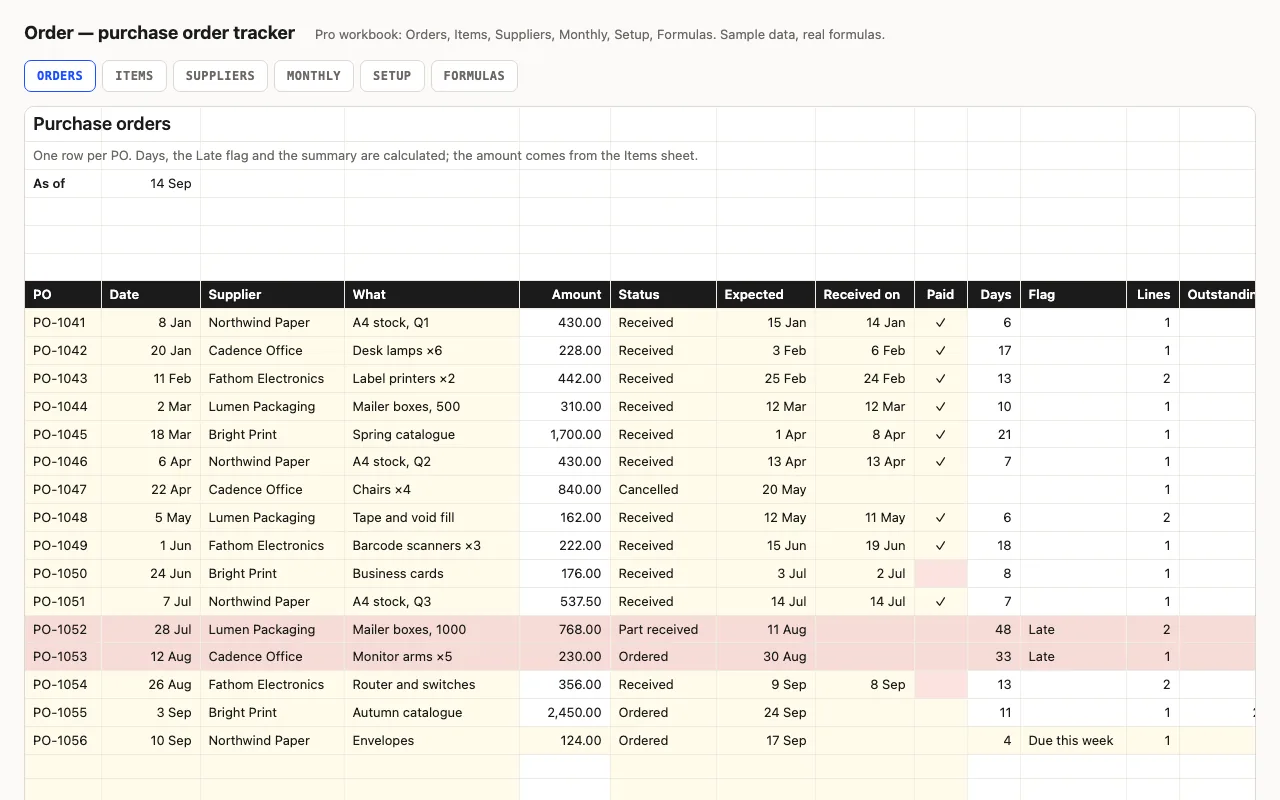
Order — purchase order tracker spreadsheet preview

One row per purchase order: supplier, amount, status, expected and received dates, paid. Days open or lead time, a Late flag, open value, unpaid invoices. Pro adds line items per PO with what's still to arrive, a supplier view with lead times, and a monthly view. No macros.

  • XLSX
  • No macros
  • SUMIFS
live demo →
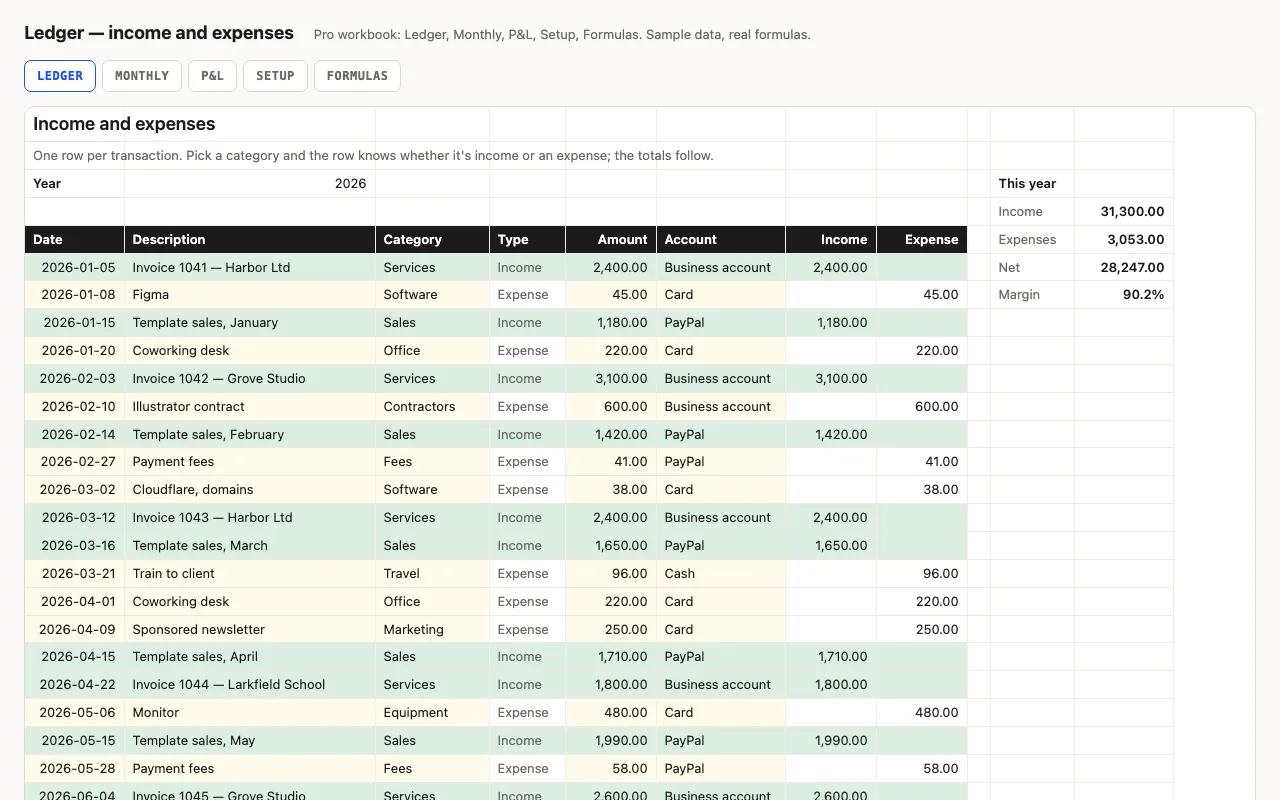
Ledger — small business income and expenses spreadsheet preview

One row per transaction; the category decides whether it's income or an expense, so amounts stay positive and every total is a plain SUMIFS. Year totals and margin at the top, a category summary beside the log. Pro adds a Monthly sheet with quarters, a P&L by category with shares, and a formulas walkthrough. No macros.

  • XLSX
  • No macros
  • SUMIFS
live demo →

Tell us what happened

Goes straight to a person. No account, no ticket number.

What is this about?

We keep the message and the page it came from. Nothing else — not your IP, not your browser. Privacy.