foldout

Calendar, schedule and timesheet spreadsheet templates

What happens when, who works when, and how long they worked: a calendar that redraws itself for any month with your events in the days, a weekly rota with shift codes that turn into hours and pay, and a timesheet that turns times in and out into hours, overtime and billable amounts.

3 spreadsheets · 3 free · updated 2026-09-12

3 shown
Clock — timesheet spreadsheet preview

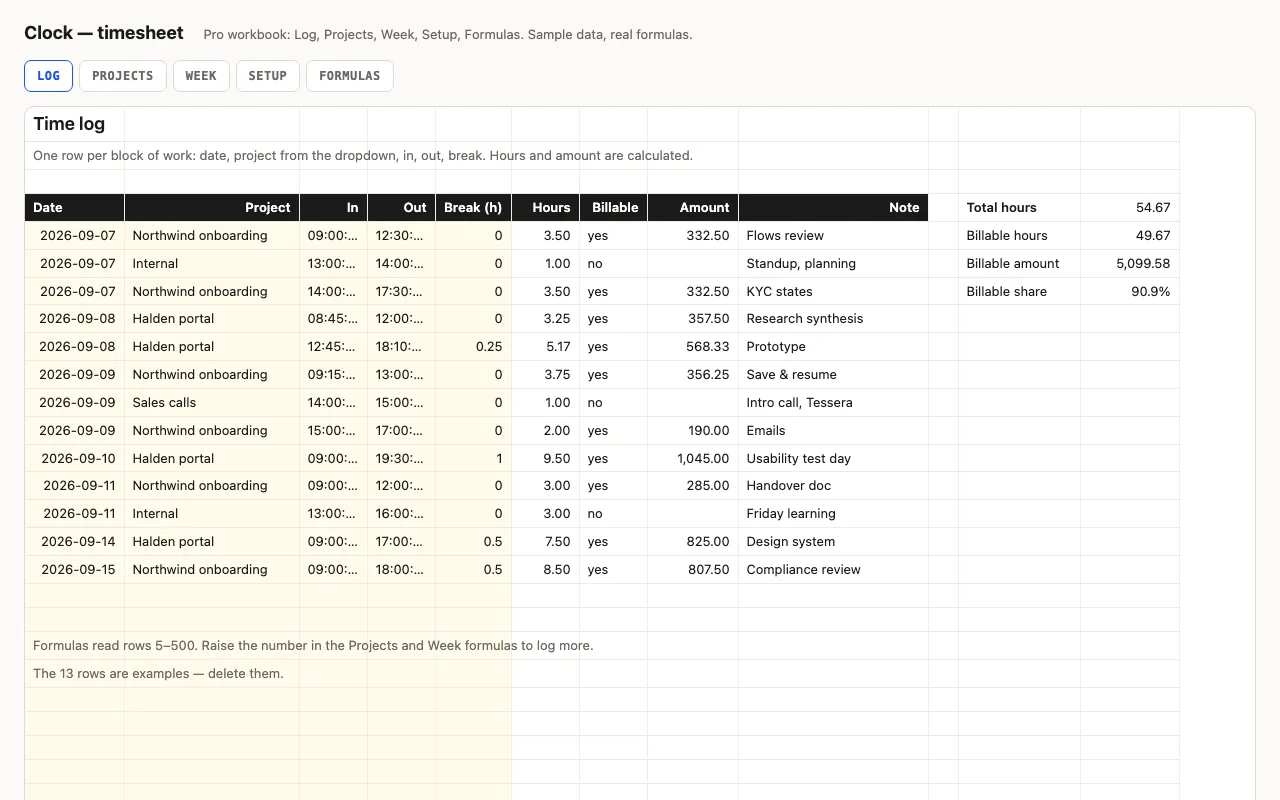
Type in and out as times and a break in hours; hours and overtime are calculated, night shifts past midnight included. Pro adds a log with projects and hourly rates, billable amounts per project and per week, distinct days worked, and a formulas walkthrough. No macros.

  • XLSX
  • No macros
  • Time arithmetic
live demo →
Rota — shift schedule spreadsheet preview

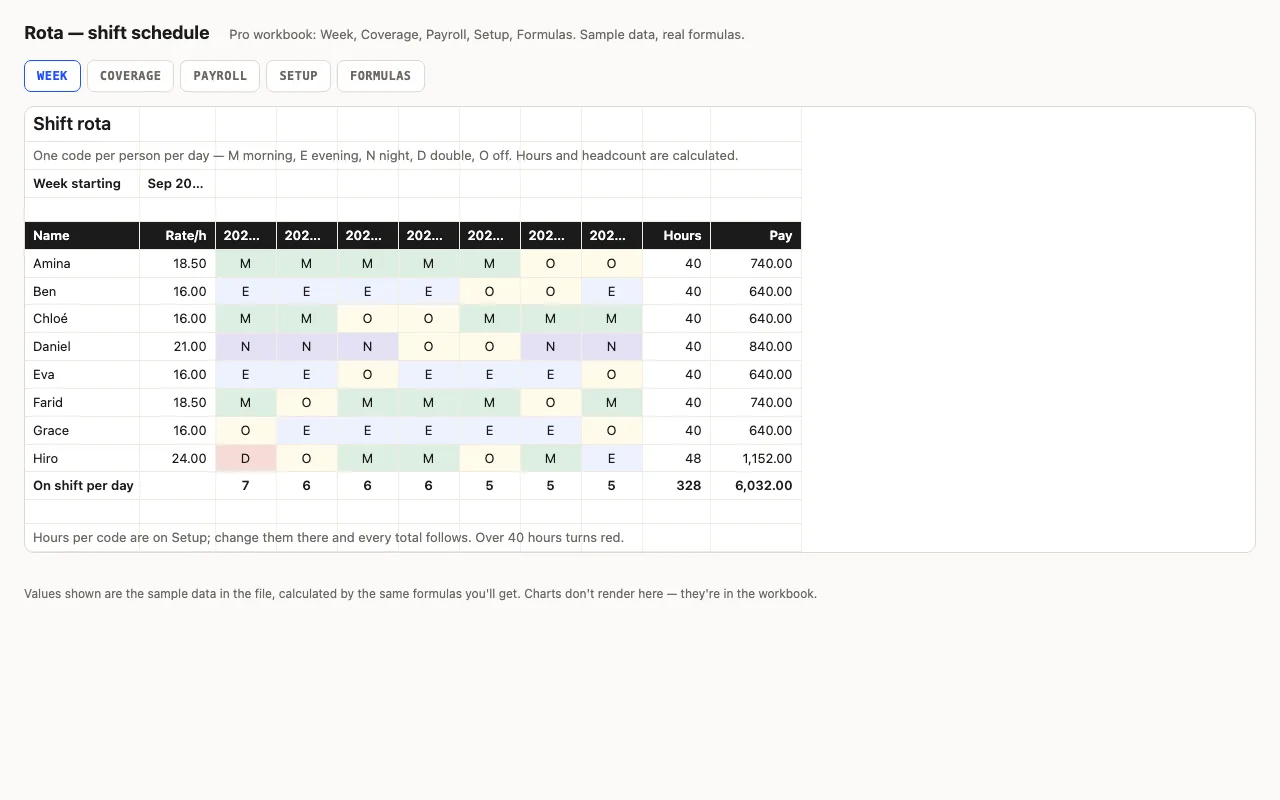
A week of shifts: people down the side, seven days across, a shift code per cell from a dropdown — hours and pay per person come from the code table, headcount per day is counted. Pro adds coverage against required staffing per shift, payroll with overtime, and a formulas walkthrough. No macros.

  • XLSX
  • No macros
  • SUMPRODUCT
live demo →
Slate — calendar spreadsheet preview

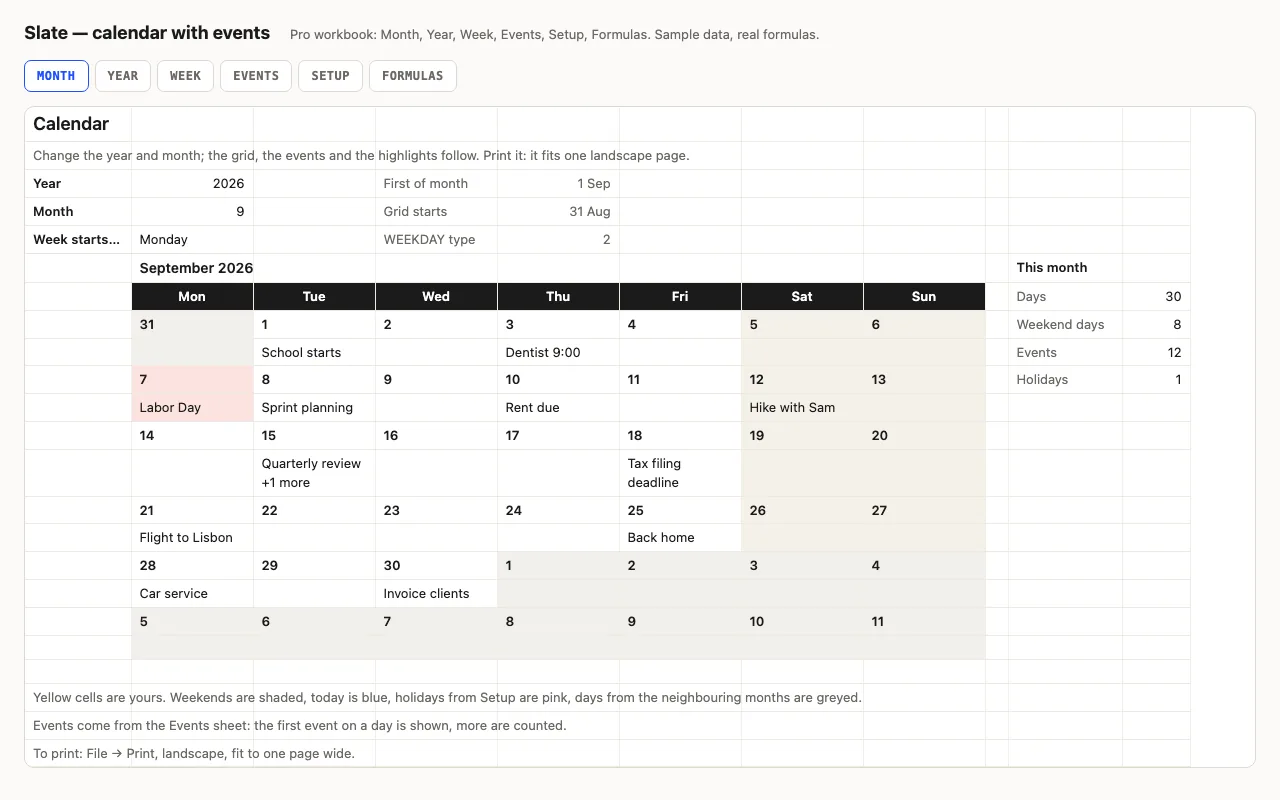
Type a year and a month and the calendar redraws itself: weekends shaded, today blue, other months greyed, and your events written into the right days from a list. Pro adds the whole year on one sheet, a week planner, holidays, and a formulas walkthrough. No macros.

  • XLSX
  • No macros
  • WEEKDAY
live demo →

Related categories

Dates, codes and times, turned into a plan

Slate turns a year and a month into a printable grid with your events in the right days — and, in Pro, a whole year on one page and a week planner. Rota reads a shift code per person per day and turns it into hours and pay through a code table you control. Clock reads times in and out — fractions of a day in Excel — and turns them into hours, with a daily or weekly overtime threshold.

What Pro adds

For the calendar: the Year sheet, the Week planner, holidays highlighted and named, two hundred event rows with categories. For the rota: a Coverage sheet that compares scheduled against required per shift per day and colours the gaps, and a Payroll sheet with overtime at your multiplier. For the timesheet: a log with projects and hourly rates, billable amounts per project and per week, and distinct days worked.

What the free version includes

The month calendar with a fifty-row event list, or the week sheet with hours, with a credit line kept. Pro adds the rest and the formulas walkthrough.

Questions

Does the calendar work for any year?

Yes. Every cell in the grid is a formula: the first of the month stepped back to the start of its week, plus an offset. Change the year or the month and the grid, the weekend shading and the events redraw. Week can start on Monday or Sunday.

How does the rota know the hours per shift?

From a code table on Setup: M, E, N, D, O with hours each. One SUMPRODUCT(SUMIF) formula looks up all seven days at once — no XLOOKUP needed, so Excel 2016 and Numbers are fine.

Does the timesheet handle night shifts?

Yes. If the out time is earlier than the in time, the formula adds a day before subtracting, so 22:00 to 06:00 is 8 hours.

What is in the free version?

The week sheet — rota with hours and headcount, or timesheet with daily overtime — with a credit line kept. Pro adds coverage, payroll, project logs and the formulas walkthrough.