foldout

Budget and expense spreadsheet templates

Two ways to see where the money goes: a budget you plan against, and a log you fill as you spend. Both add themselves up, colour what's over, and show the year — with every formula visible.

2 spreadsheets · 2 free · updated 2026-09-11

2 shown
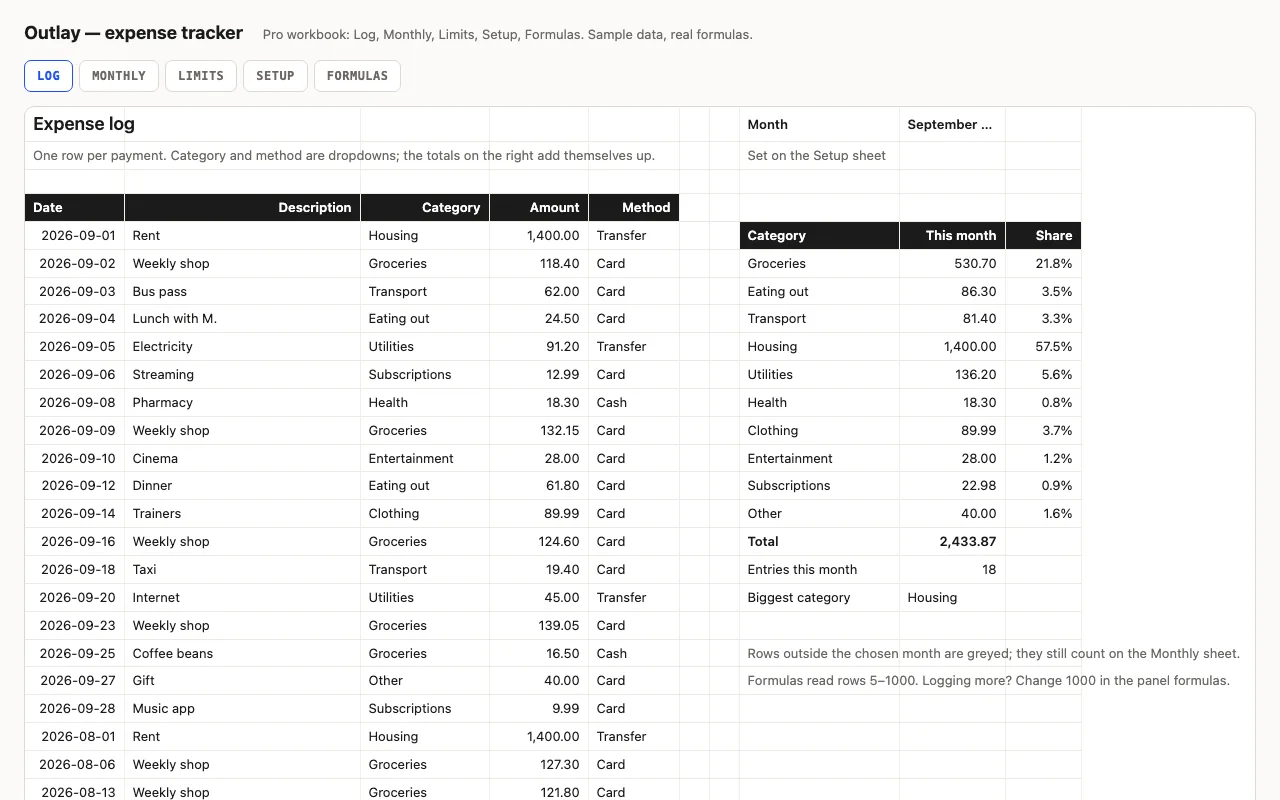
Outlay — expense tracker spreadsheet preview

An expense log for Excel and Google Sheets that totals itself: this month by category with data bars, twelve months back, and spending against the limits you set — every formula visible. Pro adds the Monthly and Limits sheets, a Setup sheet with limits, and a formulas walkthrough.

  • XLSX
  • No macros
  • SUMIFS
live demo →
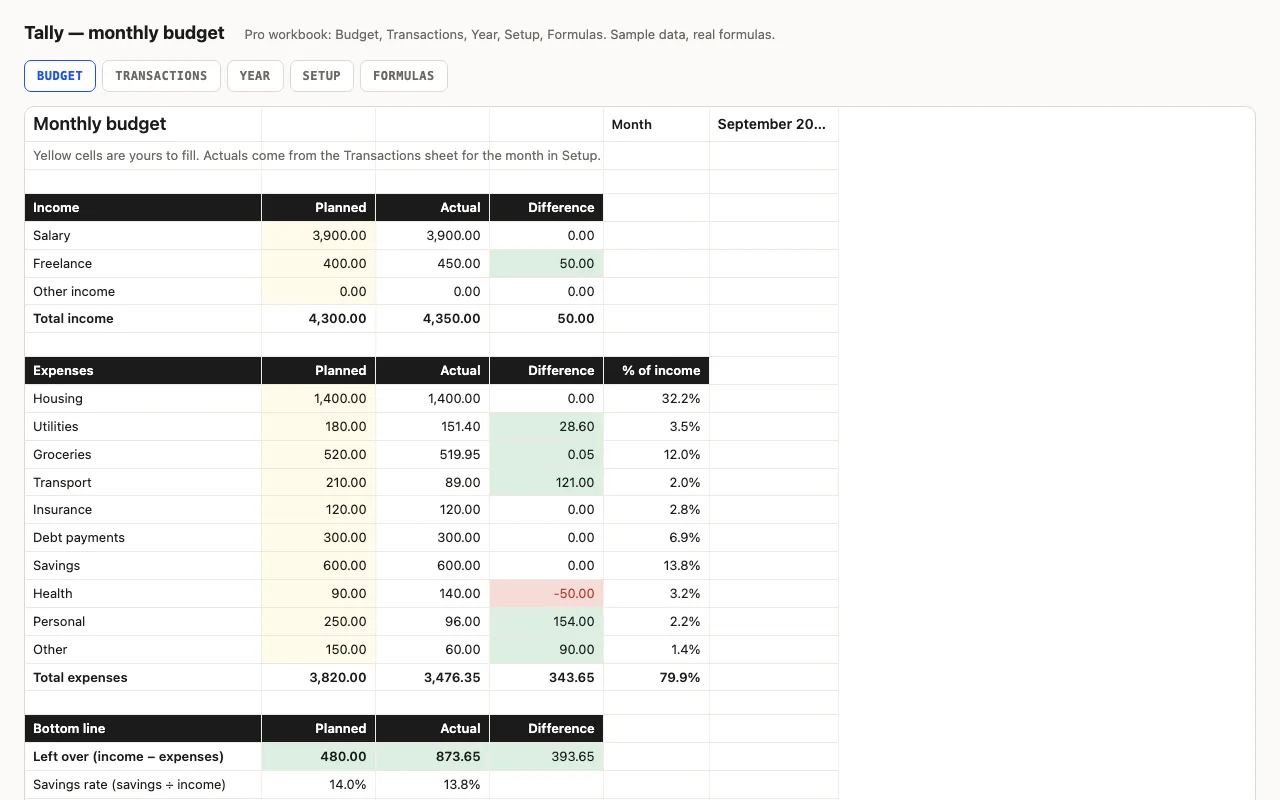
Tally — monthly budget spreadsheet preview

A monthly budget for Excel and Google Sheets with every formula visible: planned vs actual by category, red/green differences, savings rate. Pro adds a transactions log that fills the budget automatically, a twelve-month view with a chart, and a sheet explaining each formula.

  • XLSX
  • No macros
  • SUMIFS
live demo →

Related categories

Budget first, or log first?

A budget starts from a plan: you decide what each category gets, then see what actually happened. An expense tracker starts from the log: you record spending as it happens, and the totals, limits and monthly view appear. Tally is the first kind, Outlay the second — and in Pro, Tally has a transactions log too, so the line between them is thin.

Why formulas, not a macro

Both workbooks are formulas, named ranges and conditional formatting. Nothing runs on open, nothing needs enabling, both files open in Google Sheets and Numbers. The Pro workbooks include a sheet that explains every calculation — what SUMIFS is filtering on, why there’s an IF before a division, where the ranges stop.

What the free version includes

The core sheet, working, with a credit line kept at the bottom. Pro adds the remaining sheets — logs, monthly and yearly views, limits, Setup — and a formulas walkthrough.
Questions

Do these work in Google Sheets?

Yes. SUMIFS, EOMONTH, named ranges, data validation and conditional formatting are all supported; upload the file or open it from Drive.

Can I change the categories?

Rename them once on the Setup sheet (Pro). The dropdown, the budget rows and the year view follow, because they read named ranges rather than typed words.

What is in the free version?

The core sheet — the budget with hand-typed actuals, or the expense log with its monthly panel — with a credit line kept. Pro adds the other sheets and the formulas walkthrough.