foldout

Documents that print the way they look

Plain .docx files built by code, not saved out of a design tool: tables and paragraph styles only, so Word, Google Docs, LibreOffice and Pages all open them with the margins and the type intact. Open the pages to see every sheet of paper before you download.

2 document sets · 2 free · $9 Pro · built for Word 2016+, Google Docs, LibreOffice Writer, Pages

Invoice, quote, credit note and statement — Word templates preview

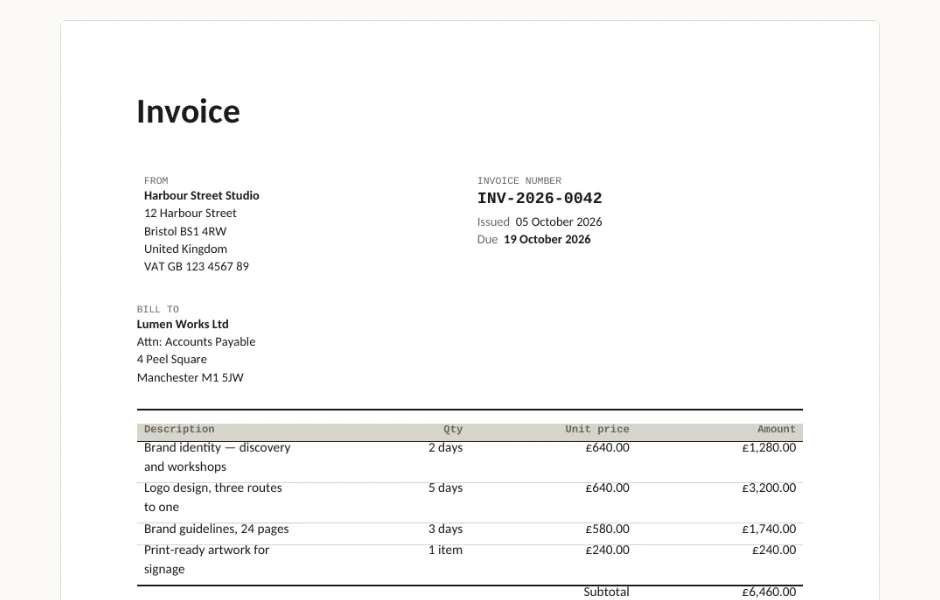
Four .docx documents that print the way they look: an invoice with VAT and payment terms, a quote that expires, a credit note that references the invoice it cancels, and a statement with the debt split by age. No macros, no Word fields that come out as zero somewhere else.

  • DOCX
  • No macros
  • No fields
live demo →

Why a .docx from a code shop

Most invoice templates are a design someone laid out by hand: text boxes positioned by eye, a logo anchored to nothing, a total in a field that recalculates on open. Move one line and the layout slides. Open it anywhere but Word and it falls apart quietly — which you find out after the client has it.

Ours are generated by a script, which is why they behave: every block is a table with stated column widths, every piece of type is a named paragraph style, nothing floats, and the build converts the file to PDF and reads the pages back to check the words and the money are still on them.
Questions

What format are these?
Plain .docx — the Word format every word processor reads. No macros, no .dotx template wrapper, no add-in to install. Open, type over the sample text, save or print.
Do they work in Google Docs?
Yes. Upload the file to Drive and open it, or File → Open in Google Docs. The layout is tables and paragraph styles only, which is the part Google Docs converts without moving anything.
Do the totals add themselves up?
No, deliberately. Word fields such as =SUM(ABOVE) display a stale cached number in Word and a zero in LibreOffice and Google Docs, so a wrong total would travel to your client. The numbers are ordinary text you type.
Were they tested in Word?
They are built for Word 2016+, LibreOffice Writer, Google Docs and Pages. Every document is converted to PDF on the build machine and the pages are read back as text, so a missing total or label fails the build. We do not run Word itself there, so we say built for, not tested in.
What is in the free version?
One complete, usable document with a credit line in the footer. Pro adds the rest of the set, no credit line, and twelve months of updates.

Tell us what happened

Goes straight to a person. No account, no ticket number.

What is this about?

We keep the message and the page it came from. Nothing else — not your IP, not your browser. Privacy.