foldout

Invoice, bookkeeping, pipeline, loan and debt spreadsheet templates

Money going out and money coming in, worked out in the open: an invoice with a register that knows what's overdue, a ledger that turns transactions into a P&L, a sales pipeline with weighted value and win rate, a loan schedule where interest is computed month by month, and a debt payoff plan where you can watch the snowball roll.

9 spreadsheets · 9 free · updated 2026-09-24

9 shown
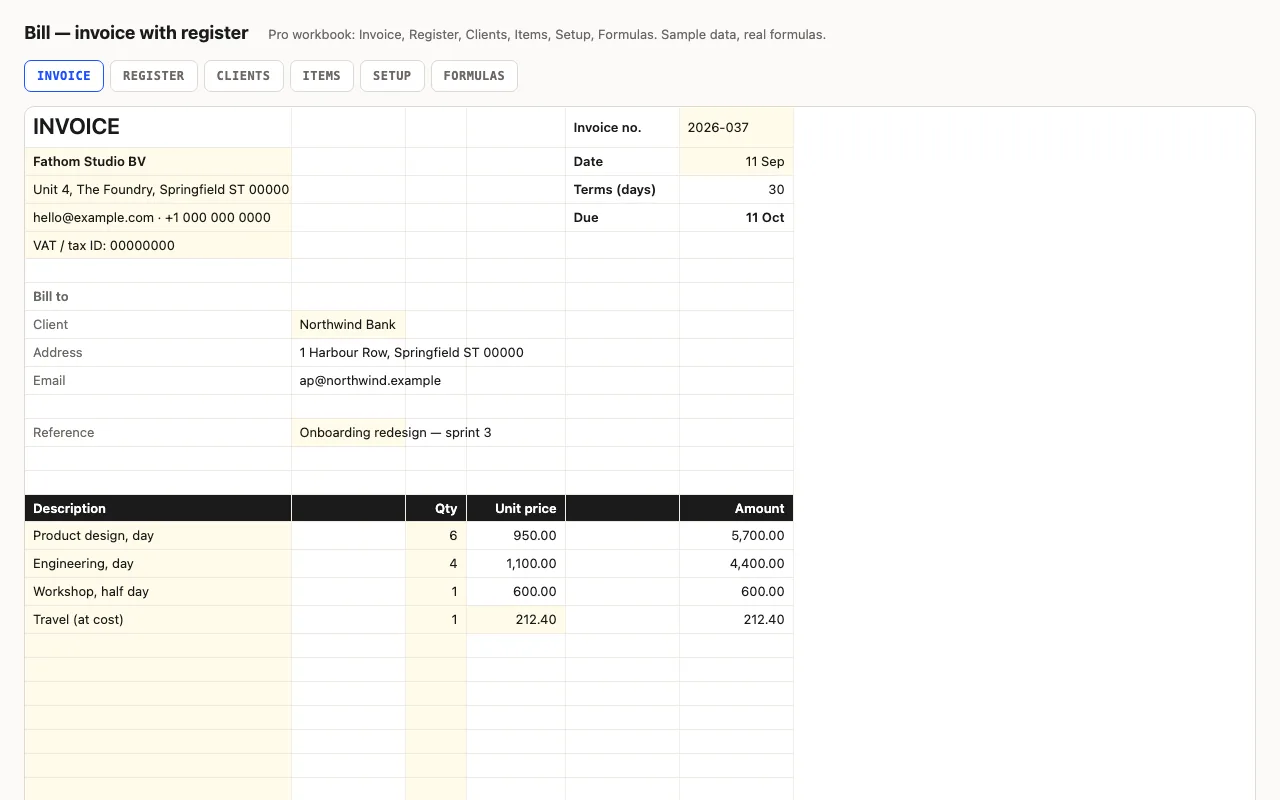
Bill — invoice spreadsheet with a register preview

An invoice that adds itself up and prints on one page: line items, discount, tax, total, due date from terms. Pro fills the client's details and item prices from lists, and keeps a register of every invoice — outstanding, days overdue, status, aging buckets, next number. No macros.

  • XLSX
  • No macros
  • INDEX/MATCH
live demo →
Flow — 13-week cash flow forecast spreadsheet preview

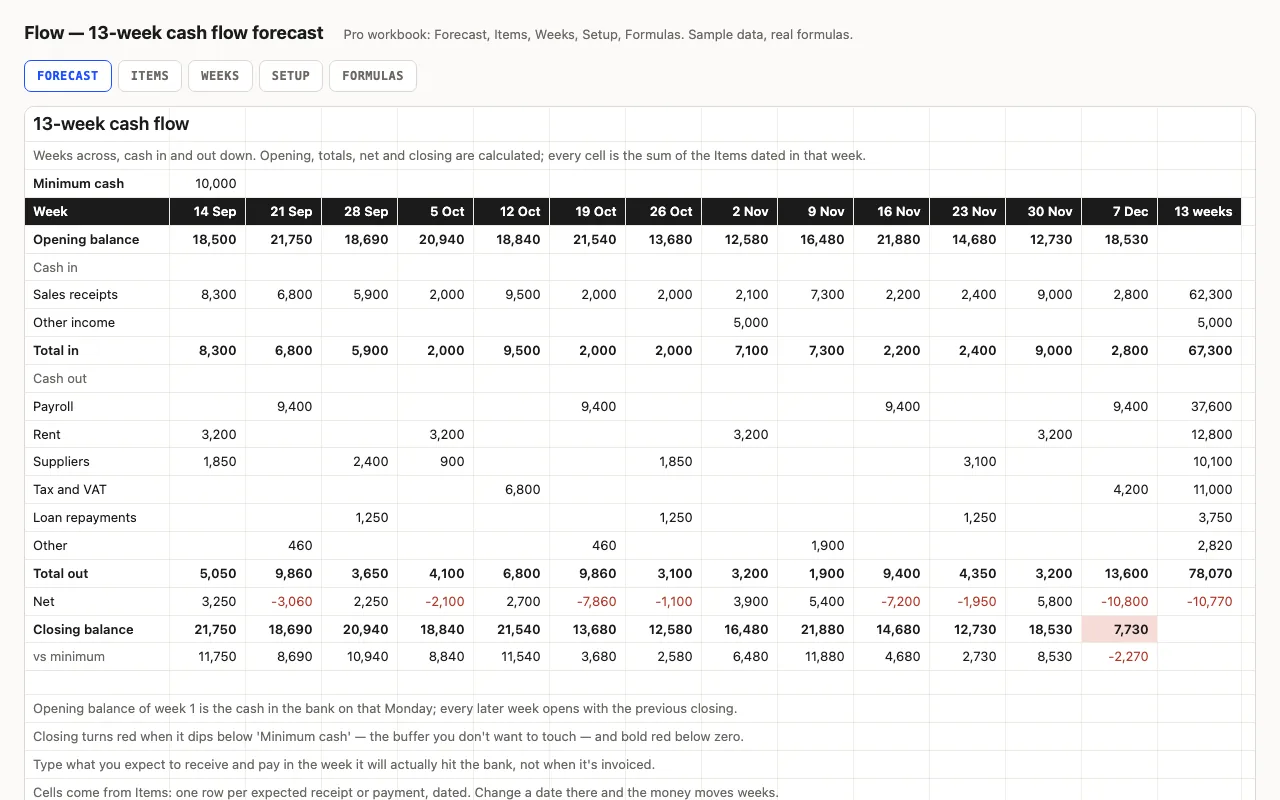
Thirteen weeks across, cash in and out down: the balance carries forward, weeks below your buffer turn red, and the lowest point and its week are found for you. Pro fills the grid from a dated list of expected receipts and payments and shows what's still outstanding from past weeks. No macros.

  • XLSX
  • No macros
  • SUMIFS
live demo →
Ledger — small business income and expenses spreadsheet preview

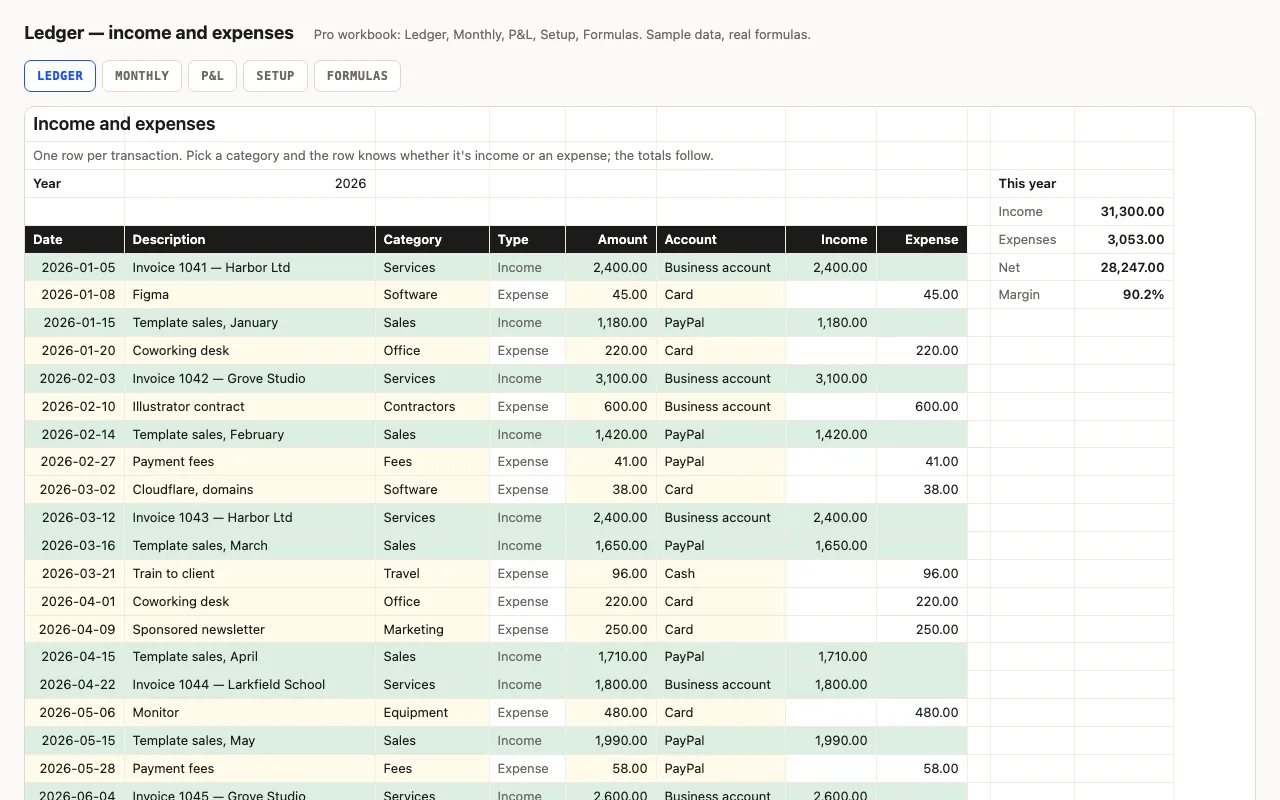
One row per transaction; the category decides whether it's income or an expense, so amounts stay positive and every total is a plain SUMIFS. Year totals and margin at the top, a category summary beside the log. Pro adds a Monthly sheet with quarters, a P&L by category with shares, and a formulas walkthrough. No macros.

  • XLSX
  • No macros
  • SUMIFS
live demo →
Lease — rental property tracker spreadsheet preview

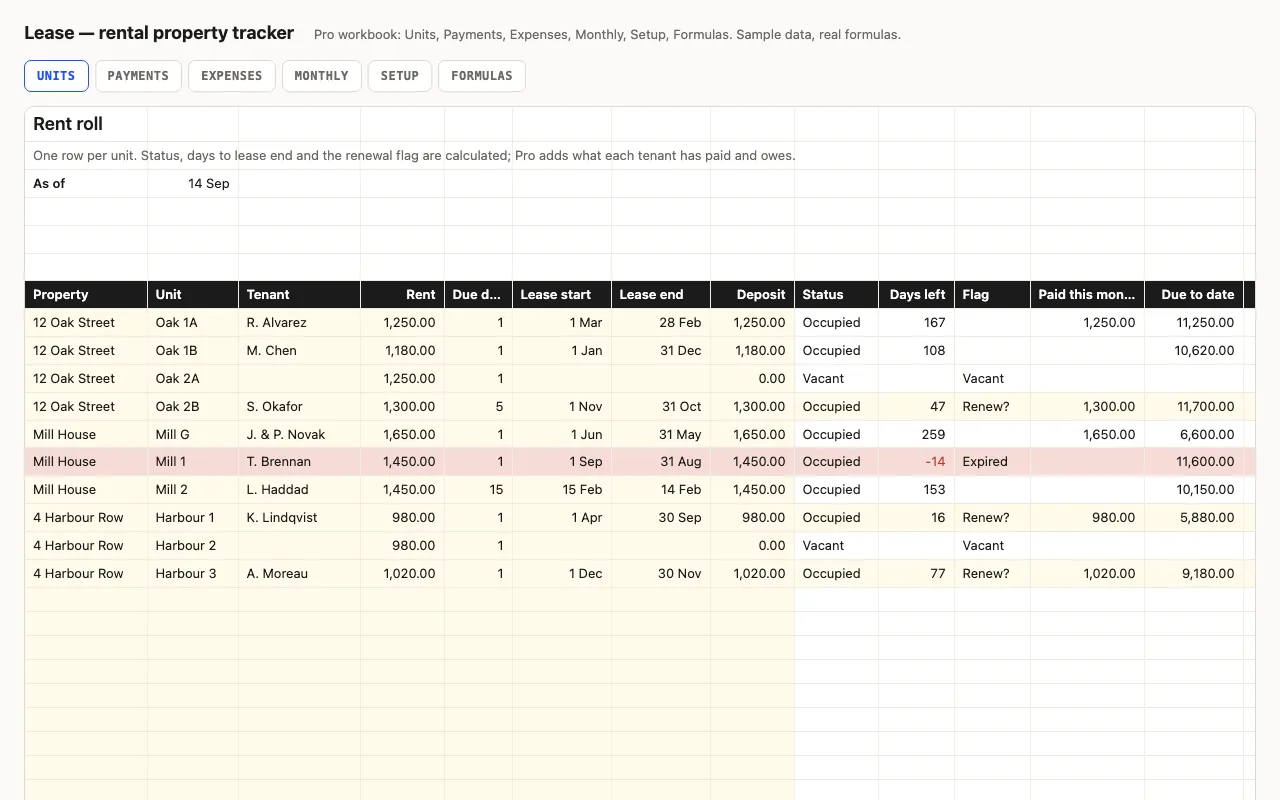
One row per unit: property, tenant, rent, due day, lease dates, deposit. Vacancies, leases ending in ninety days, occupancy and monthly rent are calculated. Pro adds the rent payment log with a balance per tenant, an expense log, and a month-by-month view of rent due, collected and spent. No macros.

  • XLSX
  • No macros
  • SUMIFS
live demo →
Order — purchase order tracker spreadsheet preview

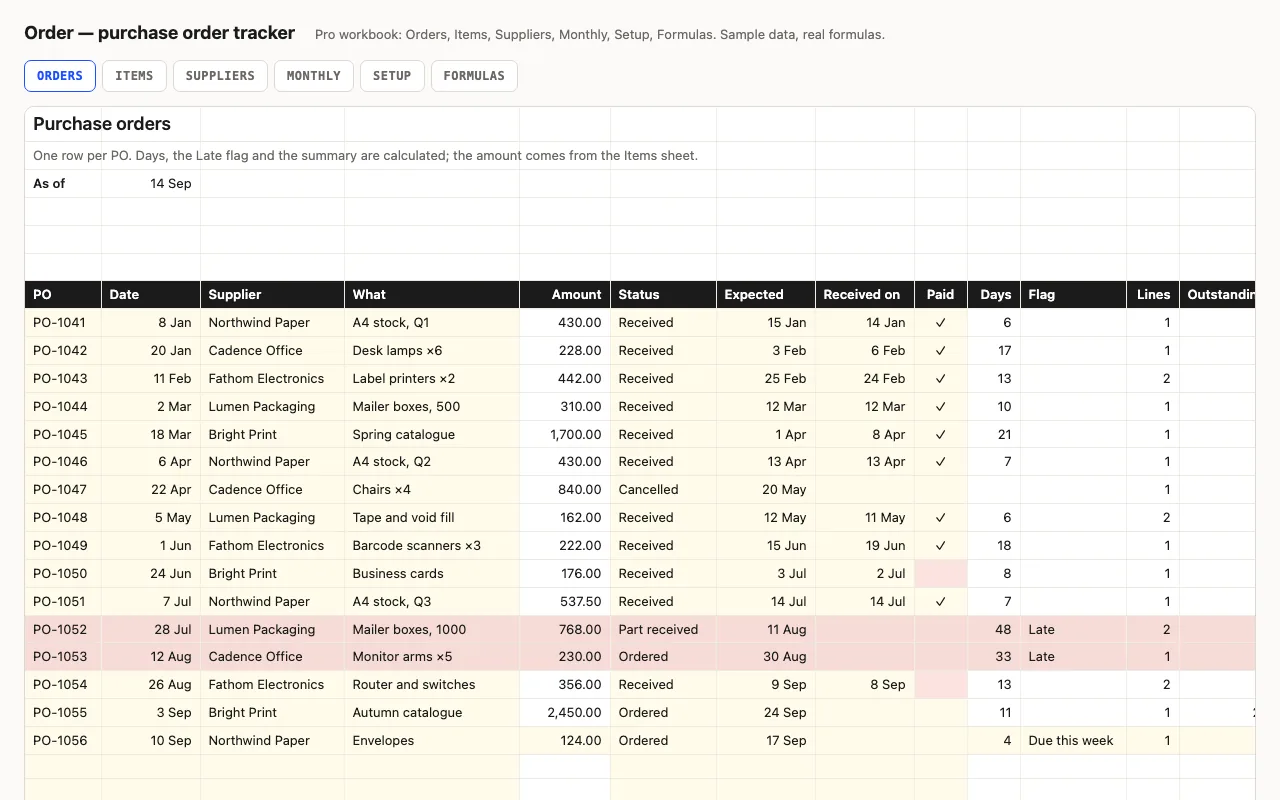
One row per purchase order: supplier, amount, status, expected and received dates, paid. Days open or lead time, a Late flag, open value, unpaid invoices. Pro adds line items per PO with what's still to arrive, a supplier view with lead times, and a monthly view. No macros.

  • XLSX
  • No macros
  • SUMIFS
live demo →
Pipeline — sales pipeline spreadsheet preview

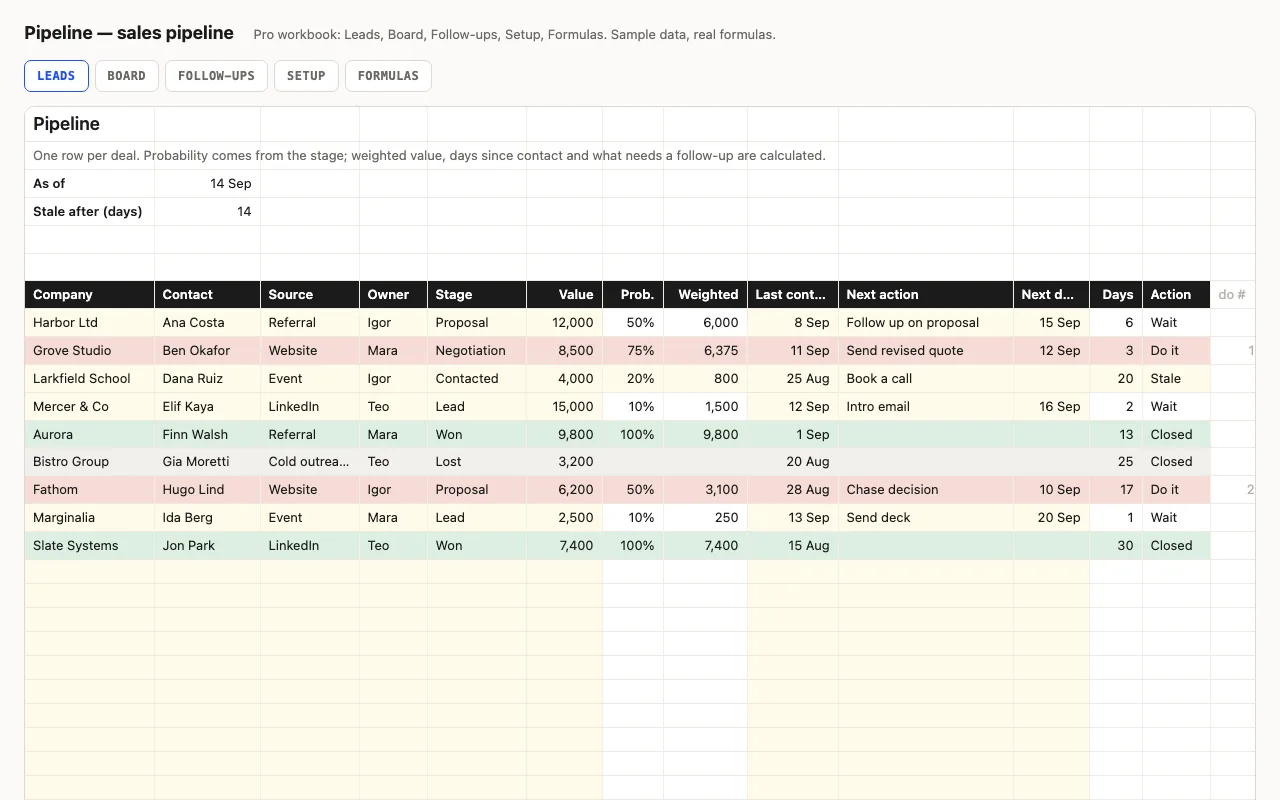
A CRM for a small business or a freelancer: one row per deal with stage, value and next action. Probability comes from the stage, so every deal has a weighted value; days since contact show what's gone quiet; open value, weighted value, won and win rate at the top. Pro adds a Board by stage, owner and source, and a Follow-ups sheet. No macros.

  • XLSX
  • No macros
  • SUMIF
live demo →
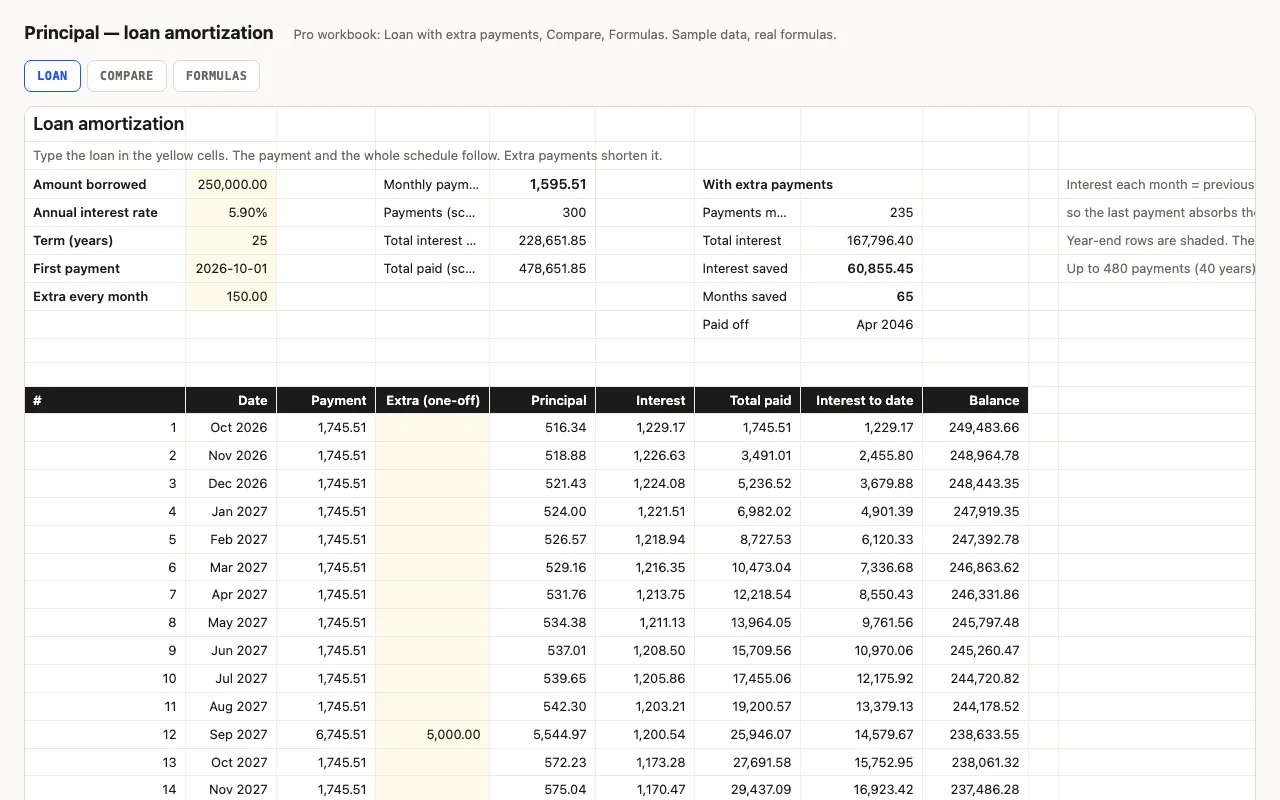
Principal — loan amortization spreadsheet preview

Amount, rate, term, first payment: the monthly payment and a full schedule where interest is computed month by month from the balance, rounded to cents like a lender, so every figure is visible. Pro adds extra payments with payoff date and interest saved, a rate-and-term comparison grid, and a formulas walkthrough.

  • XLSX
  • No macros
  • PMT
live demo →
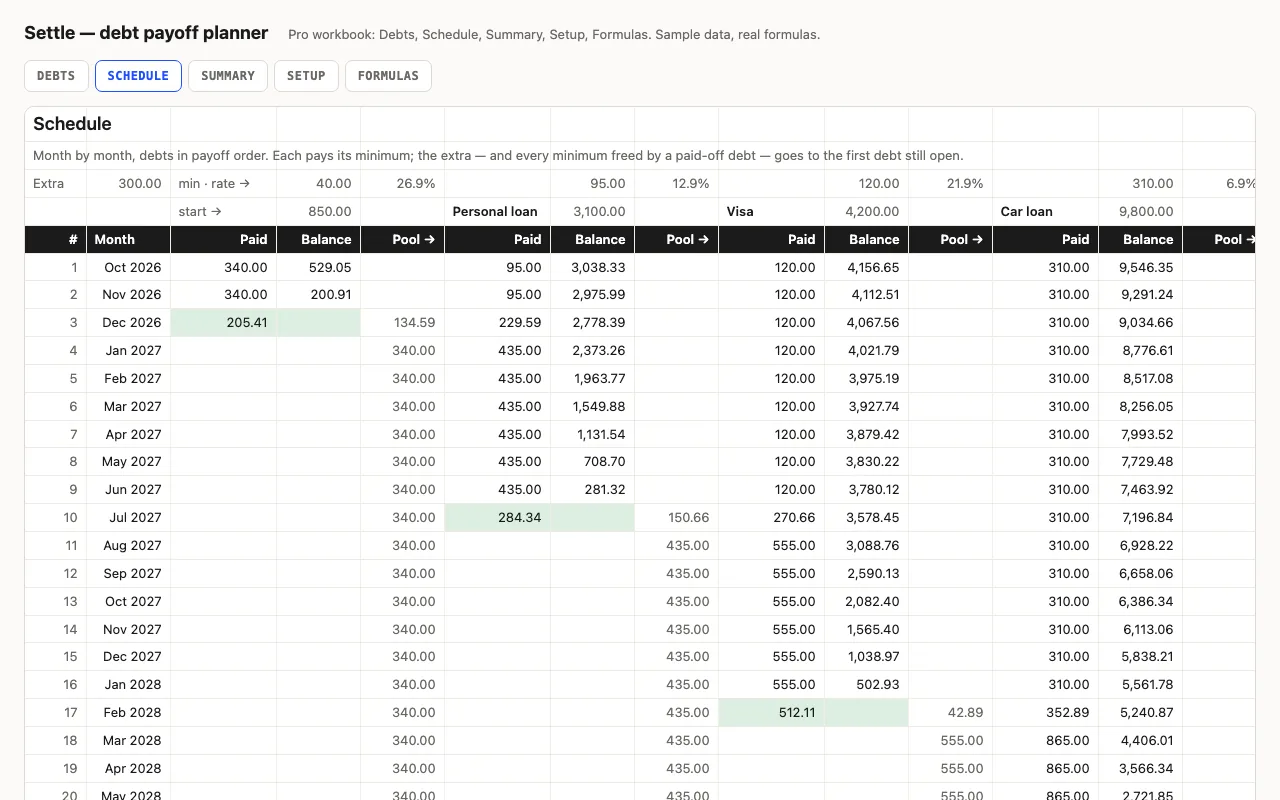
Settle — debt payoff planner spreadsheet preview

List your debts, pick snowball or avalanche, type the extra you can pay each month: the payoff order, the interest per month and the months each debt takes on its minimum alone. Pro runs the whole payoff month by month — the extra rolls from each paid-off debt to the next — with payoff dates and total interest. No macros.

  • XLSX
  • No macros
  • INDEX/MATCH
live demo →
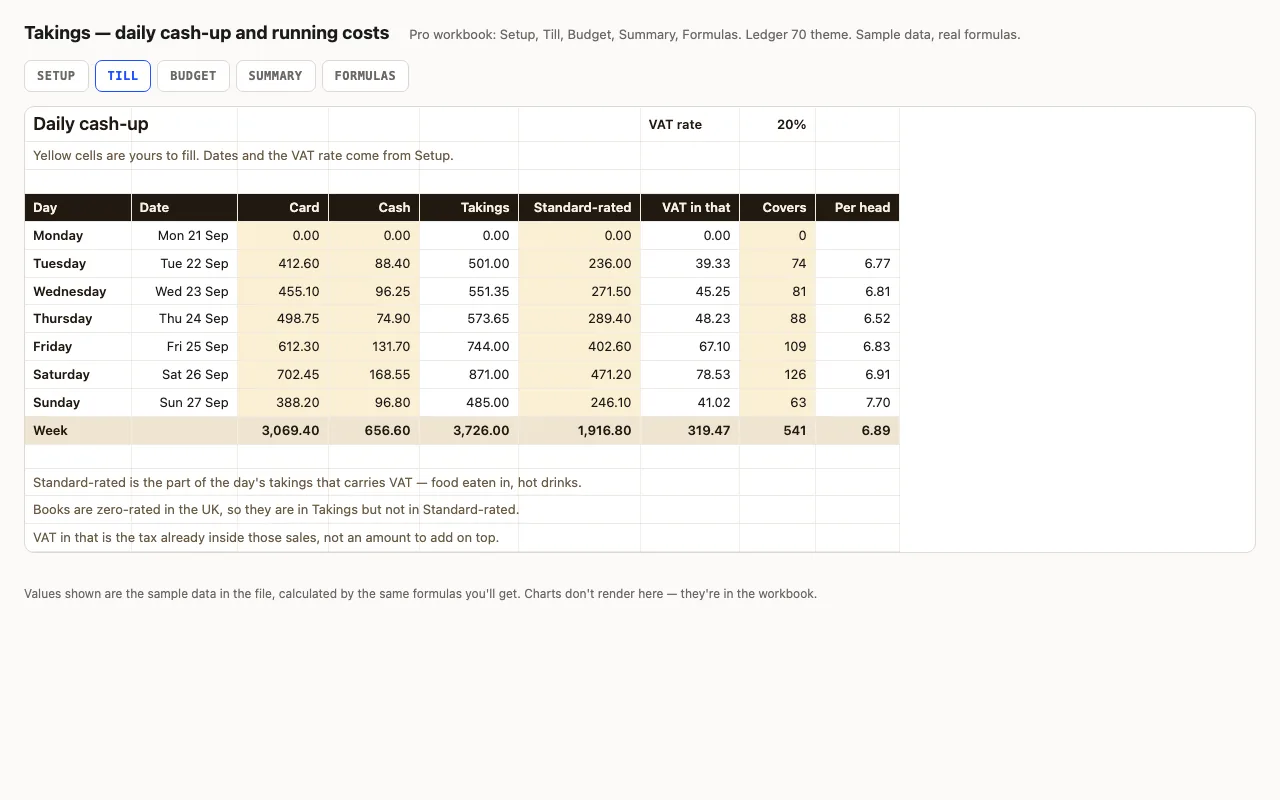
Takings — daily cash-up spreadsheet preview

A week of trading, one row a day: card, cash, how much of it carried VAT, and how many people came in. Takings, the VAT already inside those sales and the spend per head are calculated. Pro adds the month's running costs with a budget, a variance and an On plan / Watch / Over status on every line, plus a summary that reads the week back to you. No macros.

  • XLSX
  • No macros
  • VAT inside gross
live demo →

Related categories

Documents that add themselves up

Bill is an invoice that computes subtotal, discount, tax and due date, prints on one page, and — in Pro — keeps a register of every invoice with outstanding amounts, days overdue, status and aging buckets. Principal is a loan schedule of up to 480 payments that stops itself at exactly zero, with extra payments, payoff date and interest saved in Pro.

Books and debts

Ledger is the bookkeeping side: a transaction log where the category carries the sign, so amounts stay positive and every total is a plain SUMIFS — year totals free, monthly, quarters and a P&L by category in Pro. Settle is the other side of borrowing: list the debts, pick snowball or avalanche, and Pro runs the payoff month by month with the extra rolling from each cleared debt to the next.

Rounded like a bank

Both round where money is rounded: discount and tax to cents on the invoice, interest to cents each month on the loan, with the last payment absorbing the odd cents. The Formulas sheets show where.

What the free version includes

The main sheet, with a credit line kept. Pro adds the register, the lists that feed the dropdowns, extra payments, the comparison grid, the month-by-month schedules and the formulas walkthrough.
Questions

Which one for bookkeeping?

Ledger: one row per transaction, the category decides income or expense, monthly and quarterly totals and a P&L by category. It's a cash ledger — enough for a freelancer or a small shop to hand a P&L to whoever does the tax.

Snowball or avalanche?

Settle does both: pick the method and the payoff order, the month-by-month schedule and the summary recalculate. Avalanche is never more expensive; snowball clears the first debt sooner. Compare the total interest on the Summary sheet.

Can the invoice fill in client details?

In Pro, yes: pick the client from a dropdown and the address, email and payment terms fill in from the Clients sheet. Items work the same way with a default price you can overtype.

Why not use IPMT for the loan?

IPMT gives the right number and no idea why. Computing interest from the previous balance each month keeps every step visible and makes extra payments a one-column change.

What is in the free version?

The invoice sheet, or the loan sheet with the full schedule, with a credit line kept. Pro adds the register, clients, items, extra payments, the comparison grid and the formulas walkthrough.

Tell us what happened

Goes straight to a person. No account, no ticket number.

What is this about?

We keep the message and the page it came from. Nothing else — not your IP, not your browser. Privacy.