foldout

Tracker spreadsheet templates

A tracker is a grid or a log that counts itself: mark a day, log a request, type a quantity, and the totals, streaks, balances and flags appear. Eight of them here, all without macros.

11 spreadsheets · 11 free · updated 2026-09-23

11 shown
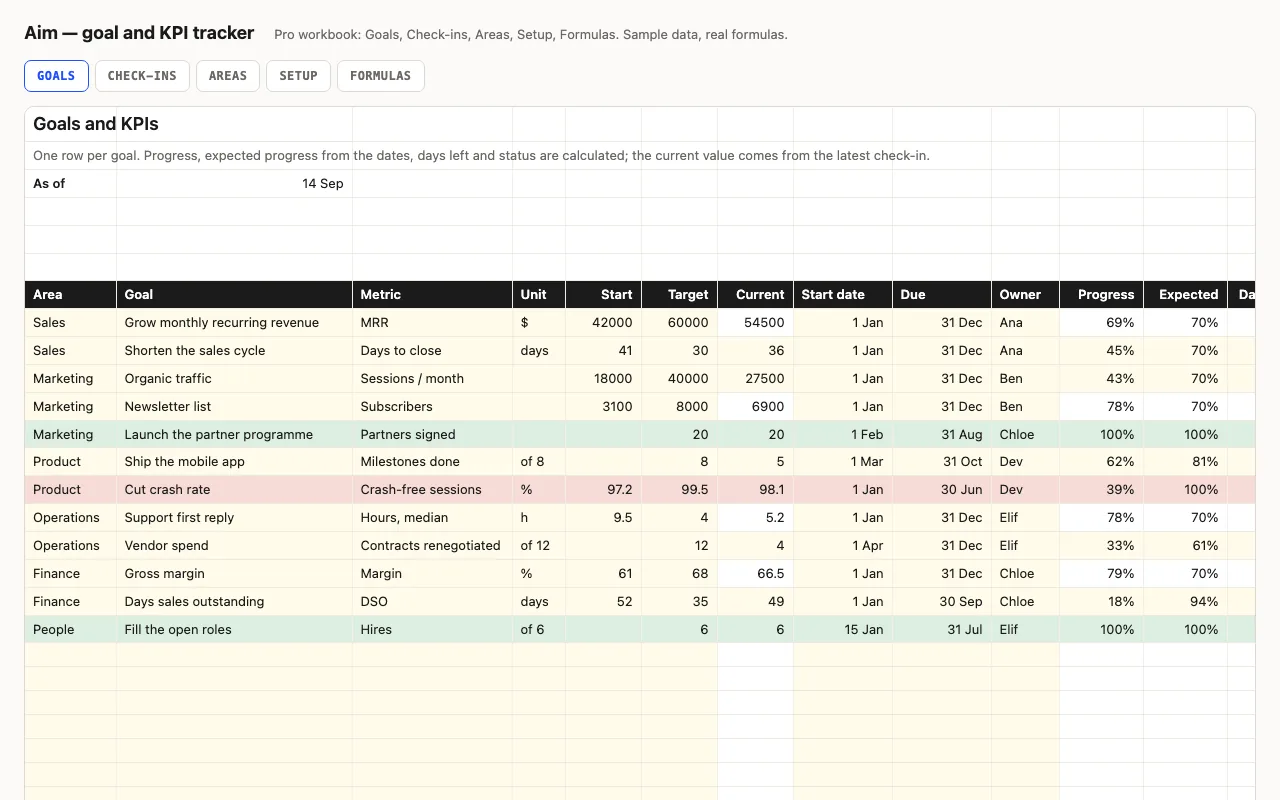
Aim — goal and KPI tracker spreadsheet preview

One row per goal or KPI: start, target, current, dates, owner. Progress, expected progress from the calendar, days left and a status — Done, On track, Behind, Overdue — are calculated. Pro adds monthly check-ins that feed the current value, and a view by area and by owner. No macros.

  • XLSX
  • No macros
  • COUNTIFS
live demo →
Fleet — vehicle maintenance log spreadsheet preview

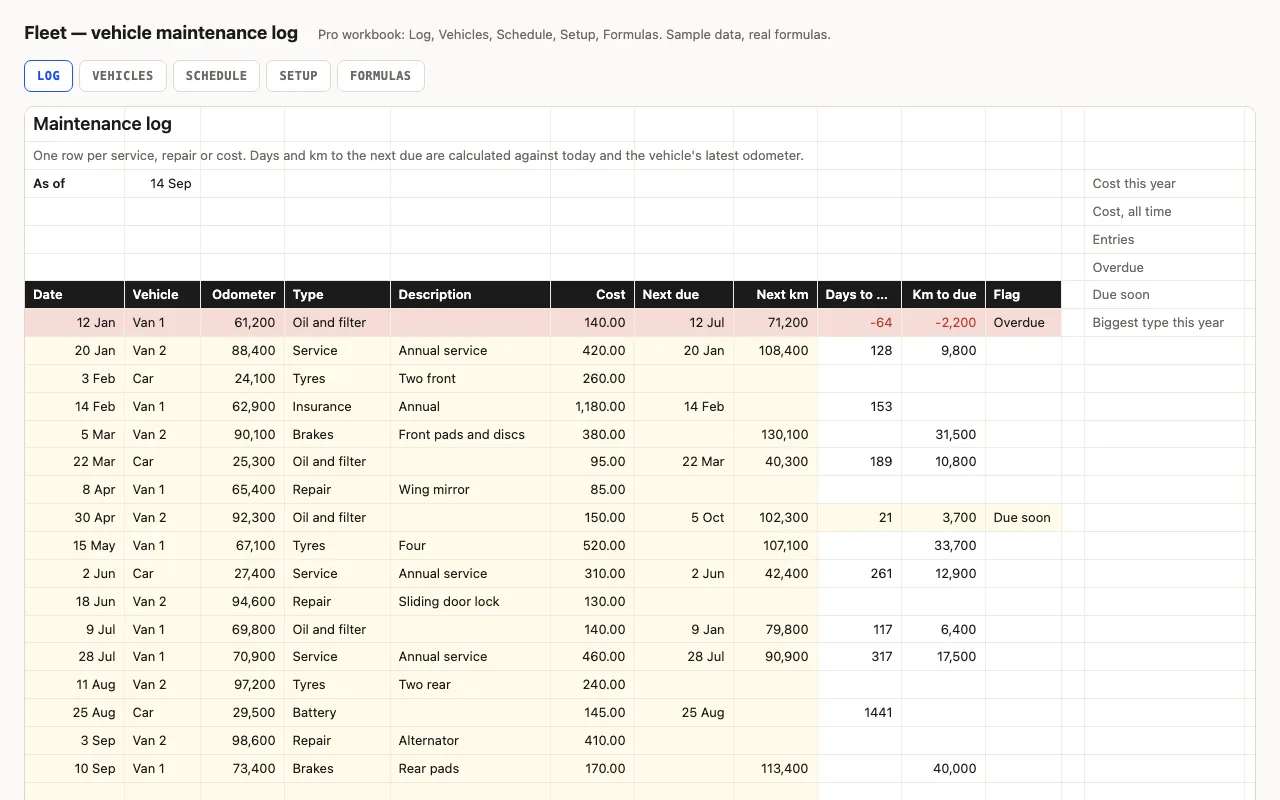
One row per service or repair with the odometer and the next-due the garage gave you; days and km to each, overdue and due-soon flags, cost this year. Pro adds a Vehicles sheet with cost per km and tax, insurance and inspection reminders, and a service schedule that reads last-done from the log. No macros.

  • XLSX
  • No macros
  • SUMPRODUCT
live demo →
Hunt — job application tracker spreadsheet preview

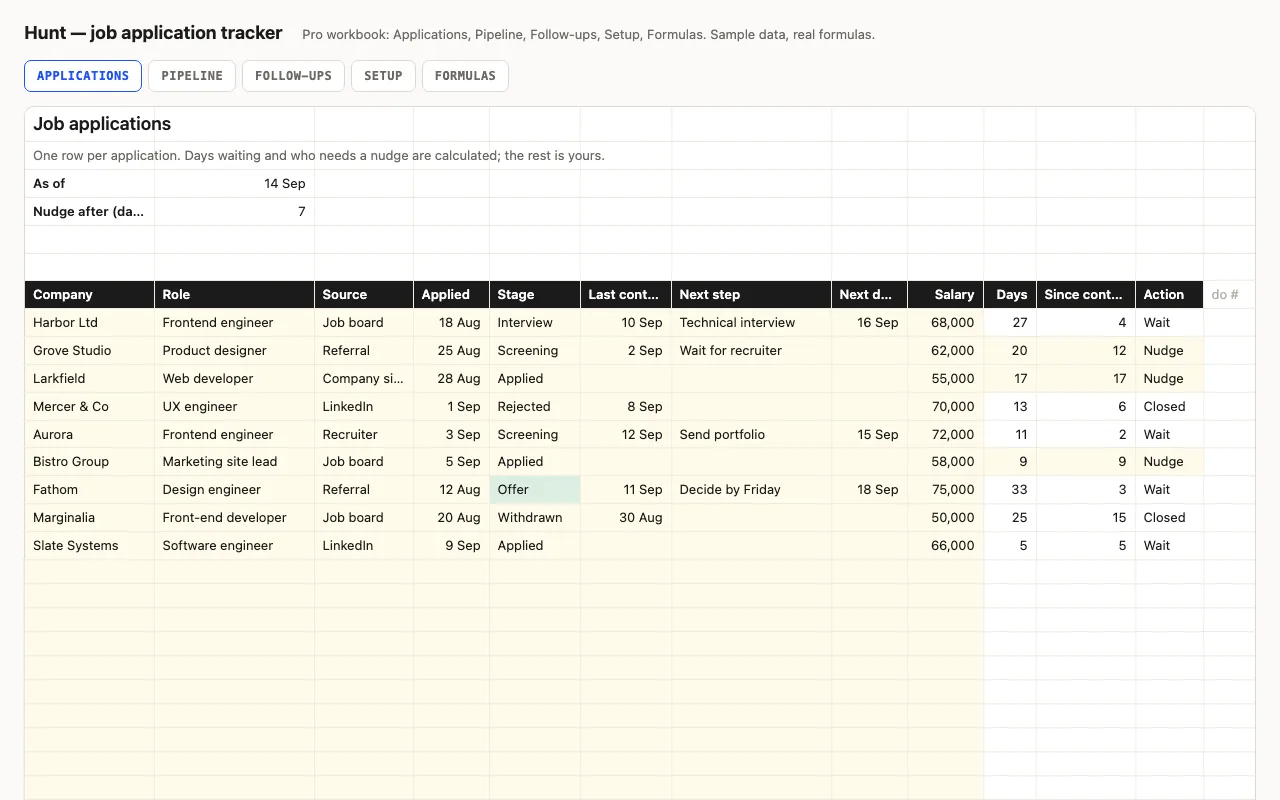
One row per application: company, role, stage, dates, next step. Days waiting and which applications need a nudge are calculated; active, interviews, offers and response rate are kept at the top. Pro adds a Pipeline sheet with conversion between stages and results by source, and a Follow-ups sheet that lists what needs doing. No macros.

  • XLSX
  • No macros
  • COUNTIF
live demo →
Hiatus — leave and PTO tracker spreadsheet preview

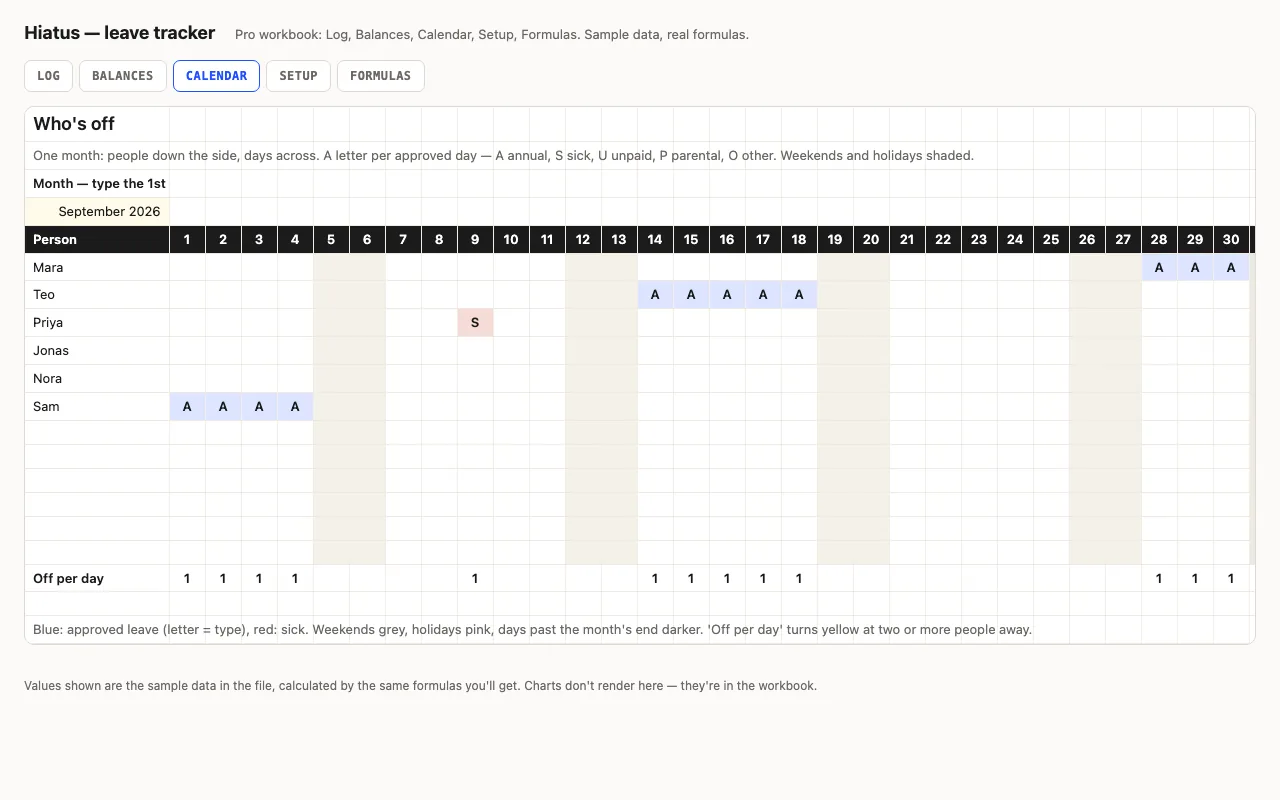
One row per request — who, what kind, from, to — and the working days are counted for you, weekends out. Balances per person against an annual allowance. Pro excludes public holidays, adds an approval status, a Balances sheet per person and type, and a month calendar showing who's off on which day. No macros.

  • XLSX
  • No macros
  • SUMIFS
live demo →
Marks — grade book spreadsheet preview

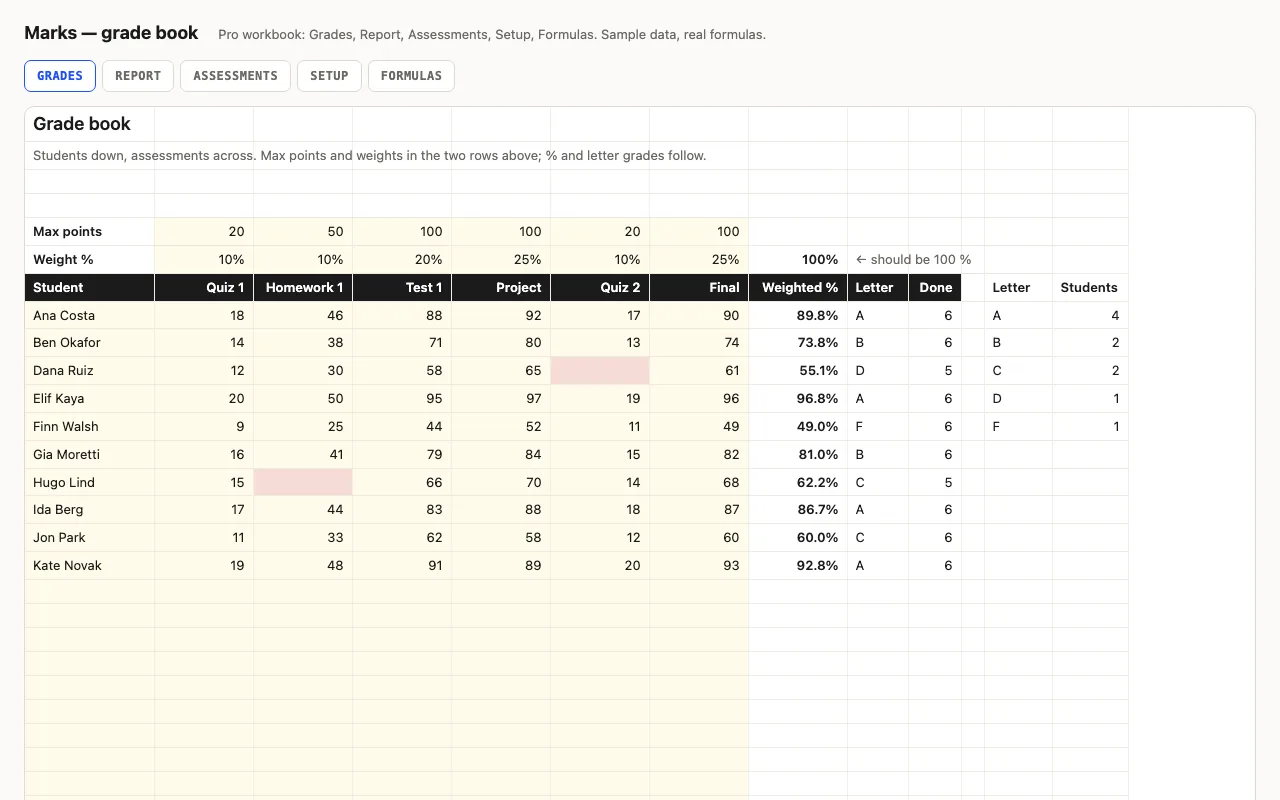
Students down the side, assessments across, with max points and a weight for each; the weighted percentage and letter grade follow, with class average, median, highest, lowest and missing per assessment and a grade distribution. Pro adds a per-student Report with rank and an Assessments sheet showing which was hardest. No macros.

  • XLSX
  • No macros
  • SUMPRODUCT
live demo →
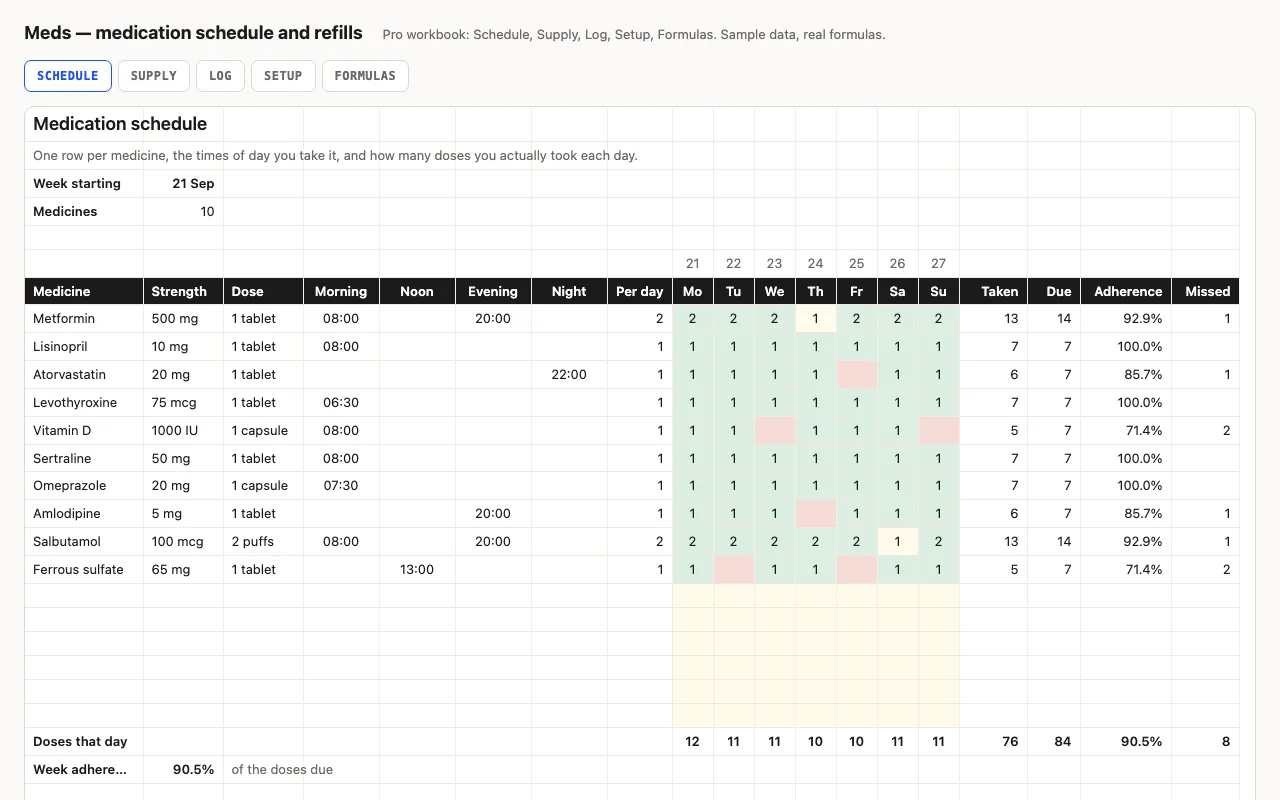
Meds — medication schedule and refill planner spreadsheet preview

One row per medicine with its strength, dose and the times of day it's taken; the week grid records doses actually taken and works out adherence against what was due. Pro adds a refill planner — units used a day, days left, the date it runs out and the date to order — and a dated dose log. A tracker, not medical advice. No macros.

  • XLSX
  • No macros
  • SUMPRODUCT
live demo →
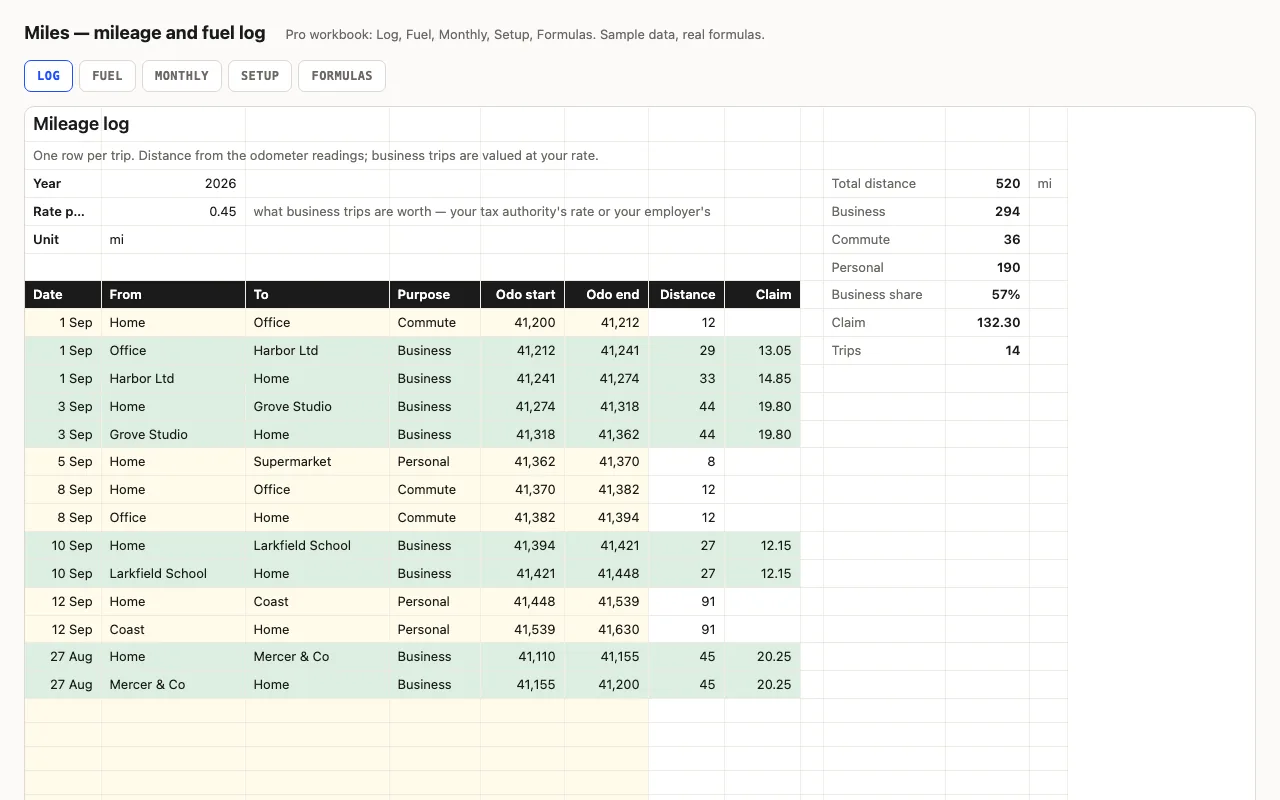
Miles — mileage and fuel log spreadsheet preview

One row per trip with the odometer at the start and end; distance is the difference and business trips are valued at your rate. Totals by purpose, business share and the claim for the year. Pro adds a fuel log with consumption and cost per mile between full tanks, and a monthly view. No macros.

  • XLSX
  • No macros
  • SUMIFS
live demo →
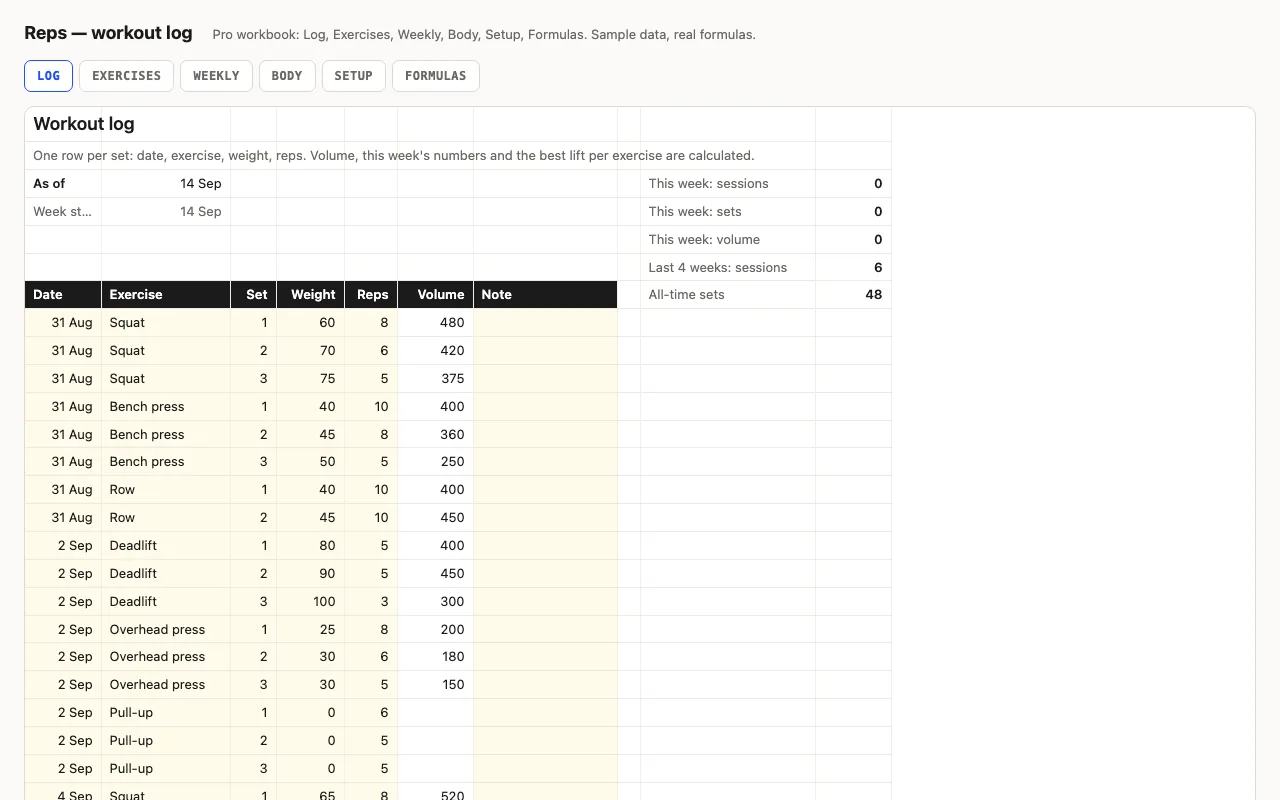
Reps — workout log spreadsheet preview

One row per set: date, exercise, weight, reps. Volume per set, this week's sessions, sets and volume, and the best weight and best set per exercise. Pro adds an Exercises sheet with bests, last done and days since, a twelve-week view, and a body-weight log with change. No macros.

  • XLSX
  • No macros
  • SUMPRODUCT
live demo →
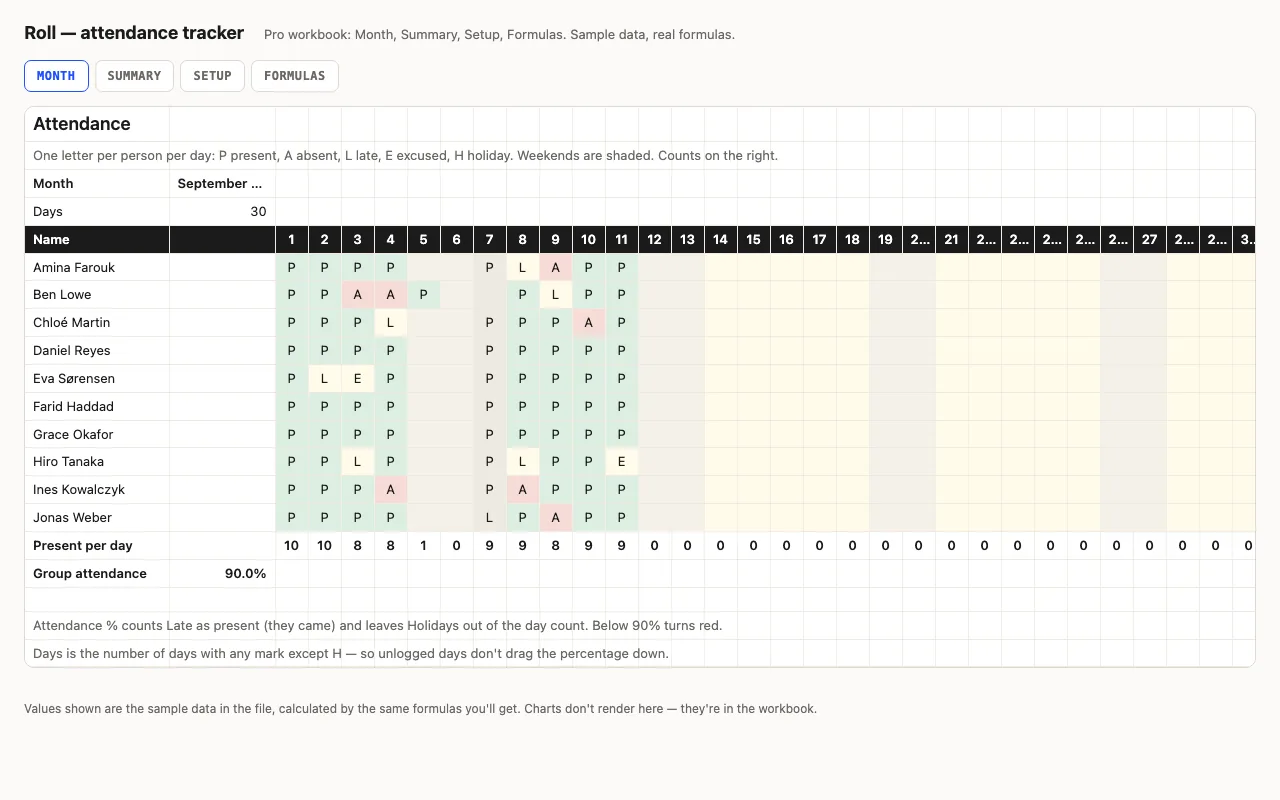
Roll — attendance tracker spreadsheet preview

Names down the side, days across, one letter per cell — P, A, L, E, H — from a dropdown, coloured. Counts per person, attendance % that counts Late as present and leaves holidays out, present per day, weekends shaded. Pro adds a Summary with bars and flags, holidays from Setup, and a formulas walkthrough. No macros.

  • XLSX
  • No macros
  • COUNTIF
live demo →
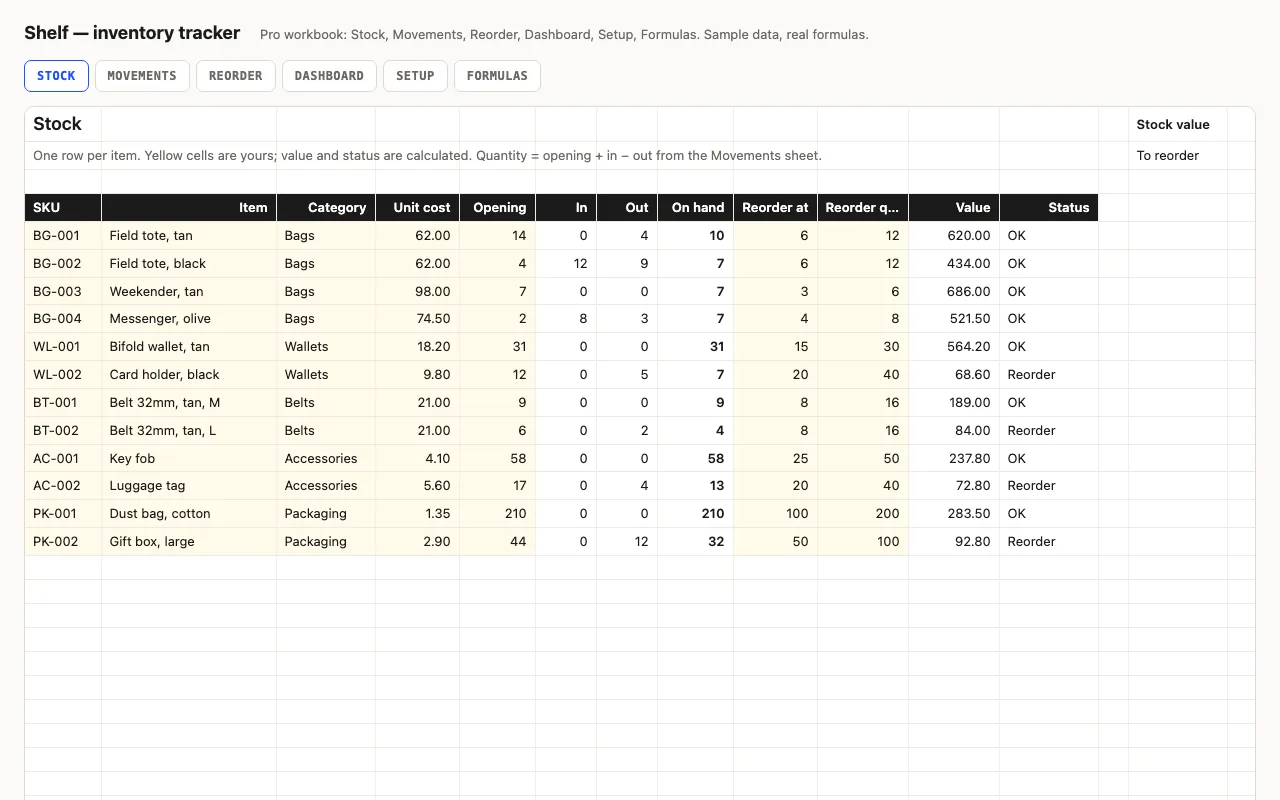
Shelf — inventory tracker spreadsheet preview

Stock levels, reorder points and stock value for Excel and Google Sheets, every number a visible formula. Status turns yellow at the reorder point and red at zero. Pro adds a Movements log that updates quantities, a Reorder list with the cost to restock, a Dashboard by category, and a formulas walkthrough.

  • XLSX
  • No macros
  • SUMIFS
live demo →
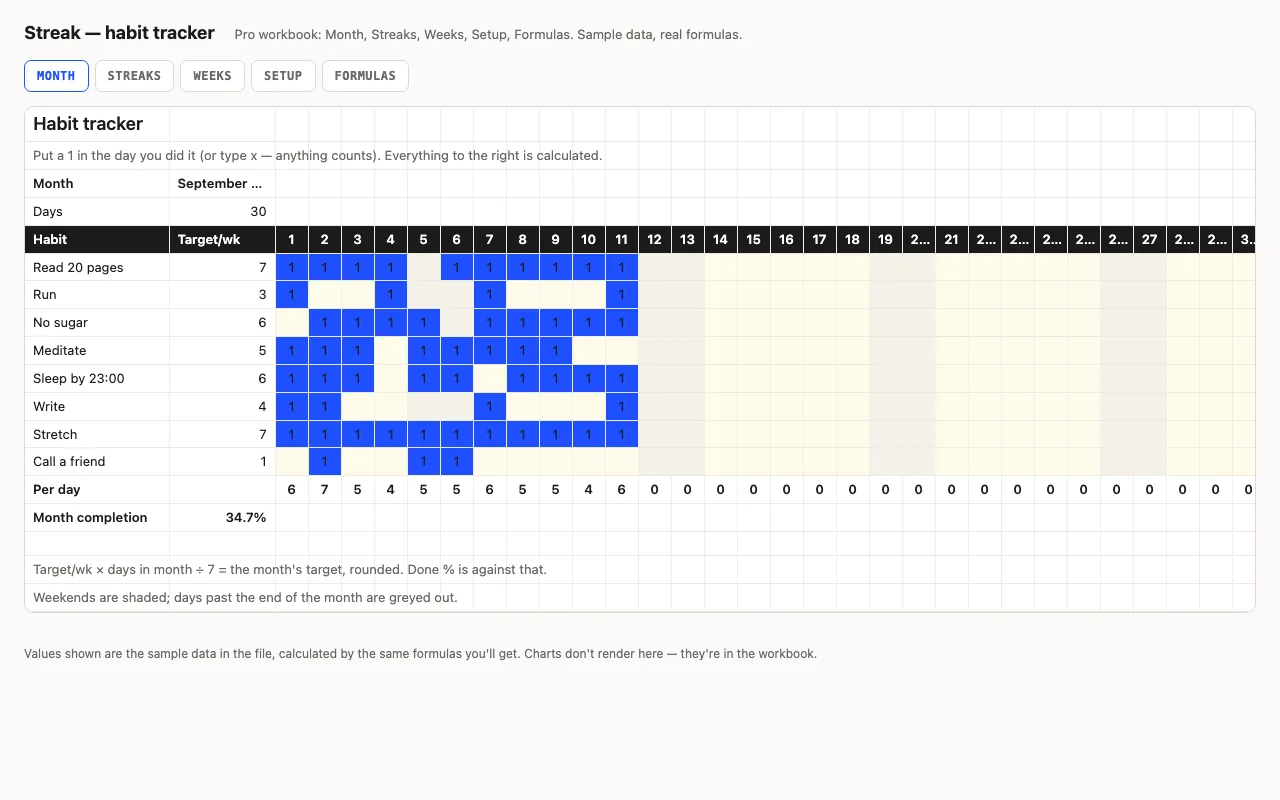
Streak — habit tracker spreadsheet preview

Habits down the side, days across the top, a mark when you did it. Done counts, a monthly target scaled from your weekly one, completion bars, weekends shaded. Pro adds current and best streaks with the running count on its own sheet, a by-week view, and a formulas walkthrough. No macros.

  • XLSX
  • No macros
  • COUNTA
live demo →

Related categories

Grids that count themselves

The trackers share one idea: the input is a mark in a cell — a 1, a letter, a quantity — and everything else is a formula reading the grid. COUNTA and COUNTIF do the counting, conditional formatting does the colouring, and the totals sit where you’d look for them.

Streaks, statuses, reorder points

Streak works out current and best streaks with a running count you can see on its own sheet. Roll turns letters into attendance percentages that count Late as present and leave holidays out. Shelf turns opening stock plus movements into on-hand quantities and a reorder list — without the FILTER function, so it works in Excel 2016 and Numbers.

What the free version includes

The main grid — habits, attendance or stock — with counts and colours, and a credit line kept. Pro adds the summary sheets, logs, Setup and the formulas walkthrough.

Questions

Which tracker for what?

Streak for personal habits by day; Roll for attendance of a class, team or shift; Hiatus for leave and PTO with balances and a who's-off calendar; Shelf for stock levels with reorder points and a movements log; Hunt for job applications with stages, nudges and a conversion funnel; Miles for trips and fuel; Marks for a class's grades; Reps for sets, sessions and best lifts.

Do the grids handle short months?

Yes — the day header is a formula on the month's length, and days past the end are greyed out and excluded from counts.

What is in the free version?

The main grid with its counts and colours, with a credit line kept. Pro adds streaks, summaries, movement logs and the formulas walkthrough.

Tell us what happened

Goes straight to a person. No account, no ticket number.

What is this about?

We keep the message and the page it came from. Nothing else — not your IP, not your browser. Privacy.