foldout
Free + Pro 5-sheet workbook no macros

Ledger — small business income and expenses spreadsheet

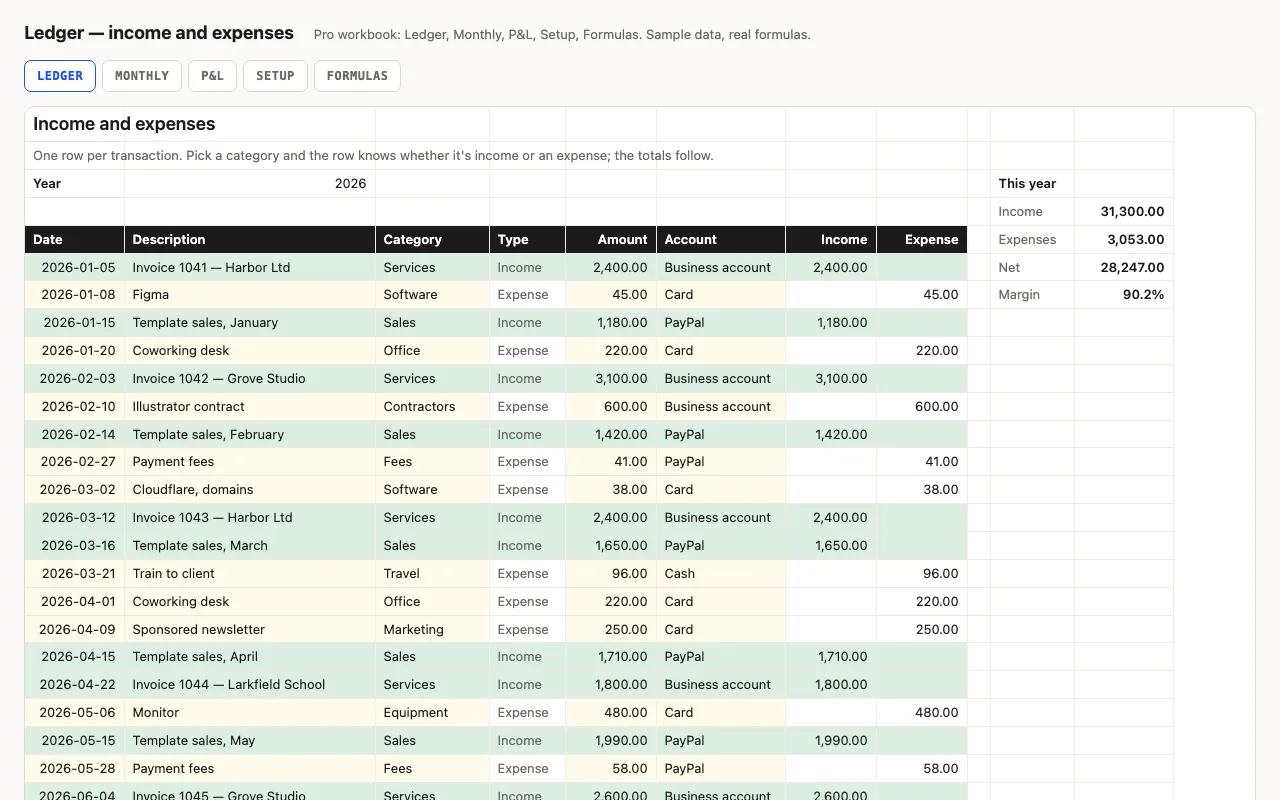
One row per transaction; the category decides whether it's income or an expense, so amounts stay positive and every total is a plain SUMIFS. Year totals and margin at the top, a category summary beside the log. Pro adds a Monthly sheet with quarters, a P&L by category with shares, and a formulas walkthrough. No macros.

  • XLSX
  • No macros
  • SUMIFS
  • INDEX/MATCH
  • EOMONTH
  • Google Sheets

The sheets

  1. 01
    Ledger

    400 rows: date, description, category and account from dropdowns, amount. Type looked up from the category (unknown flagged red), income rows green. Income, expenses, net and margin for the year. Free: the category list with this year's total per category, and the accounts, on the same sheet.

    Free + Pro
  2. 02
    Monthly

    Twelve months: income and expenses with bars, net, cumulative net, margin; quarters; best month; averages over months with activity.

    Pro
  3. 03
    P&L

    Income categories with share of income, expense categories with share of expenses, totals, net profit and margin, anything uncategorised — listed from Setup without FILTER.

    Pro
  4. 04
    Setup

    Year, twenty categories with Income/Expense, eight accounts.

    Pro
  5. 05
    Formulas

    Ten formulas explained: the type lookup, the sign-by-category split, DATE() bounds, EOMONTH months, the numbered-category trick behind the P&L.

    Pro

Built for

  • Excel 2016+
  • Google Sheets
  • Numbers

Every workbook is recalculated in LibreOffice and by a second, independent formula engine on the sample data; the totals are compared with numbers worked out outside any spreadsheet, and every formula cell is scanned for errors. We don't run Excel itself on the build machine, so this says built for, not tested in — open the live preview to see the numbers the formulas produce.

What that means app by app: in Google Sheets, in Apple Numbers, in LibreOffice Calc.

Pro

$5

Every page, the Pro-only pages, the source files, no attribution, and 12 months of updates and email support.

Transaction log with type from the category
yes
Year totals and margin
yes
Category totals
P&L with shares
Monthly trend and quarters
yes
Lists on Setup
yes
Formulas walkthrough sheet
yes
Credit line on the sheet
not required
Updates and support
12 months, email

Licence

Use it for unlimited personal and commercial purposes, including client work.
Do not resell the spreadsheet itself, alone or in a bundle.

Full licence terms →

A ledger where the category carries the sign

The usual bookkeeping sheet asks you to type expenses as negatives, and the usual error is a missed minus. Here every amount is positive. You pick a category; a lookup on Setup says whether it’s income or an expense; two helper columns split the amount, and every total — the year at the top, the months, the P&L — is a plain SUMIFS on those columns. A category that isn’t on the list shows “Unknown” in red and its amount lands in an “Uncategorised” line on the P&L instead of quietly vanishing.

Pro: the trend and the P&L

Monthly gives twelve rows of income, expenses, net and cumulative net with bars, four quarters for whoever does your estimated tax, the best month, and averages over months with activity so September’s year-to-date isn’t diluted by an empty October. P&L lists income categories with their share of income and expense categories with their share of expenses, then net profit and margin.

The P&L lists categories by type without FILTER: Setup numbers the income categories 1, 2, 3 and the expense categories 1, 2, 3 with a running COUNTIF, and each P&L row looks up its number. It’s the same trick our calendar uses for the second event on a day.

What it isn’t

A cash ledger, not double-entry bookkeeping: no invoices outstanding, no VAT logic, no depreciation. For tax, hand the P&L to whoever does yours — it’s laid out for that.

Checked, not just built

The build recalculates both workbooks in LibreOffice and in a second, independent engine and compares forty-six values — every year total, specific months and quarters, cumulative net, each P&L row against sums computed outside Excel, the category numbering on Setup.
Free download

  • ledger.xlsx · Ledger sheet with lists
  • README.md · LICENCE.txt

Pro download

  • ledger-pro.xlsx · Ledger, Monthly, P&L,
  • Setup, Formulas
  • README.md · LICENCE.txt (Pro)

Read before you build

Version history

  • 1.0.02026-09-13

    First release

  • 0
    macros
  • 10
    formulas explained
  • 46
    checks the build runs
  • 400
    transaction rows

Related spreadsheets

Takings — daily cash-up spreadsheet preview

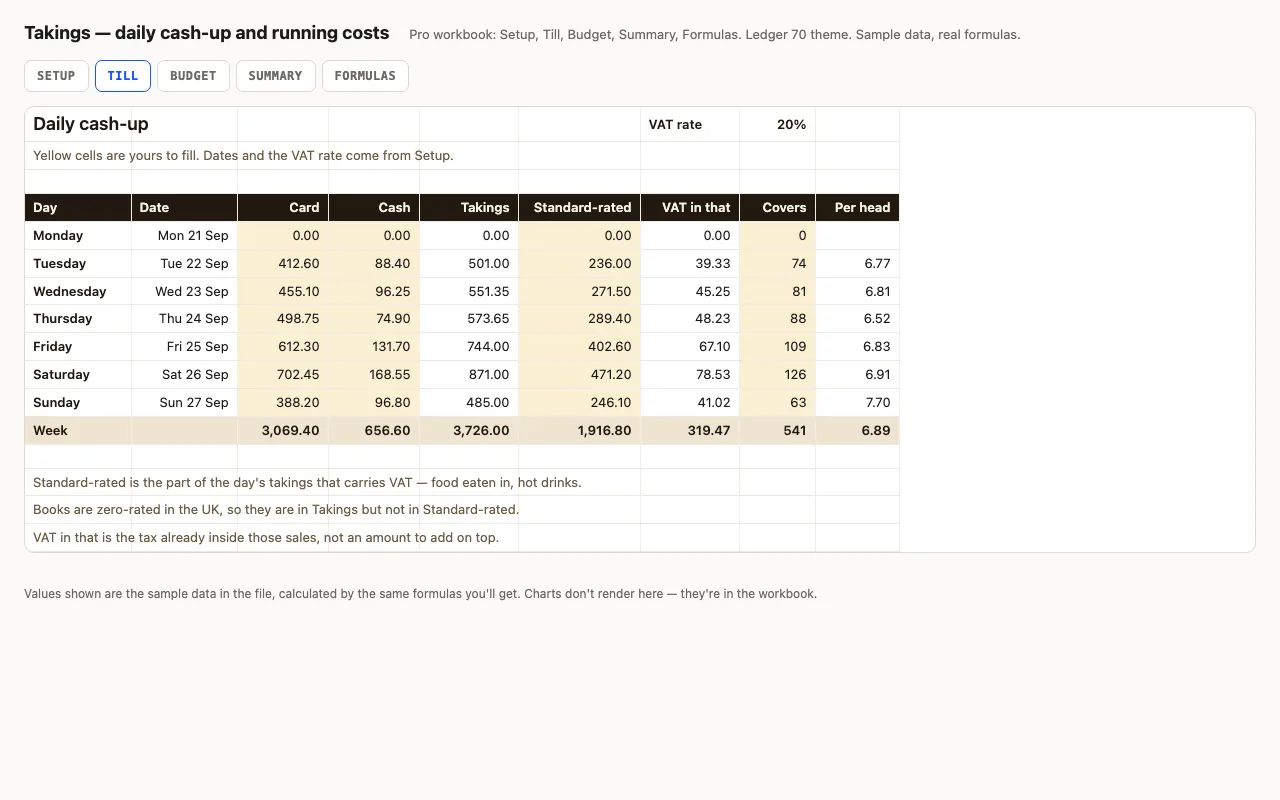
A week of trading, one row a day: card, cash, how much of it carried VAT, and how many people came in. Takings, the VAT already inside those sales and the spend per head are calculated. Pro adds the month's running costs with a budget, a variance and an On plan / Watch / Over status on every line, plus a summary that reads the week back to you. No macros.

  • XLSX
  • No macros
  • VAT inside gross
live demo →
Flow — 13-week cash flow forecast spreadsheet preview

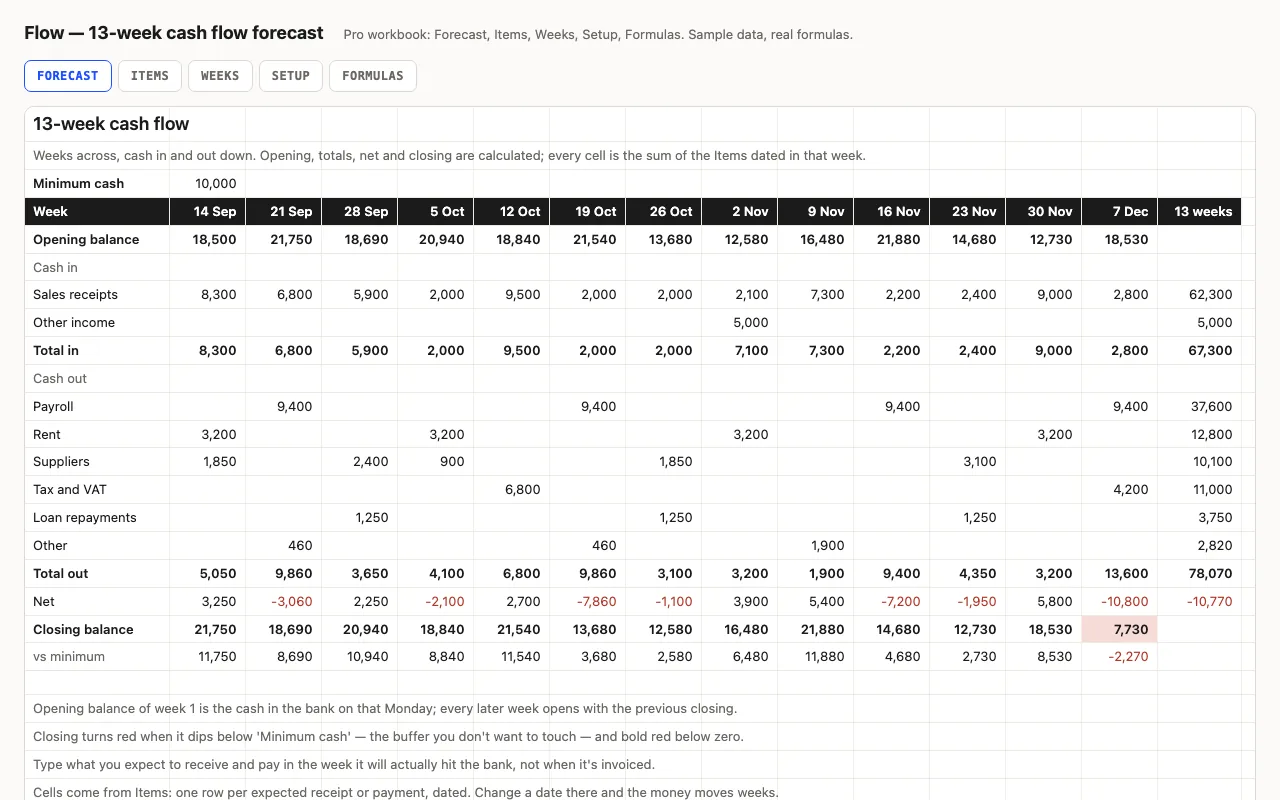
Thirteen weeks across, cash in and out down: the balance carries forward, weeks below your buffer turn red, and the lowest point and its week are found for you. Pro fills the grid from a dated list of expected receipts and payments and shows what's still outstanding from past weeks. No macros.

  • XLSX
  • No macros
  • SUMIFS
live demo →
Order — purchase order tracker spreadsheet preview

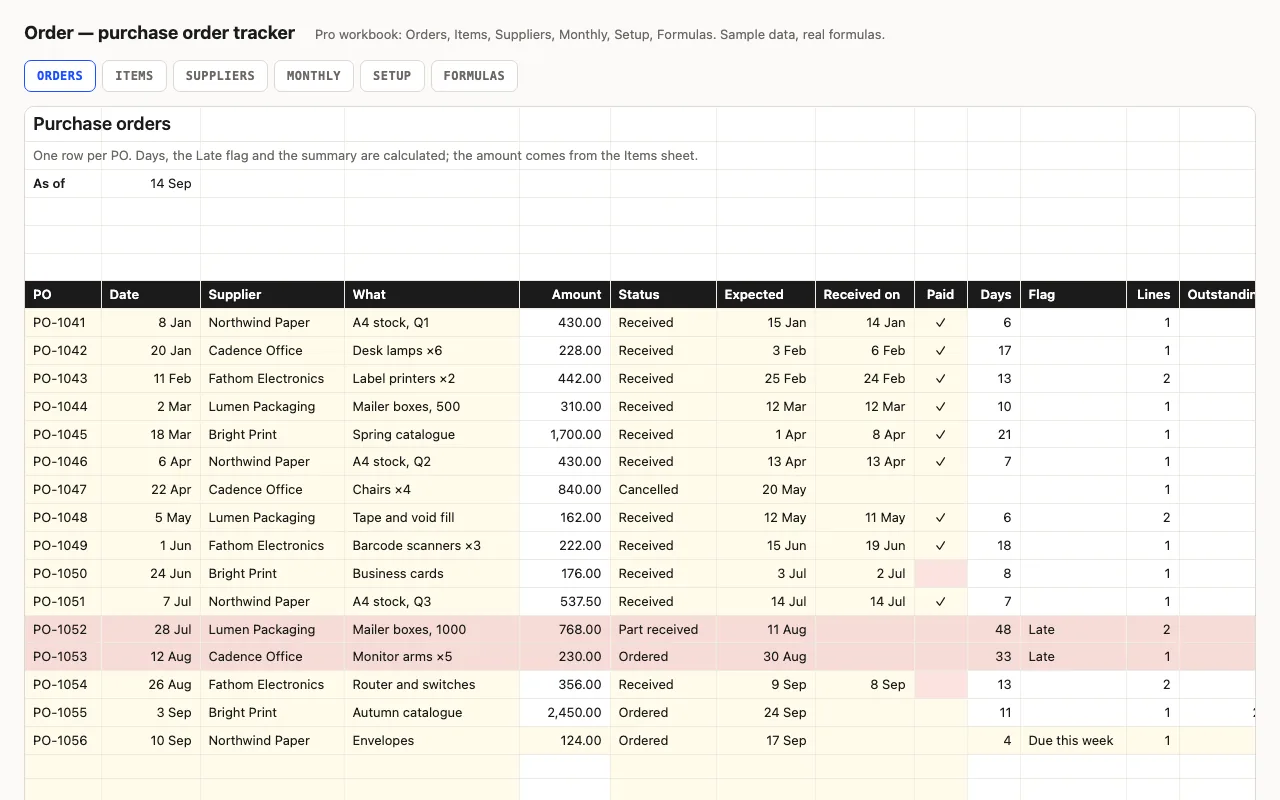
One row per purchase order: supplier, amount, status, expected and received dates, paid. Days open or lead time, a Late flag, open value, unpaid invoices. Pro adds line items per PO with what's still to arrive, a supplier view with lead times, and a monthly view. No macros.

  • XLSX
  • No macros
  • SUMIFS
live demo →

Tell us what happened

Goes straight to a person. No account, no ticket number.

What is this about?

We keep the message and the page it came from. Nothing else — not your IP, not your browser. Privacy.