foldout

Numbers templates

Spreadsheets you can open in Apple Numbers on a Mac or iPad without a rebuild: every workbook is written from the set of functions Excel, Google Sheets and Numbers all have, with no macros and no Excel-only features. Download the .xlsx, open it in Numbers, and the formulas are the same ones.

35 spreadsheets · free versions with a credit line · Pro $5 · all 35 for $19

The same workbooks in Google Sheets and LibreOffice Calc.

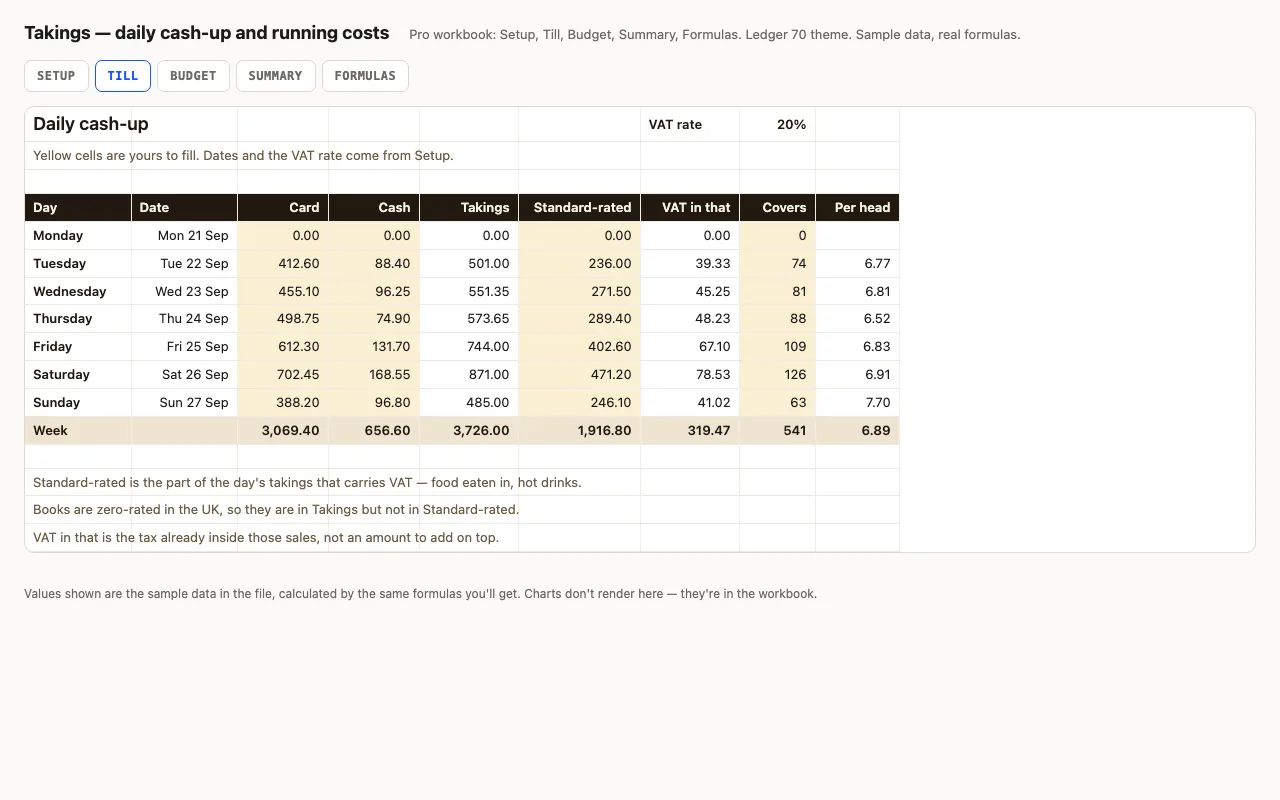
Takings — daily cash-up spreadsheet preview

A week of trading, one row a day: card, cash, how much of it carried VAT, and how many people came in. Takings, the VAT already inside those sales and the spend per head are calculated. Pro adds the month's running costs with a budget, a variance and an On plan / Watch / Over status on every line, plus a summary that reads the week back to you. No macros.

  • XLSX
  • No macros
  • VAT inside gross
live demo →
Chores — household chore chart spreadsheet preview

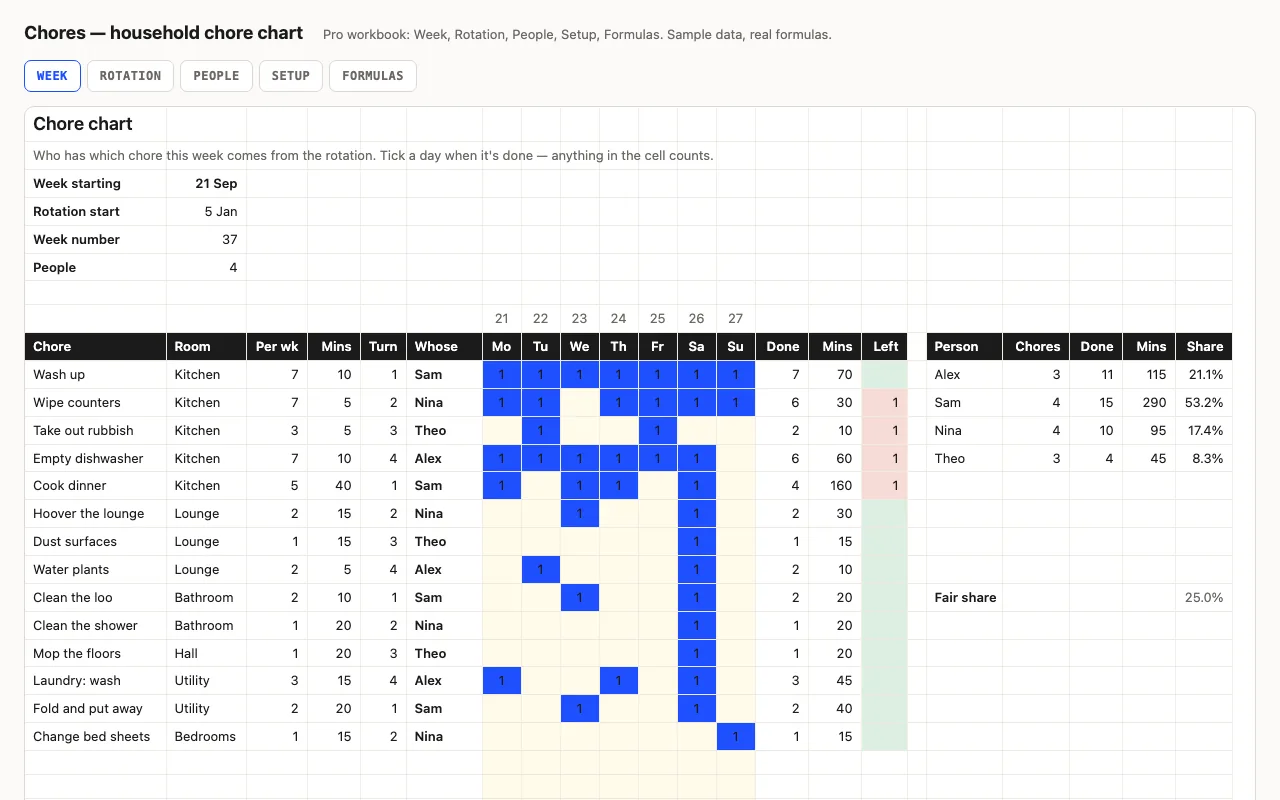
Chores down the side, seven days across, and a rotation that says whose turn each one is this week — change the date and the chart re-deals itself. Ticks, minutes and what's still owed are calculated, and each person's share is worked out on minutes, not on the number of chores. Pro adds eight weeks of the rotation printed ahead and a People sheet comparing everyone against a fair share. No macros.

  • XLSX
  • No macros
  • MOD rotation
live demo →
Meds — medication schedule and refill planner spreadsheet preview

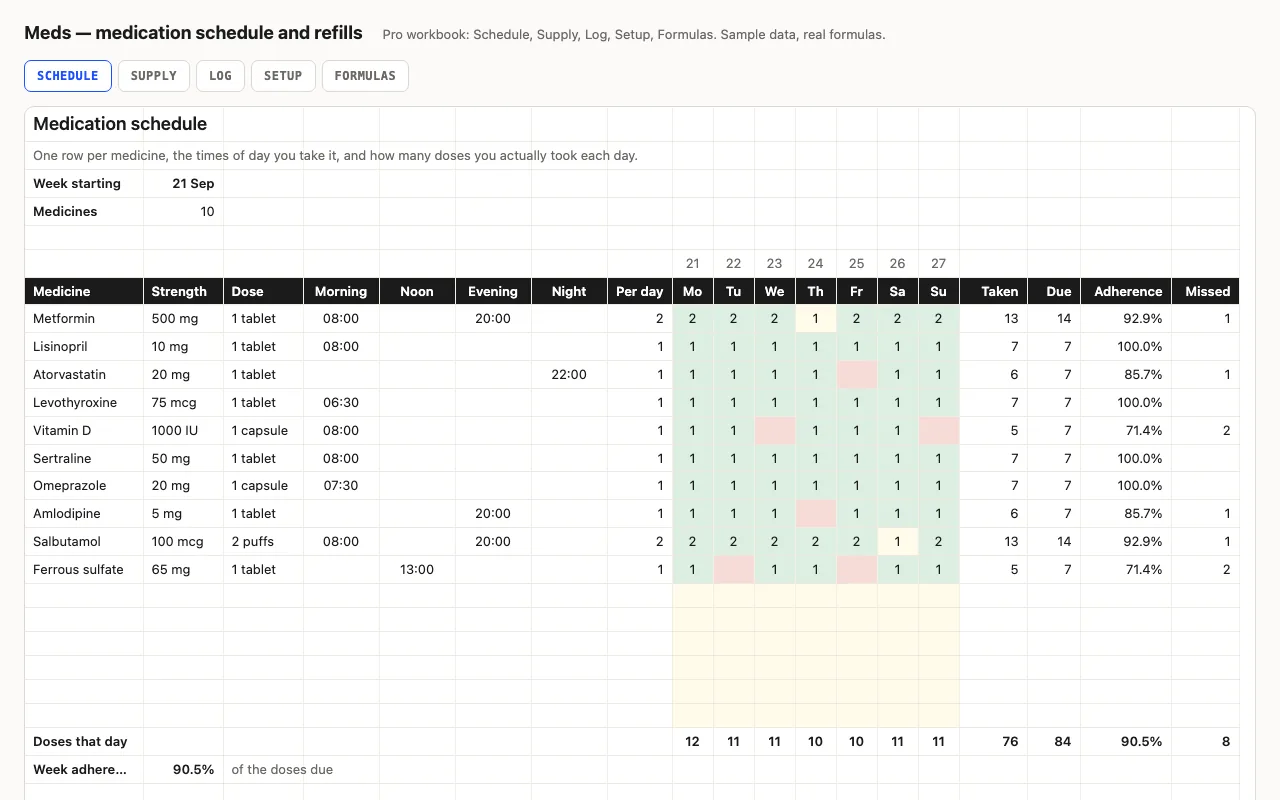
One row per medicine with its strength, dose and the times of day it's taken; the week grid records doses actually taken and works out adherence against what was due. Pro adds a refill planner — units used a day, days left, the date it runs out and the date to order — and a dated dose log. A tracker, not medical advice. No macros.

  • XLSX
  • No macros
  • SUMPRODUCT
live demo →
Aim — goal and KPI tracker spreadsheet preview

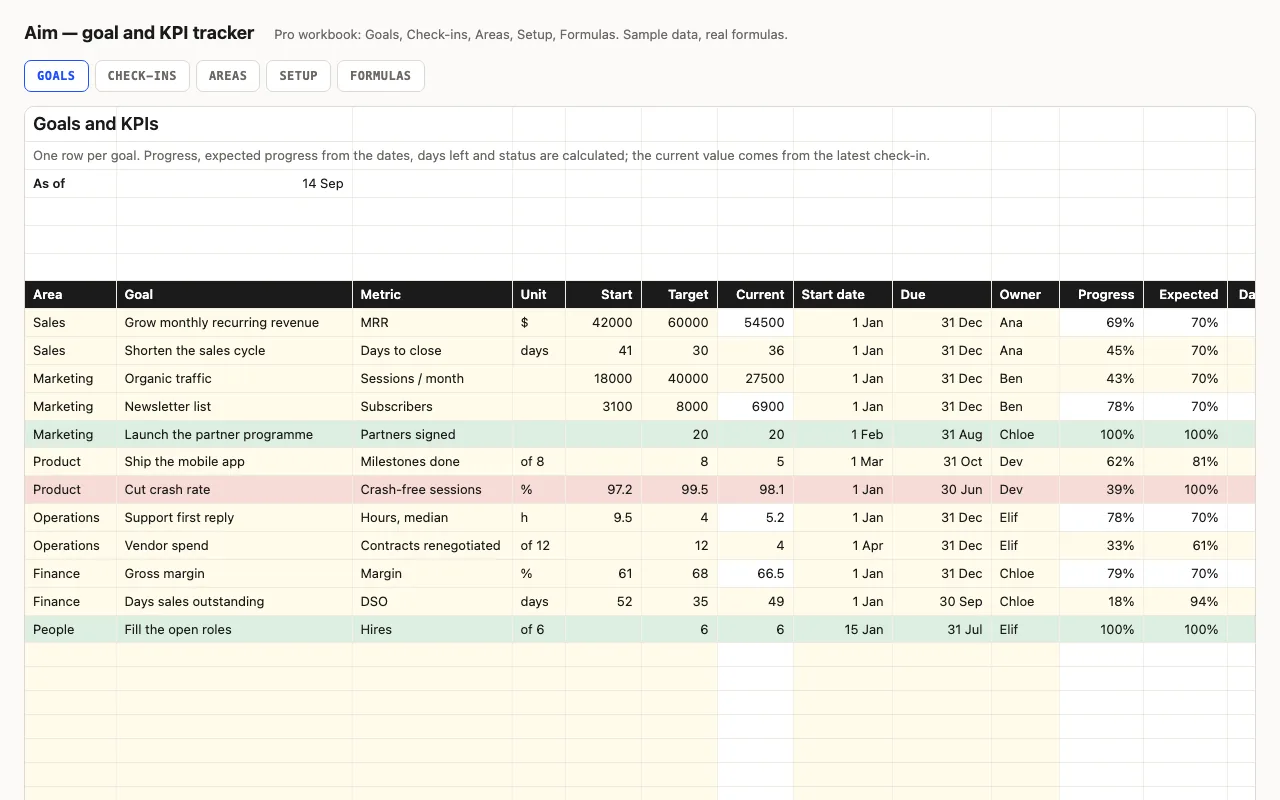
One row per goal or KPI: start, target, current, dates, owner. Progress, expected progress from the calendar, days left and a status — Done, On track, Behind, Overdue — are calculated. Pro adds monthly check-ins that feed the current value, and a view by area and by owner. No macros.

  • XLSX
  • No macros
  • COUNTIFS
live demo →
Fleet — vehicle maintenance log spreadsheet preview

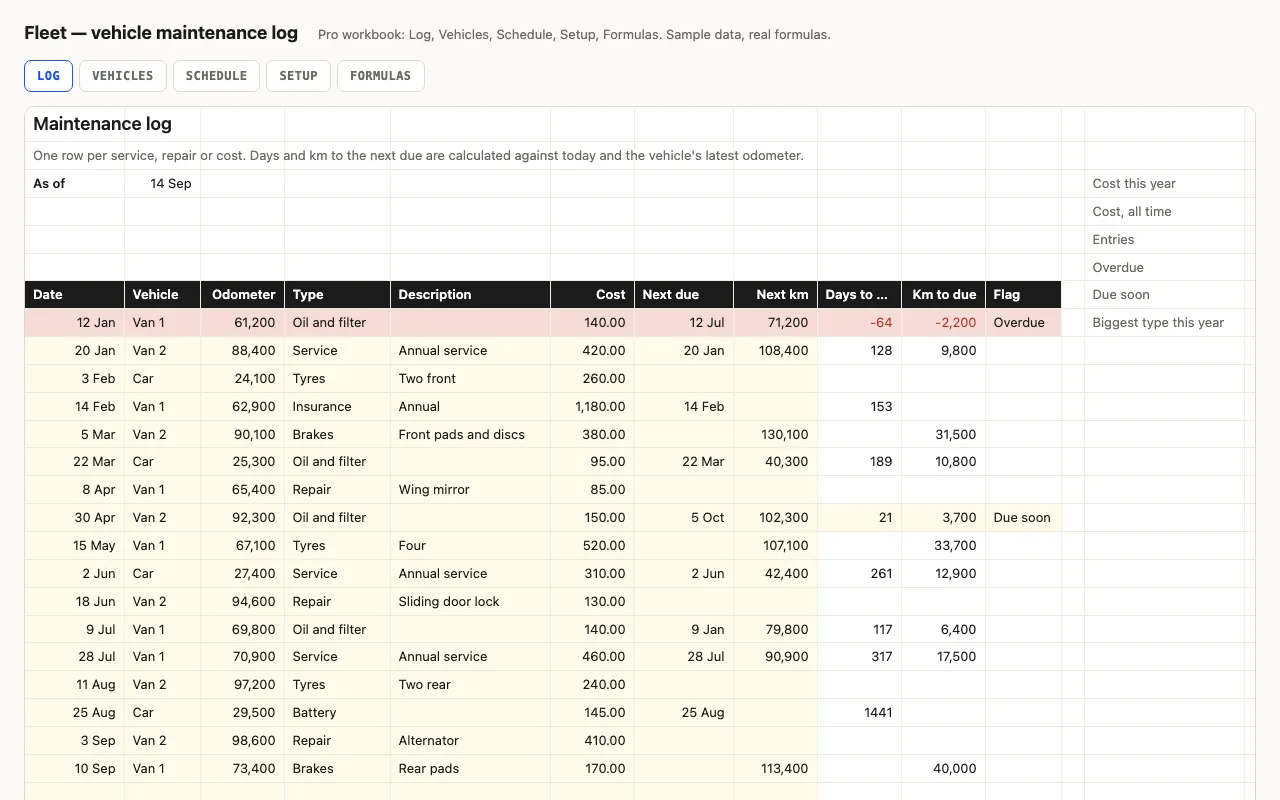
One row per service or repair with the odometer and the next-due the garage gave you; days and km to each, overdue and due-soon flags, cost this year. Pro adds a Vehicles sheet with cost per km and tax, insurance and inspection reminders, and a service schedule that reads last-done from the log. No macros.

  • XLSX
  • No macros
  • SUMPRODUCT
live demo →
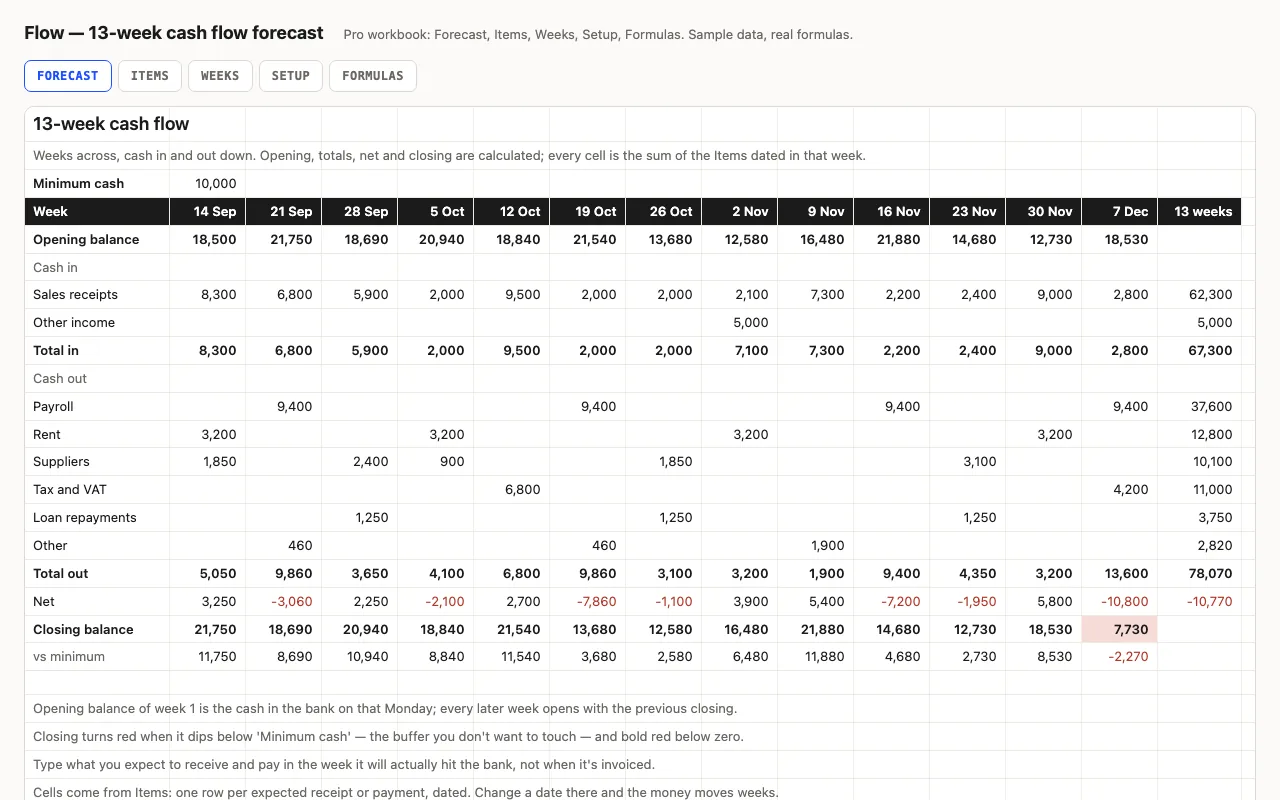
Flow — 13-week cash flow forecast spreadsheet preview

Thirteen weeks across, cash in and out down: the balance carries forward, weeks below your buffer turn red, and the lowest point and its week are found for you. Pro fills the grid from a dated list of expected receipts and payments and shows what's still outstanding from past weeks. No macros.

  • XLSX
  • No macros
  • SUMIFS
live demo →
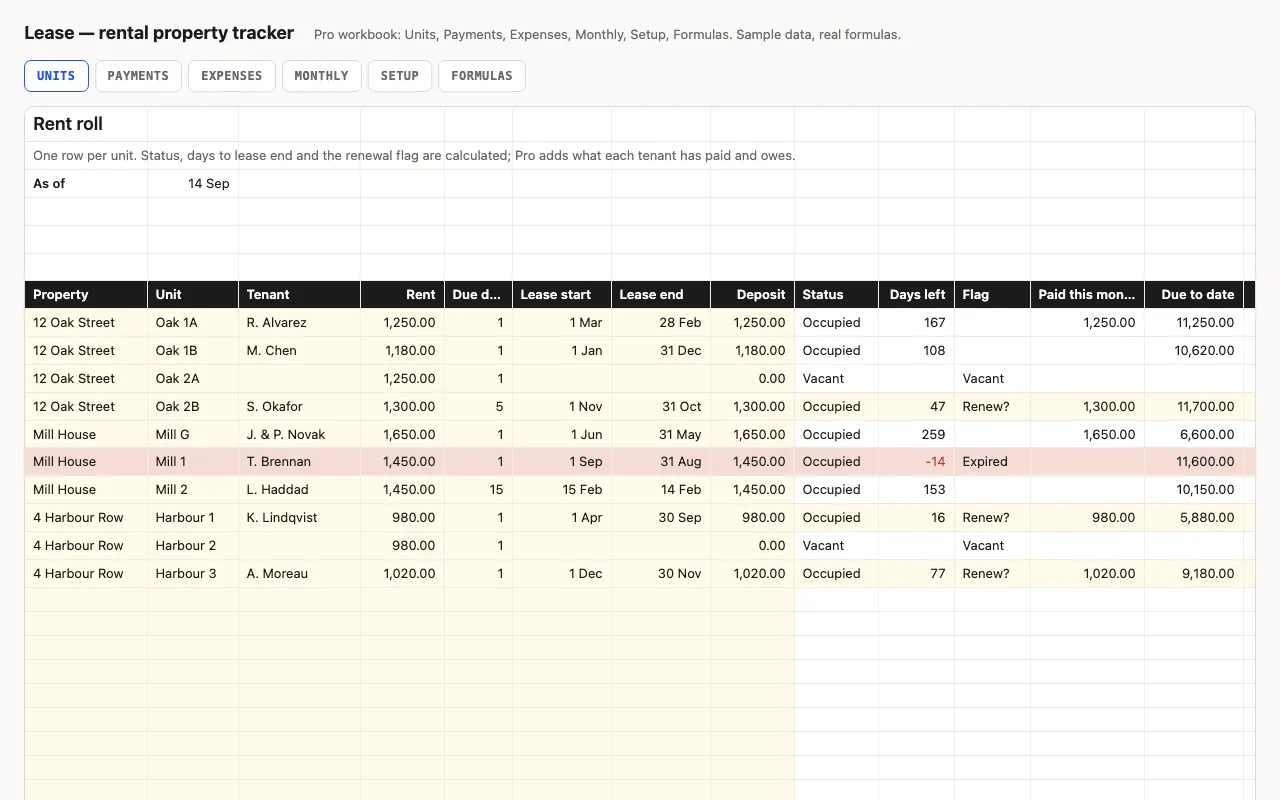
Lease — rental property tracker spreadsheet preview

One row per unit: property, tenant, rent, due day, lease dates, deposit. Vacancies, leases ending in ninety days, occupancy and monthly rent are calculated. Pro adds the rent payment log with a balance per tenant, an expense log, and a month-by-month view of rent due, collected and spent. No macros.

  • XLSX
  • No macros
  • SUMIFS
live demo →
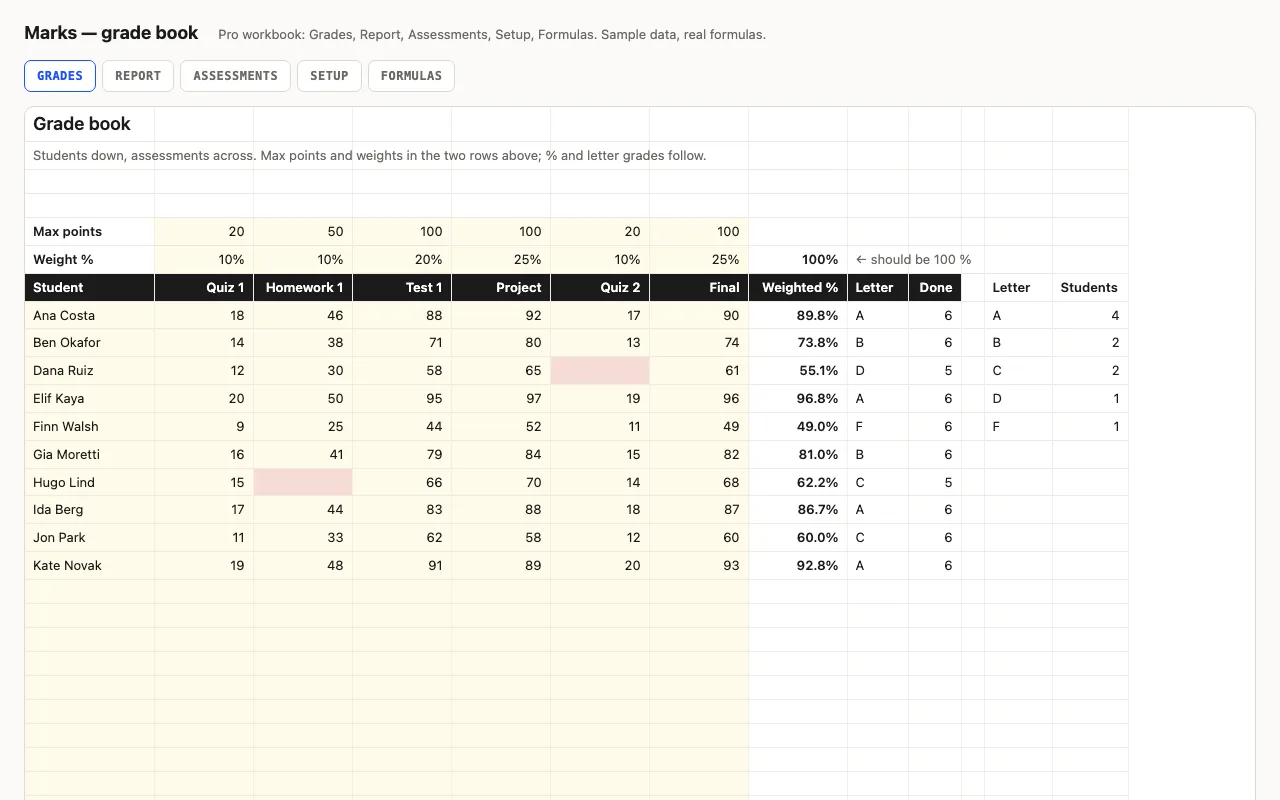
Marks — grade book spreadsheet preview

Students down the side, assessments across, with max points and a weight for each; the weighted percentage and letter grade follow, with class average, median, highest, lowest and missing per assessment and a grade distribution. Pro adds a per-student Report with rank and an Assessments sheet showing which was hardest. No macros.

  • XLSX
  • No macros
  • SUMPRODUCT
live demo →
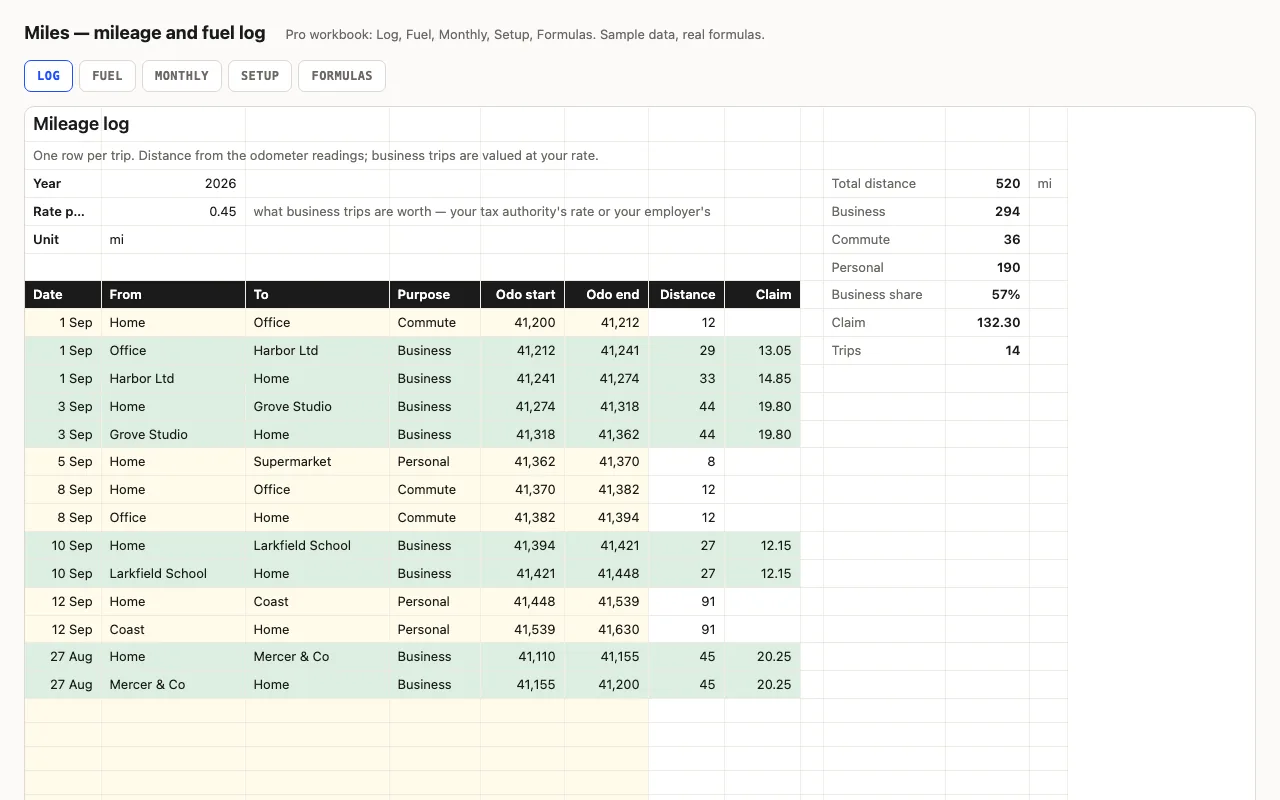
Miles — mileage and fuel log spreadsheet preview

One row per trip with the odometer at the start and end; distance is the difference and business trips are valued at your rate. Totals by purpose, business share and the claim for the year. Pro adds a fuel log with consumption and cost per mile between full tanks, and a monthly view. No macros.

  • XLSX
  • No macros
  • SUMIFS
live demo →
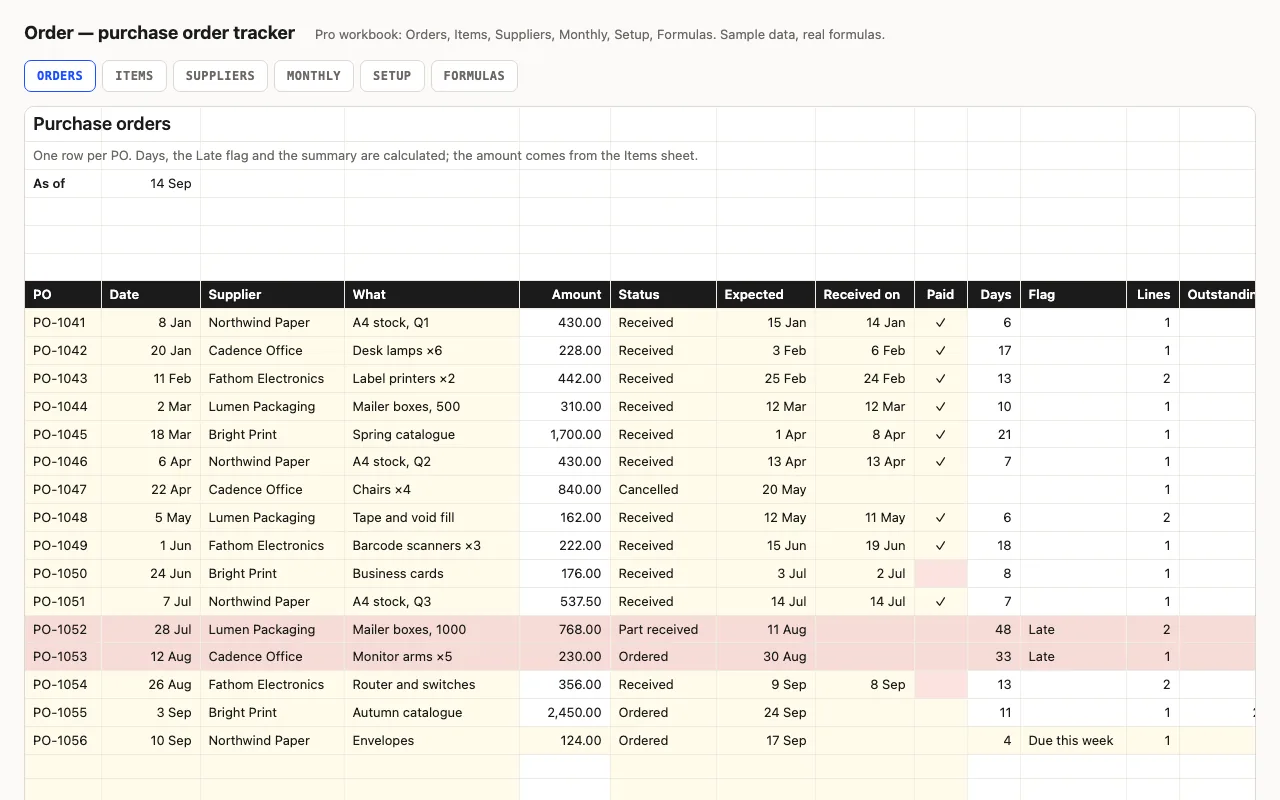
Order — purchase order tracker spreadsheet preview

One row per purchase order: supplier, amount, status, expected and received dates, paid. Days open or lead time, a Late flag, open value, unpaid invoices. Pro adds line items per PO with what's still to arrive, a supplier view with lead times, and a monthly view. No macros.

  • XLSX
  • No macros
  • SUMIFS
live demo →
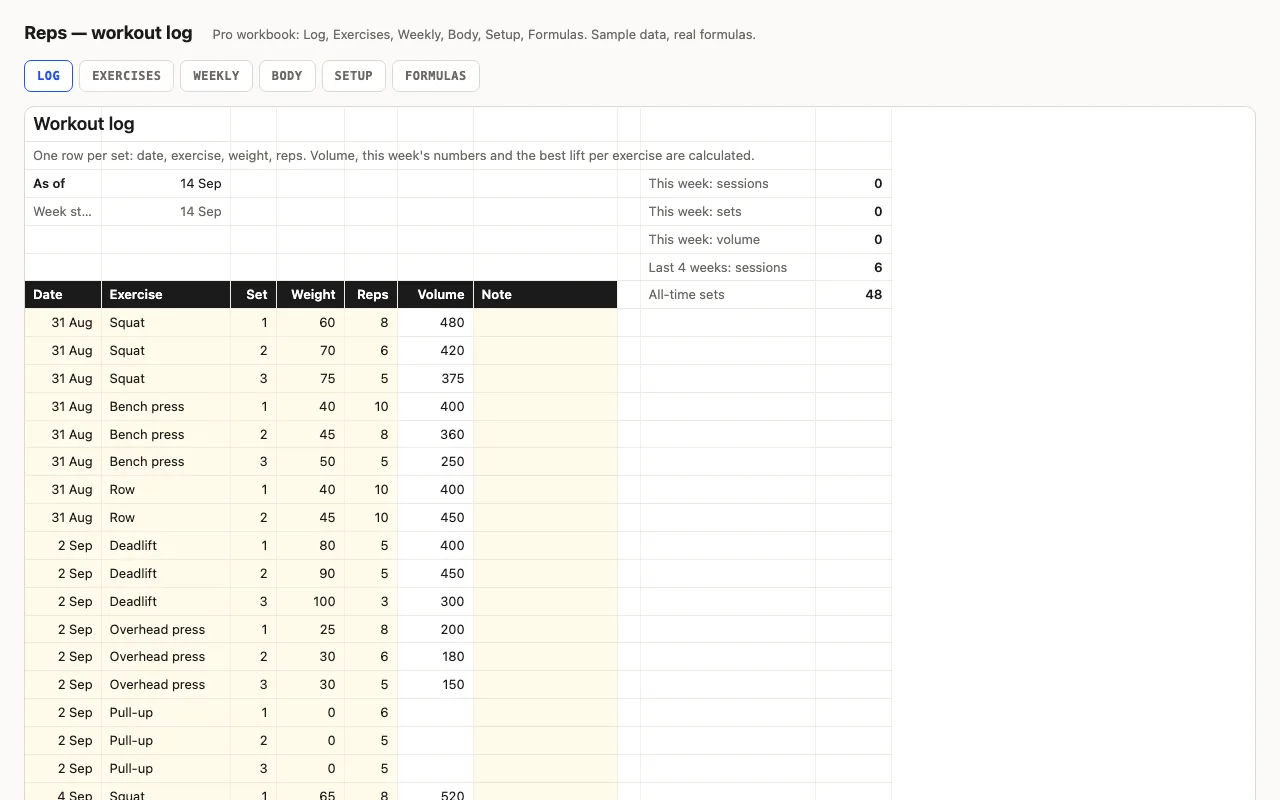
Reps — workout log spreadsheet preview

One row per set: date, exercise, weight, reps. Volume per set, this week's sessions, sets and volume, and the best weight and best set per exercise. Pro adds an Exercises sheet with bests, last done and days since, a twelve-week view, and a body-weight log with change. No macros.

  • XLSX
  • No macros
  • SUMPRODUCT
live demo →
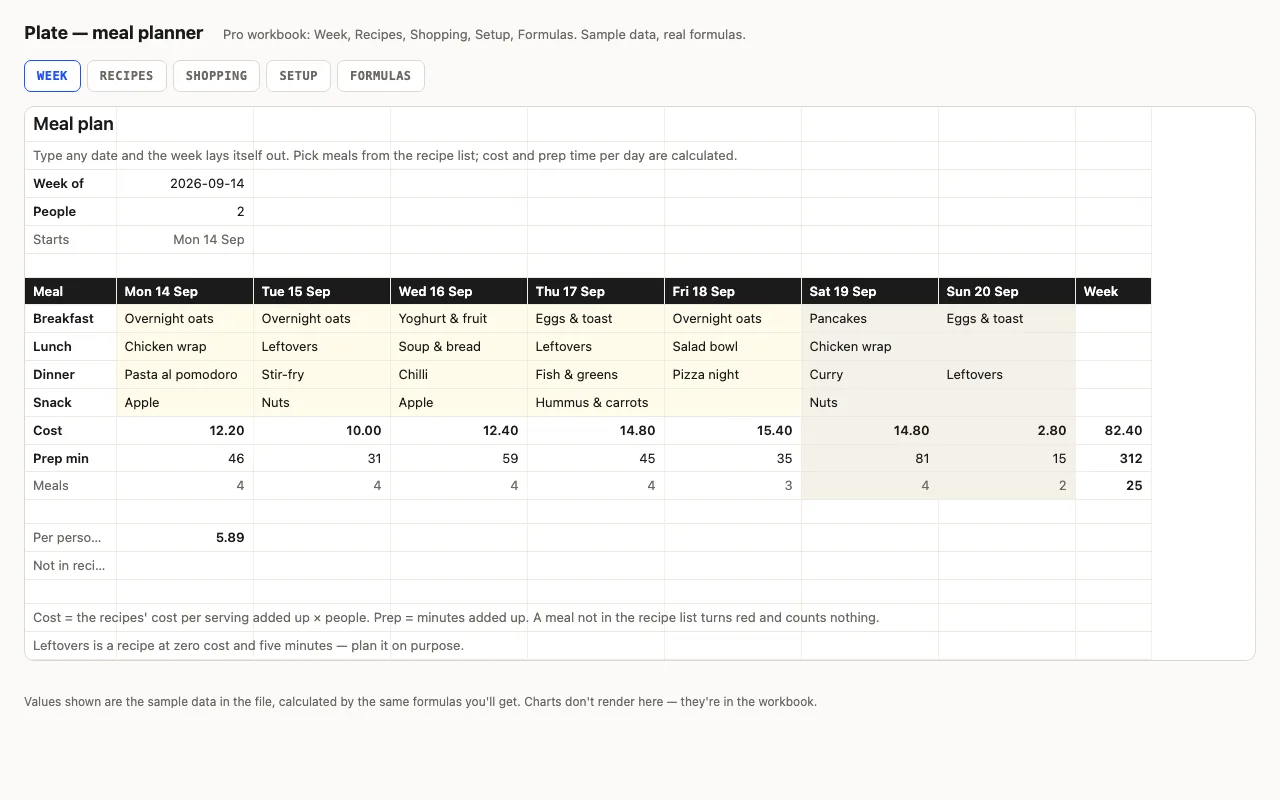
Plate — meal planner spreadsheet preview

A week of meals picked from your recipe list, with cost and prep minutes per day worked out from the recipes, and a shopping list with ticks. Pro moves the recipes to their own sheet with categories, and the shopping list to one with aisles and what's left per aisle. No macros.

  • XLSX
  • No macros
  • SUMIF
live demo →
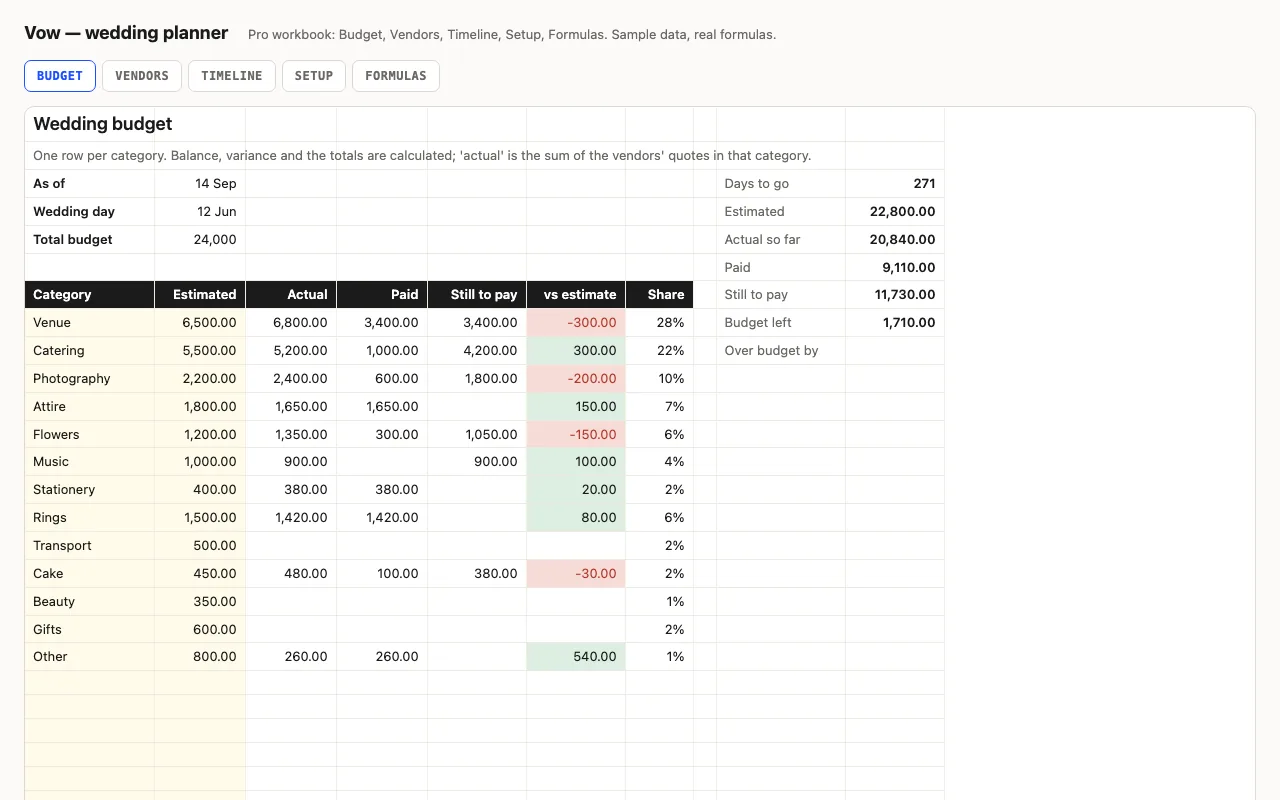
Vow — wedding planner spreadsheet preview

A wedding budget by category — estimated, actual, paid — with what's still to pay, over or under, and the honest budget left. Pro adds vendors with quotes, contracts, deposits and balance-due flags that feed the actuals, and a timeline whose dates follow the wedding date. No macros.

  • XLSX
  • No macros
  • SUMIF
live demo →
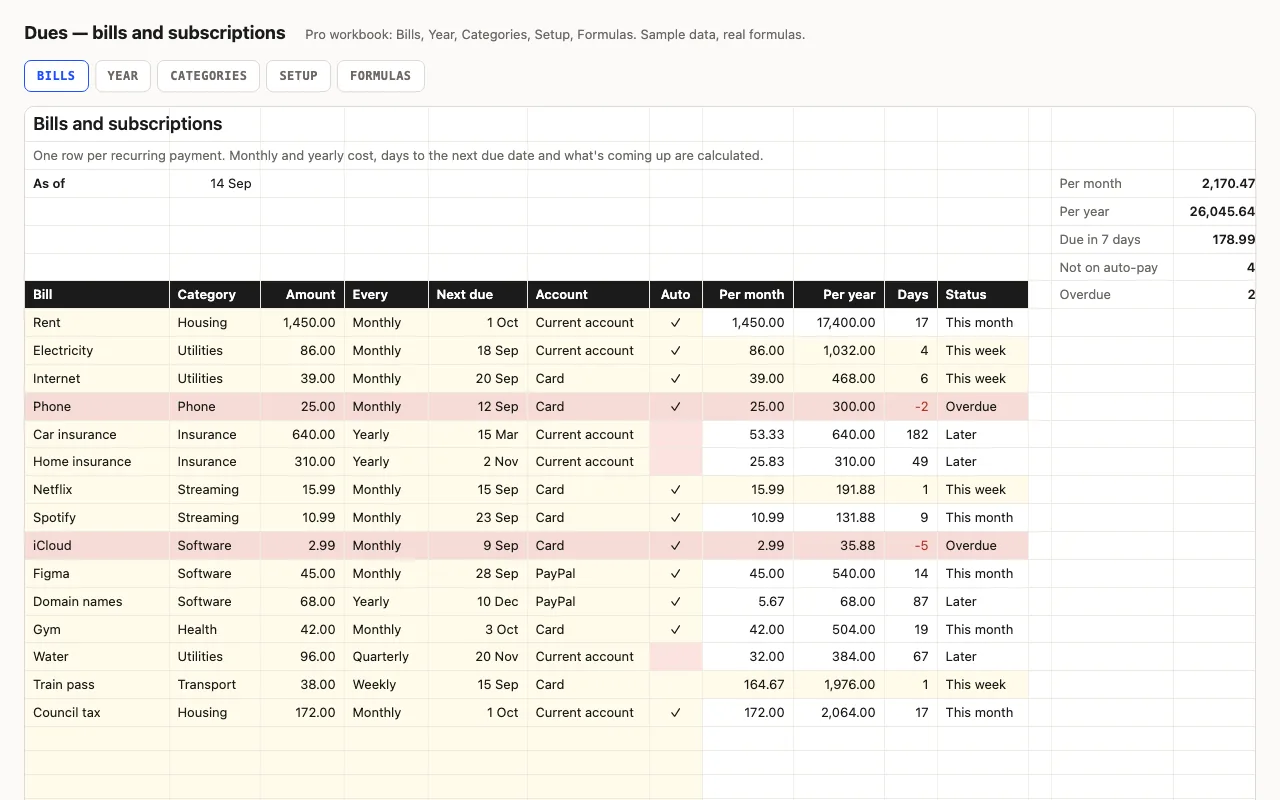
Dues — bills and subscriptions tracker spreadsheet preview

One row per recurring payment with its amount and frequency; the sheet turns them into a monthly and yearly cost, counts the days to each next due date, and flags what's overdue and due this week. Pro lays every bill across the next twelve months so the expensive months show, and totals by category. No macros.

  • XLSX
  • No macros
  • INDEX/MATCH
live demo →
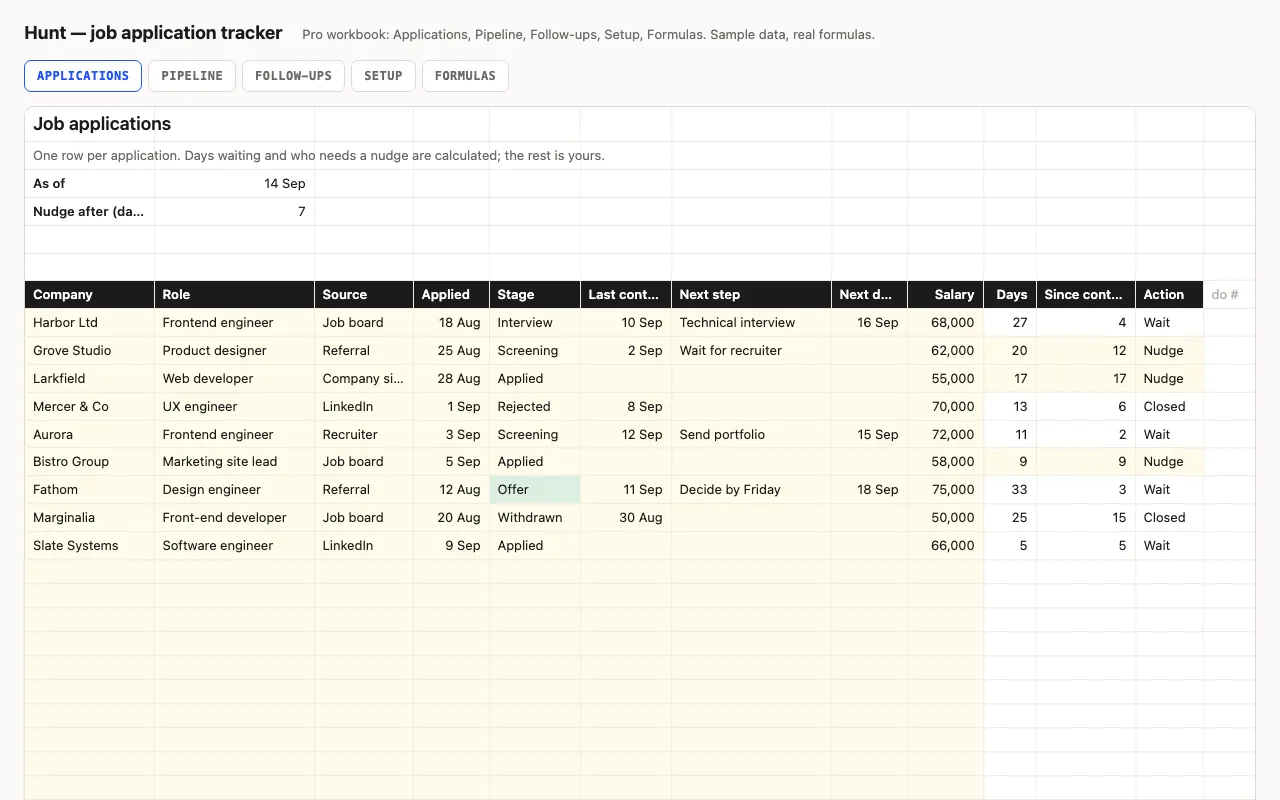
Hunt — job application tracker spreadsheet preview

One row per application: company, role, stage, dates, next step. Days waiting and which applications need a nudge are calculated; active, interviews, offers and response rate are kept at the top. Pro adds a Pipeline sheet with conversion between stages and results by source, and a Follow-ups sheet that lists what needs doing. No macros.

  • XLSX
  • No macros
  • COUNTIF
live demo →
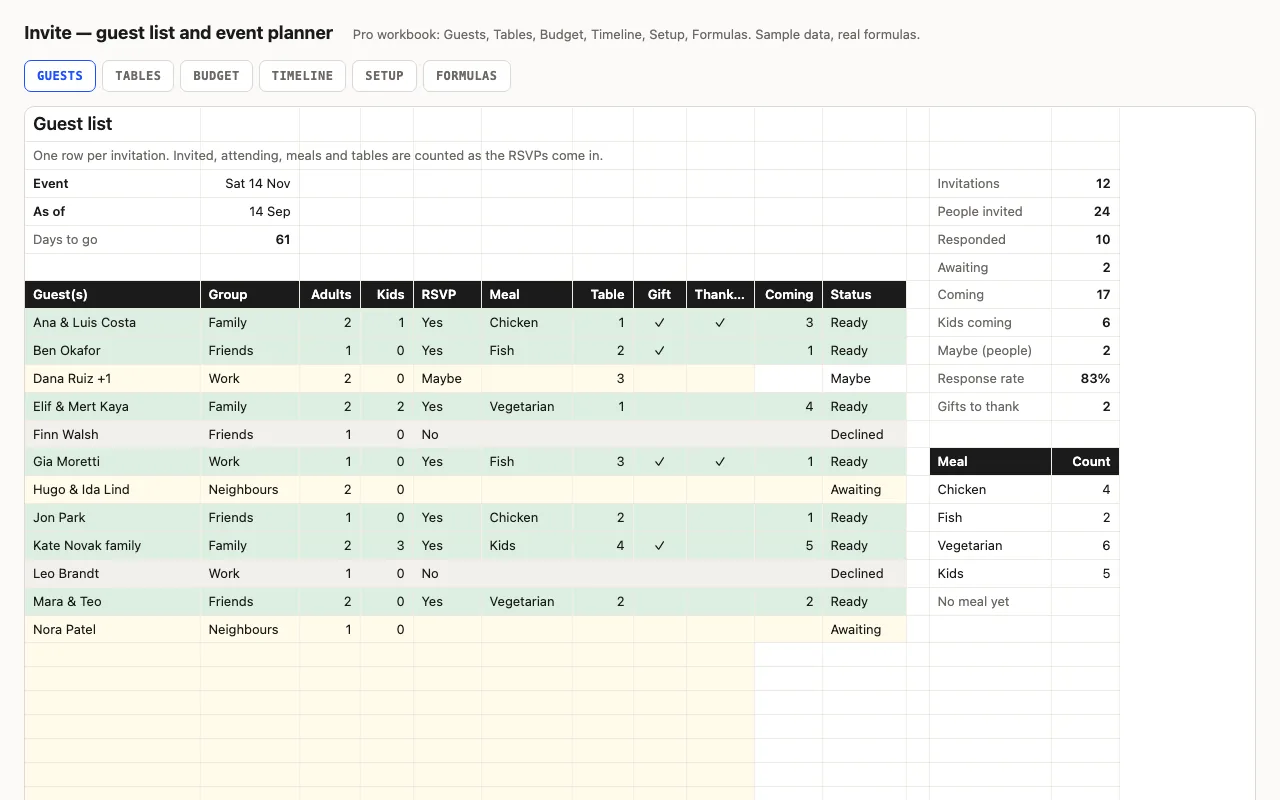
Invite — guest list and event planner spreadsheet preview

One row per invitation: adults and kids, RSVP, meal, table, gift and thank-you. Invited, responded, coming, meals per choice and what's missing for each Yes are counted. Pro adds tables with free seats, a budget with cost per head, and a timeline of tasks with what's late. No macros.

  • XLSX
  • No macros
  • SUMIFS
live demo →
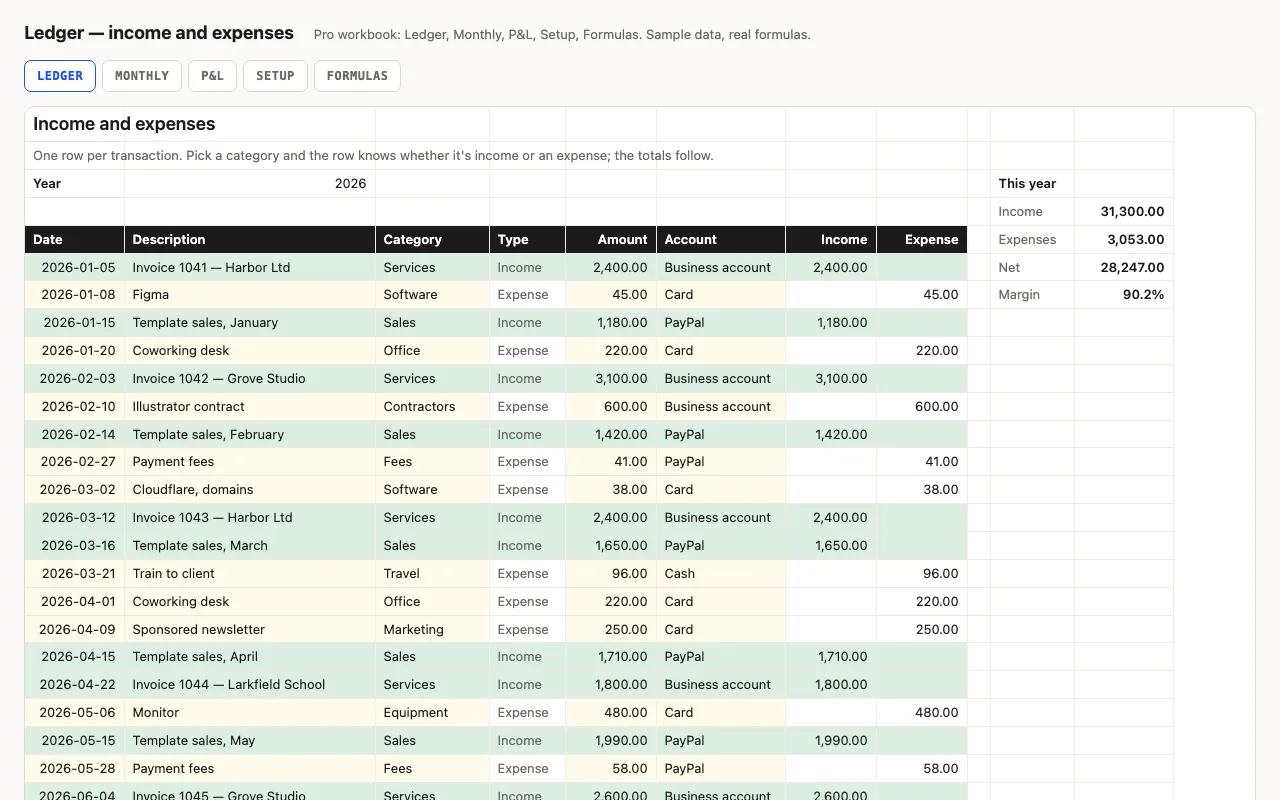
Ledger — small business income and expenses spreadsheet preview

One row per transaction; the category decides whether it's income or an expense, so amounts stay positive and every total is a plain SUMIFS. Year totals and margin at the top, a category summary beside the log. Pro adds a Monthly sheet with quarters, a P&L by category with shares, and a formulas walkthrough. No macros.

  • XLSX
  • No macros
  • SUMIFS
live demo →
Nest — savings goals and net worth spreadsheet preview

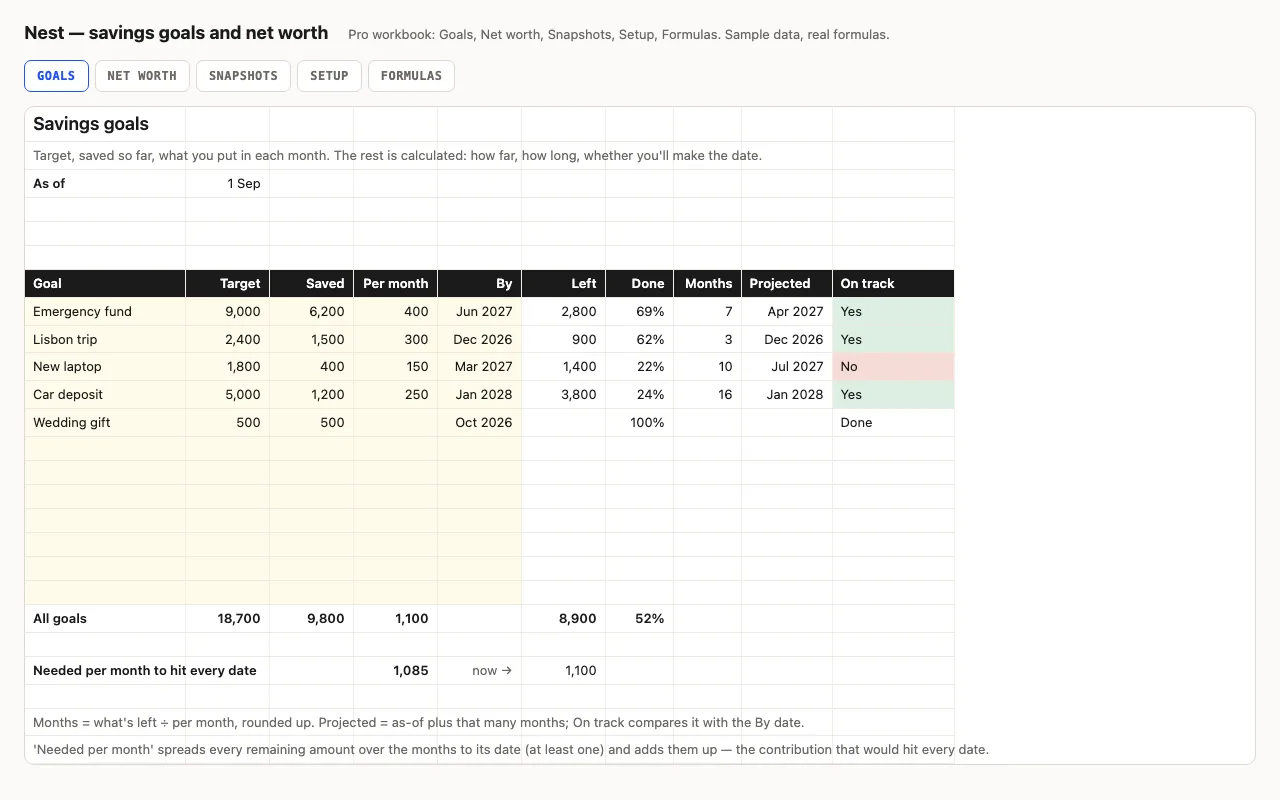
Each savings goal gets a target, what you've saved and what you put in monthly; the sheet works out what's left, months to go, the projected date and whether it beats the date you wanted — plus the contribution that would hit every date. Pro adds net worth by account and type, and twelve months of snapshots with the change month by month. No macros.

  • XLSX
  • No macros
  • EDATE
live demo →
Pipeline — sales pipeline spreadsheet preview

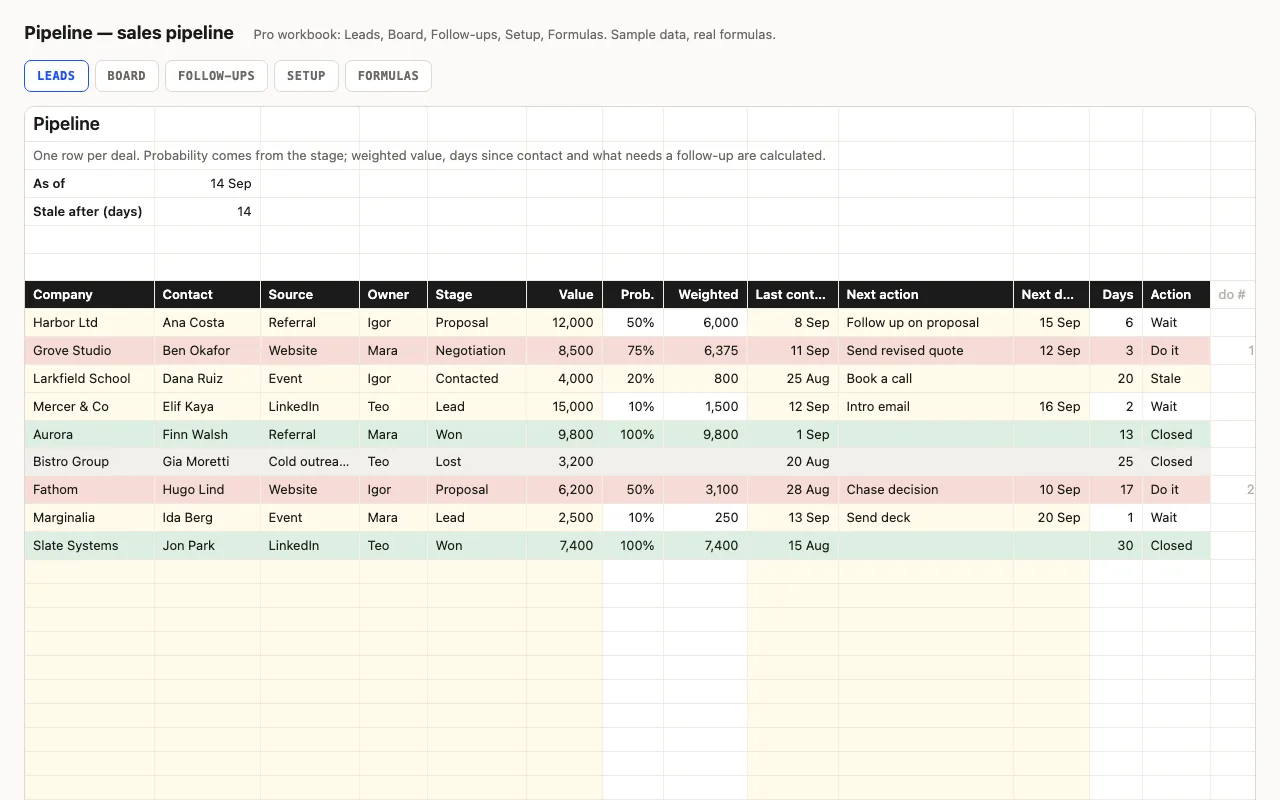
A CRM for a small business or a freelancer: one row per deal with stage, value and next action. Probability comes from the stage, so every deal has a weighted value; days since contact show what's gone quiet; open value, weighted value, won and win rate at the top. Pro adds a Board by stage, owner and source, and a Follow-ups sheet. No macros.

  • XLSX
  • No macros
  • SUMIF
live demo →
Settle — debt payoff planner spreadsheet preview

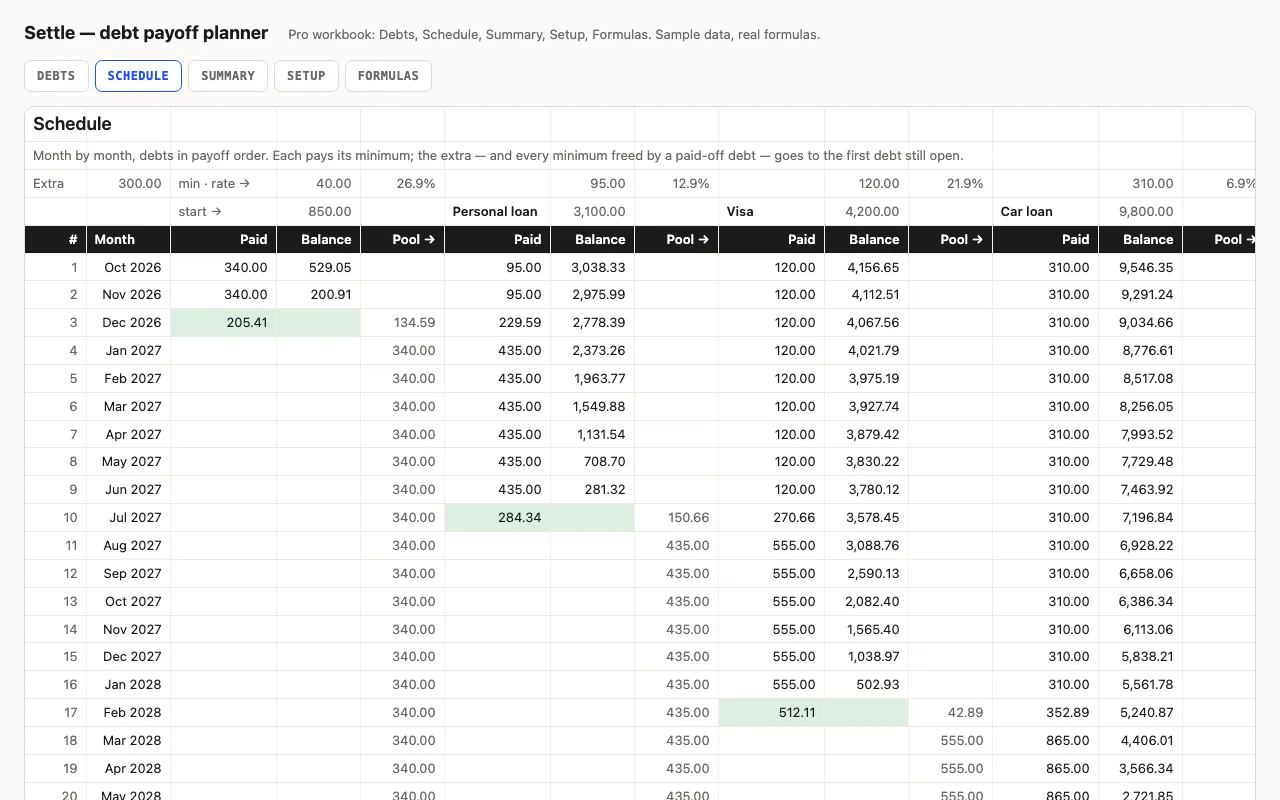
List your debts, pick snowball or avalanche, type the extra you can pay each month: the payoff order, the interest per month and the months each debt takes on its minimum alone. Pro runs the whole payoff month by month — the extra rolls from each paid-off debt to the next — with payoff dates and total interest. No macros.

  • XLSX
  • No macros
  • INDEX/MATCH
live demo →
Route — travel itinerary and budget spreadsheet preview

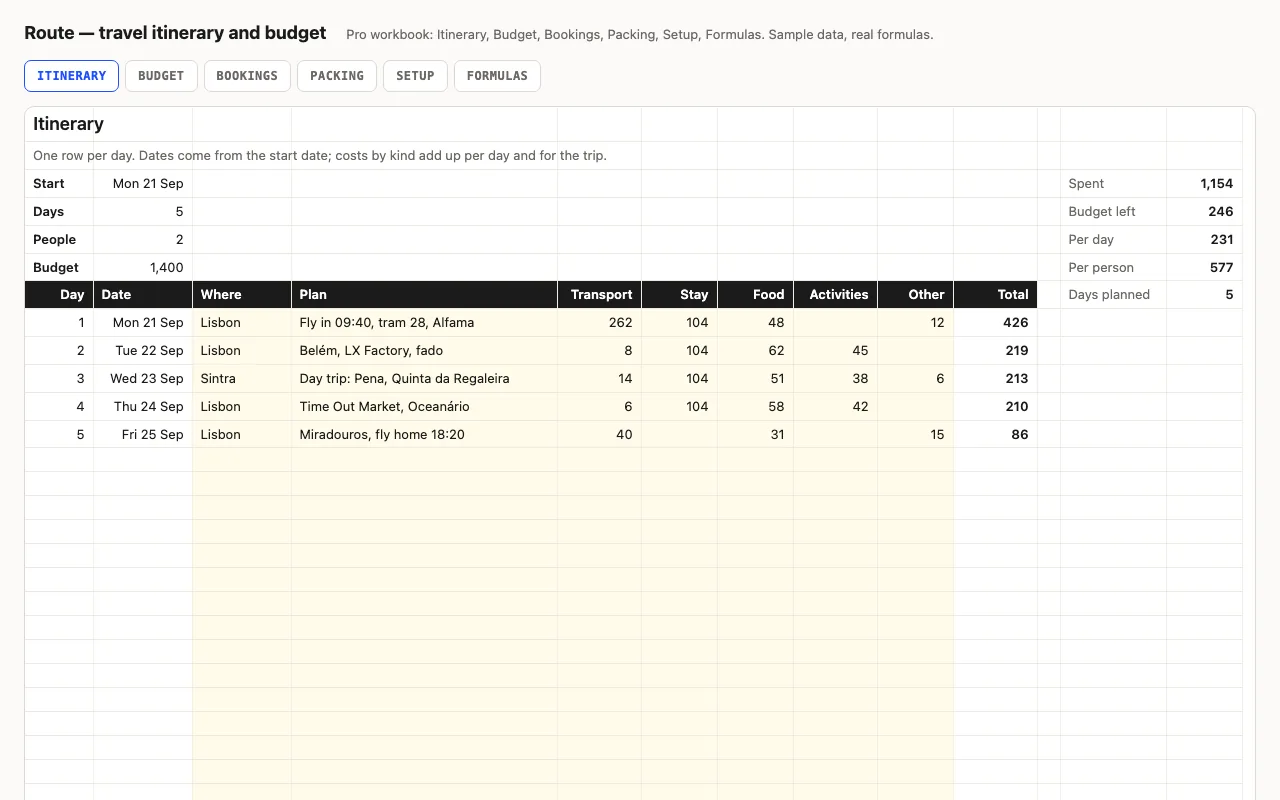
One row per day of the trip: dates from the start date, where you are, what you plan, and what it costs by kind. Daily and trip totals, per day and per person, against a budget. Pro adds a Budget sheet by kind, Bookings with confirmations and what's still to pay, and a Packing checklist. No macros.

  • XLSX
  • No macros
  • SUMIF
live demo →
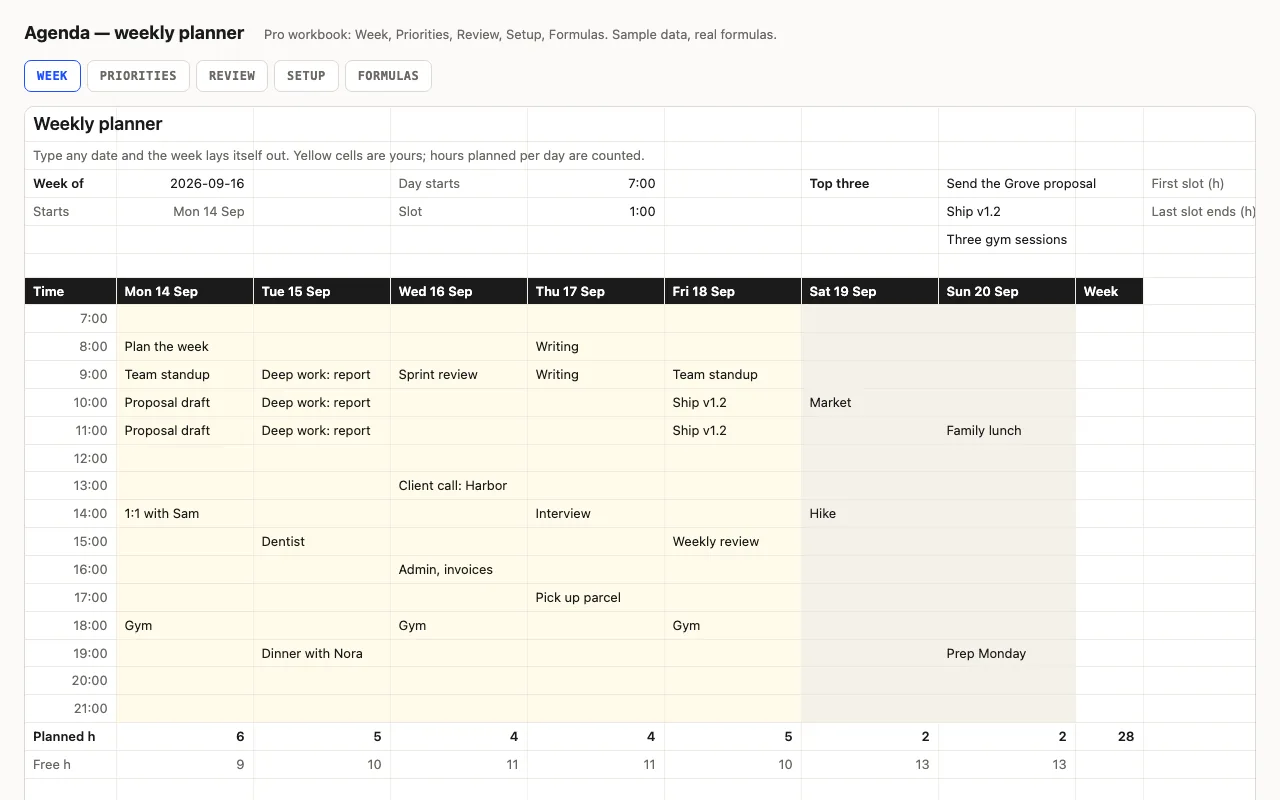
Agenda — weekly planner spreadsheet preview

Type any date and the week lays itself out: seven day columns with real dates, fifteen time slots from the hour you start, weekends shaded, today highlighted. Planned and free hours per day are counted. Pro adds a Priorities sheet whose top three show on the week, a Friday Review sheet, and a formulas walkthrough. No macros.

  • XLSX
  • No macros
  • WEEKDAY
live demo →
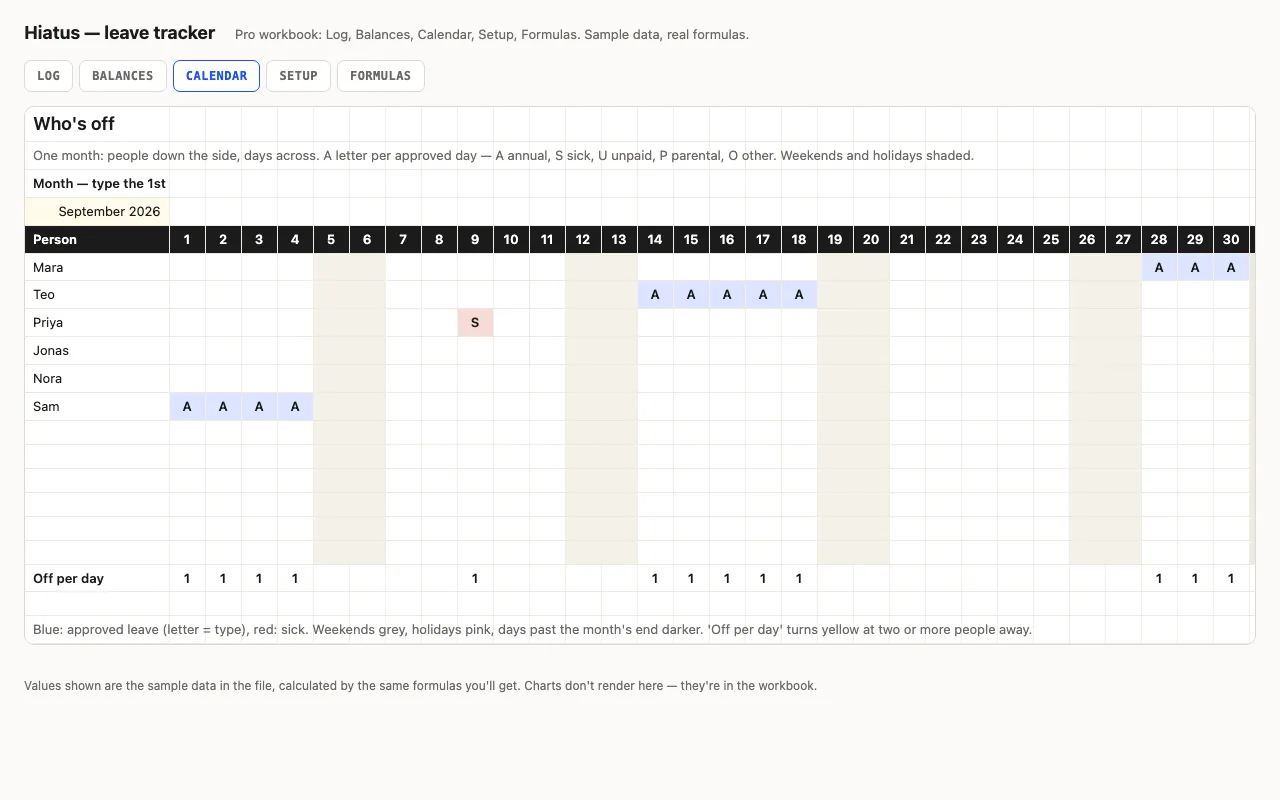
Hiatus — leave and PTO tracker spreadsheet preview

One row per request — who, what kind, from, to — and the working days are counted for you, weekends out. Balances per person against an annual allowance. Pro excludes public holidays, adds an approval status, a Balances sheet per person and type, and a month calendar showing who's off on which day. No macros.

  • XLSX
  • No macros
  • SUMIFS
live demo →
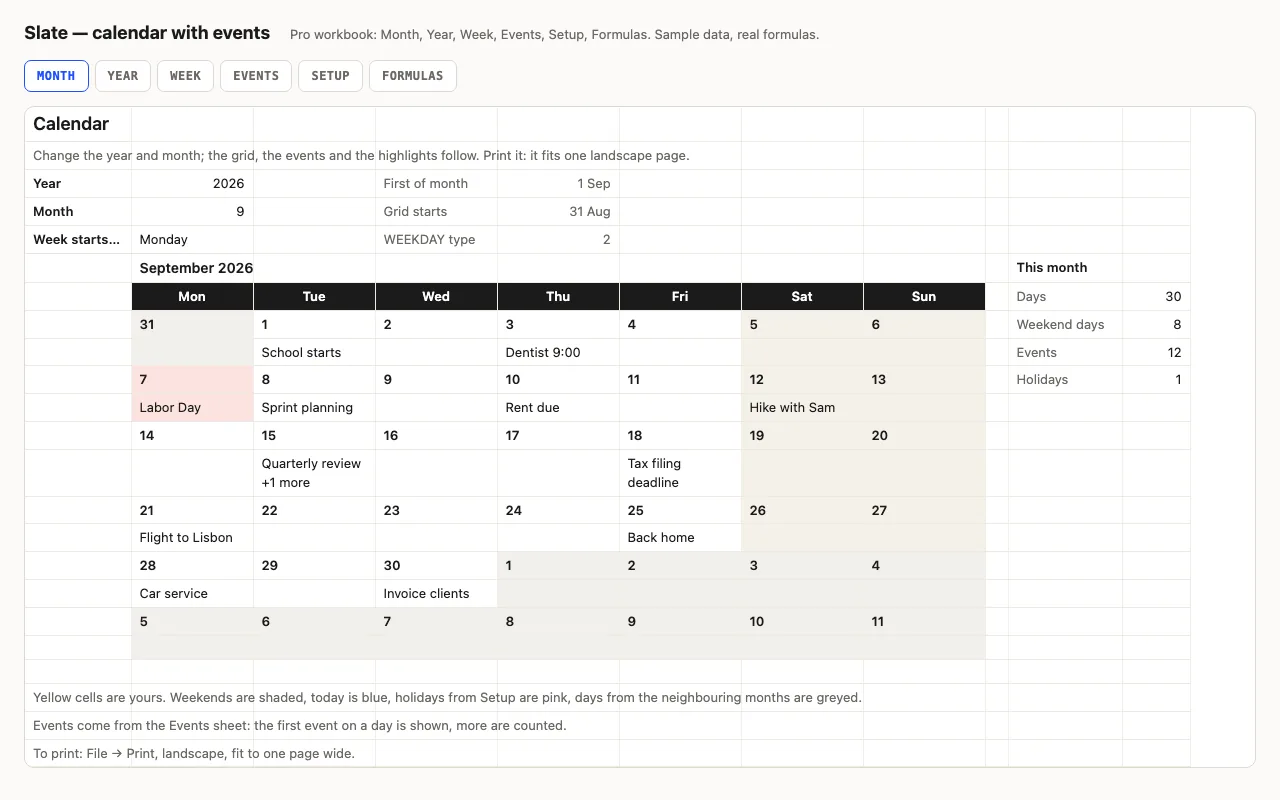
Slate — calendar spreadsheet preview

Type a year and a month and the calendar redraws itself: weekends shaded, today blue, other months greyed, and your events written into the right days from a list. Pro adds the whole year on one sheet, a week planner, holidays, and a formulas walkthrough. No macros.

  • XLSX
  • No macros
  • WEEKDAY
live demo →
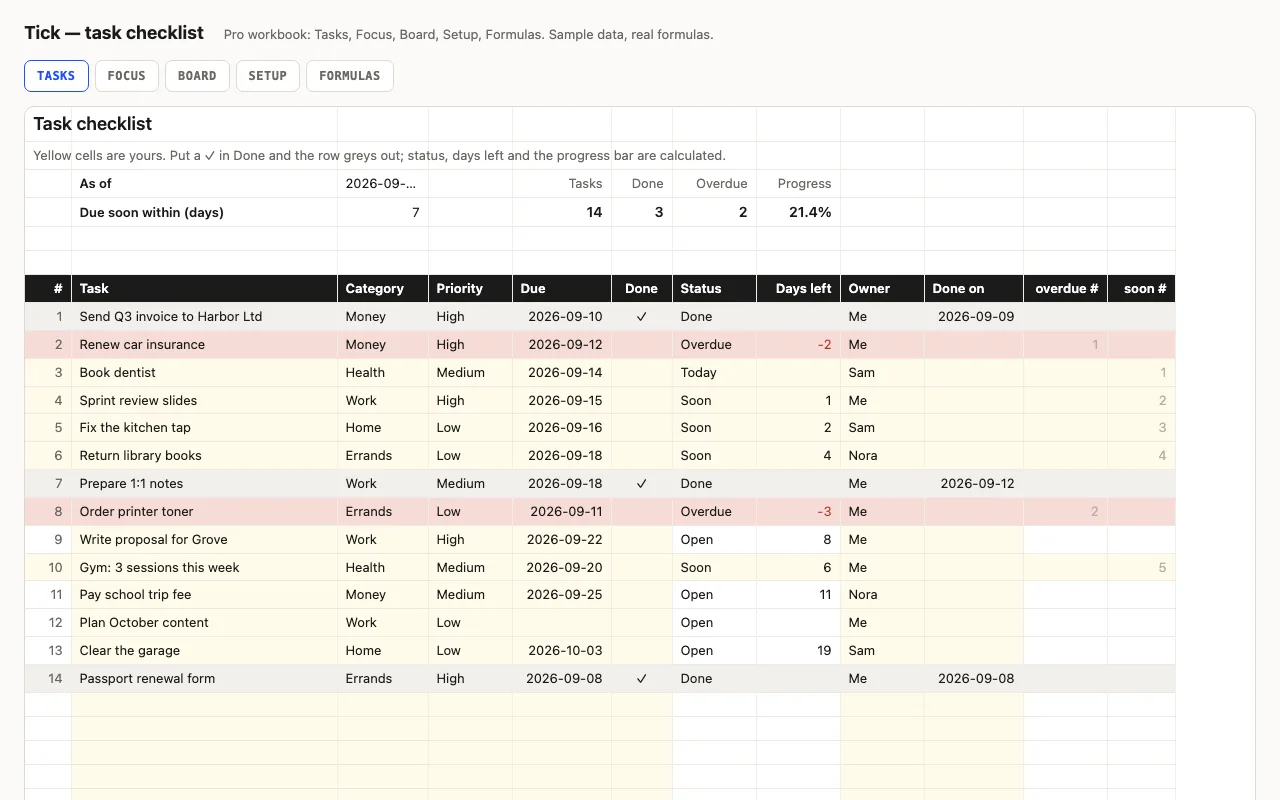
Tick — task checklist spreadsheet preview

A to-do list that knows what's late: task, category, priority, due date and a ✓ when done; status (Done, Overdue, Today, Soon, Open), days left and a progress bar are calculated. Pro adds a Focus sheet listing what's overdue and due this week, a Board with counts per category, person and priority, and a formulas walkthrough. No macros.

  • XLSX
  • No macros
  • COUNTIFS
live demo →
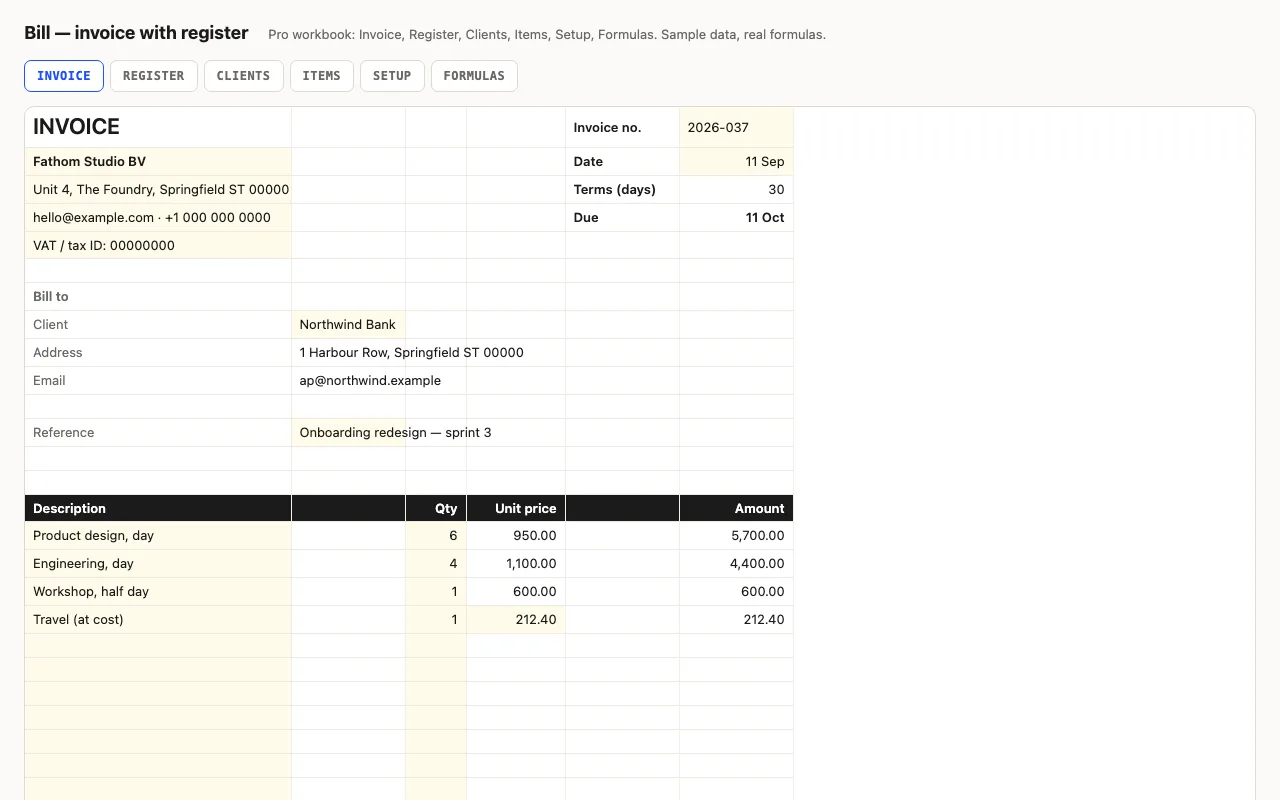
Bill — invoice spreadsheet with a register preview

An invoice that adds itself up and prints on one page: line items, discount, tax, total, due date from terms. Pro fills the client's details and item prices from lists, and keeps a register of every invoice — outstanding, days overdue, status, aging buckets, next number. No macros.

  • XLSX
  • No macros
  • INDEX/MATCH
live demo →
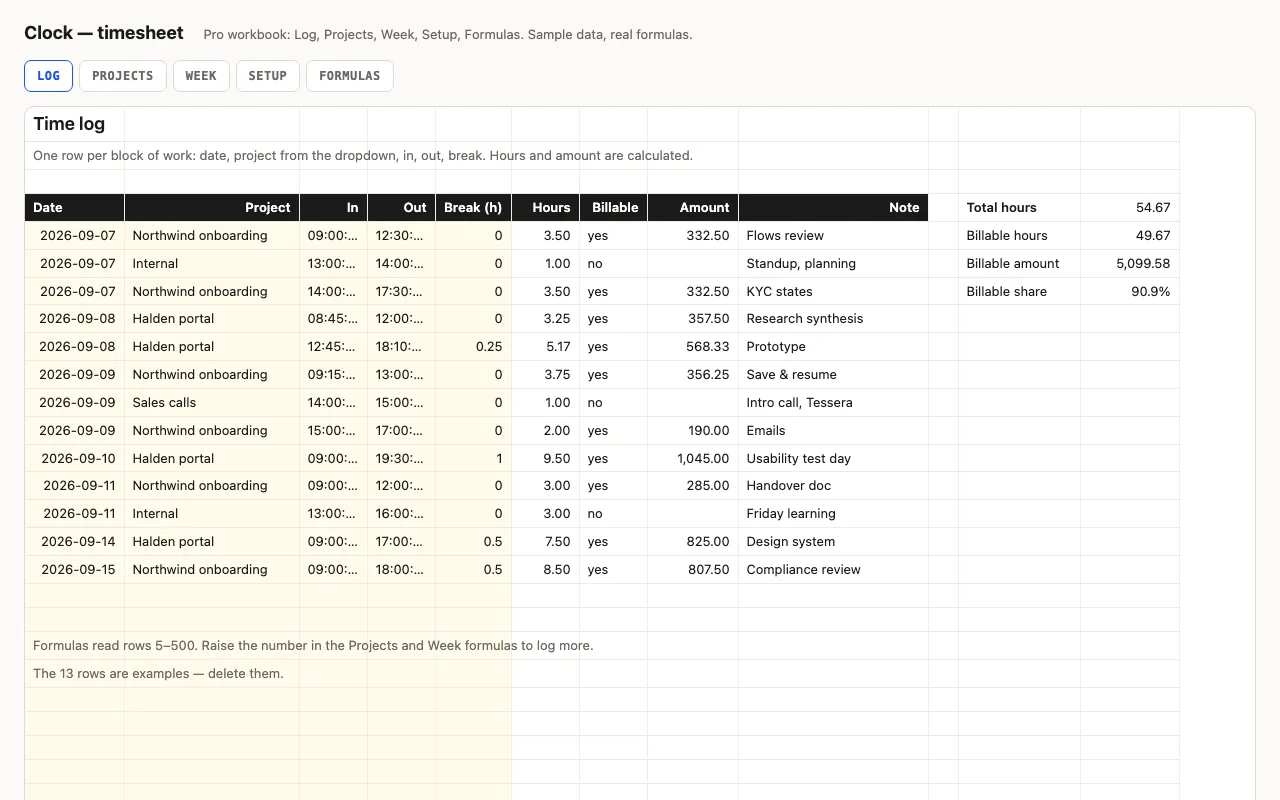
Clock — timesheet spreadsheet preview

Type in and out as times and a break in hours; hours and overtime are calculated, night shifts past midnight included. Pro adds a log with projects and hourly rates, billable amounts per project and per week, distinct days worked, and a formulas walkthrough. No macros.

  • XLSX
  • No macros
  • Time arithmetic
live demo →
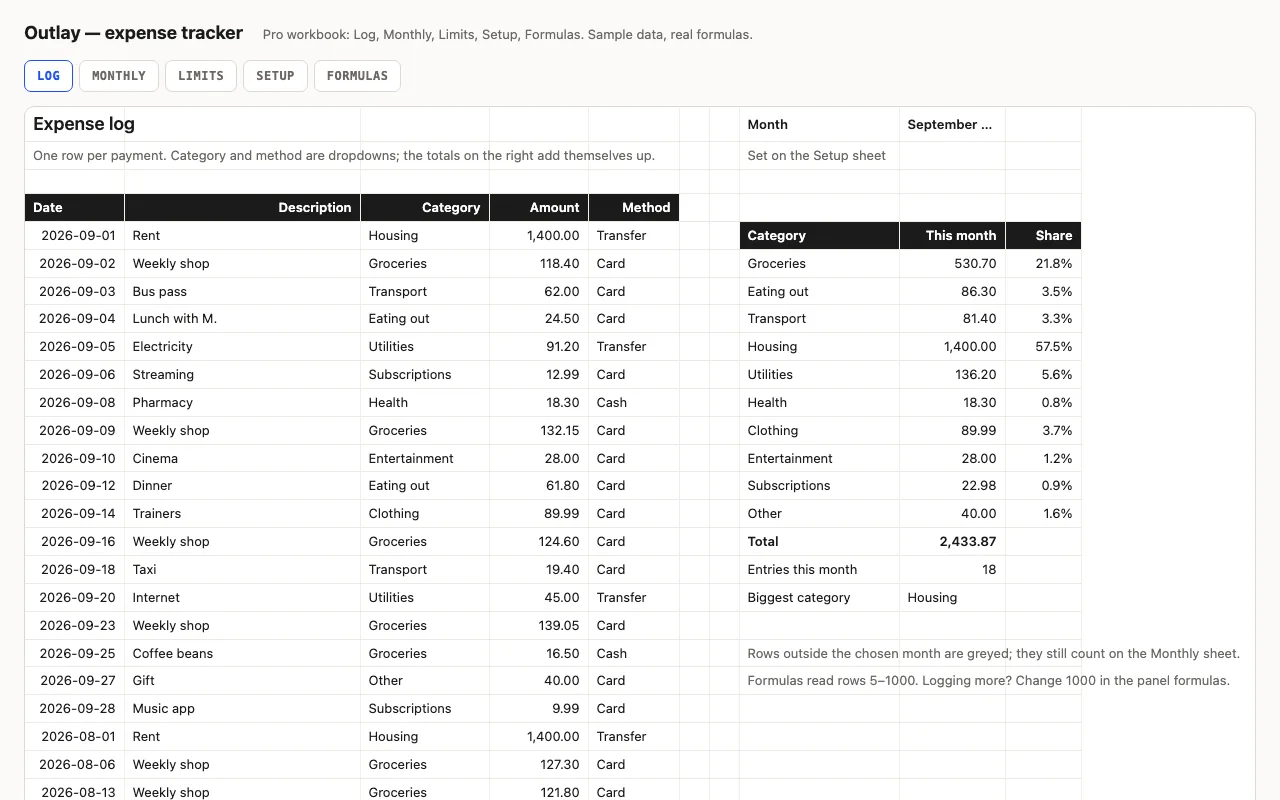
Outlay — expense tracker spreadsheet preview

An expense log for Excel and Google Sheets that totals itself: this month by category with data bars, twelve months back, and spending against the limits you set — every formula visible. Pro adds the Monthly and Limits sheets, a Setup sheet with limits, and a formulas walkthrough.

  • XLSX
  • No macros
  • SUMIFS
live demo →
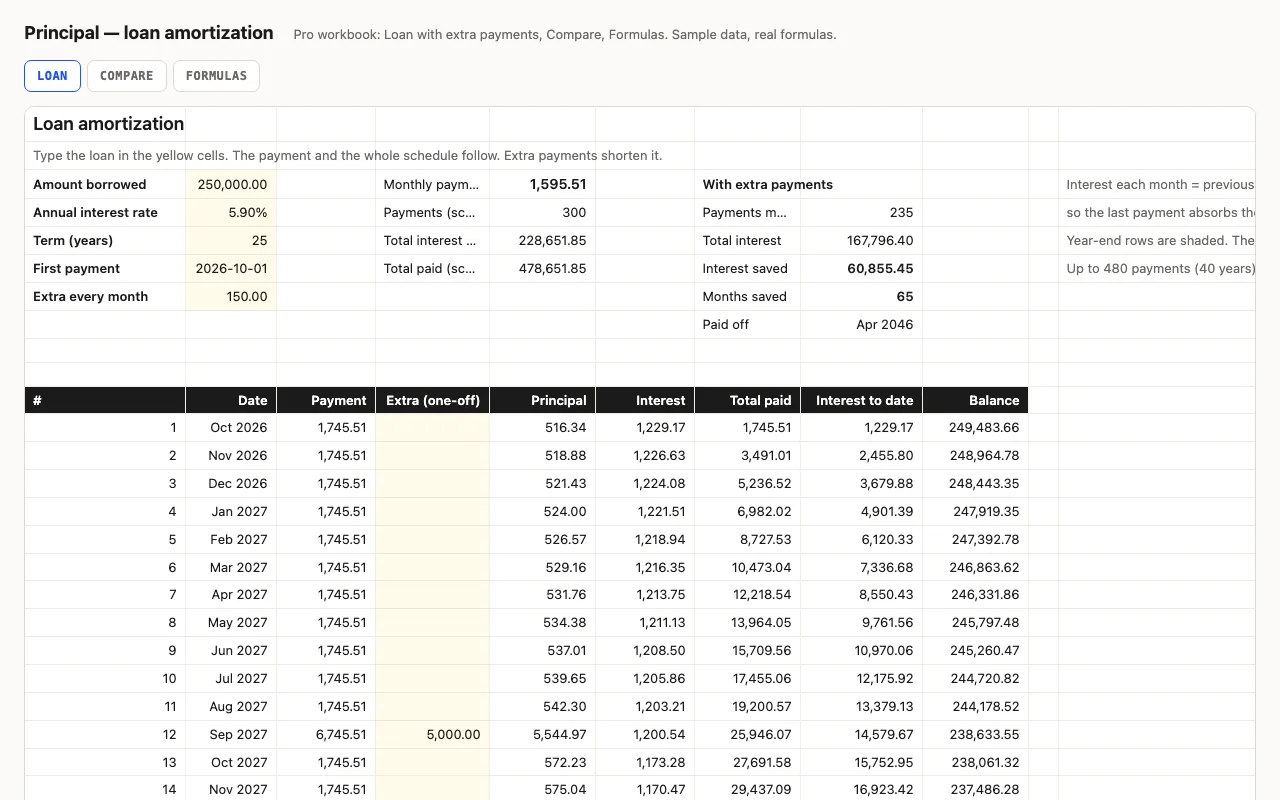
Principal — loan amortization spreadsheet preview

Amount, rate, term, first payment: the monthly payment and a full schedule where interest is computed month by month from the balance, rounded to cents like a lender, so every figure is visible. Pro adds extra payments with payoff date and interest saved, a rate-and-term comparison grid, and a formulas walkthrough.

  • XLSX
  • No macros
  • PMT
live demo →
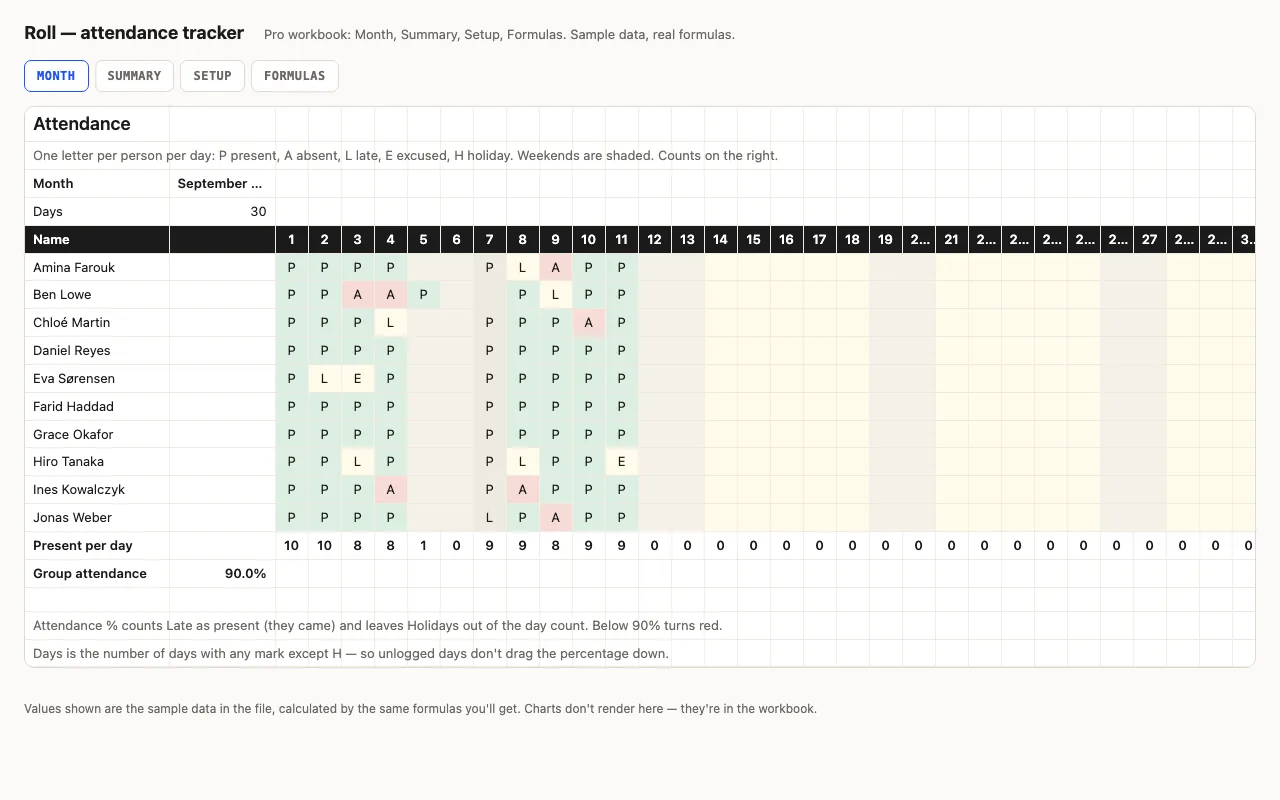
Roll — attendance tracker spreadsheet preview

Names down the side, days across, one letter per cell — P, A, L, E, H — from a dropdown, coloured. Counts per person, attendance % that counts Late as present and leaves holidays out, present per day, weekends shaded. Pro adds a Summary with bars and flags, holidays from Setup, and a formulas walkthrough. No macros.

  • XLSX
  • No macros
  • COUNTIF
live demo →
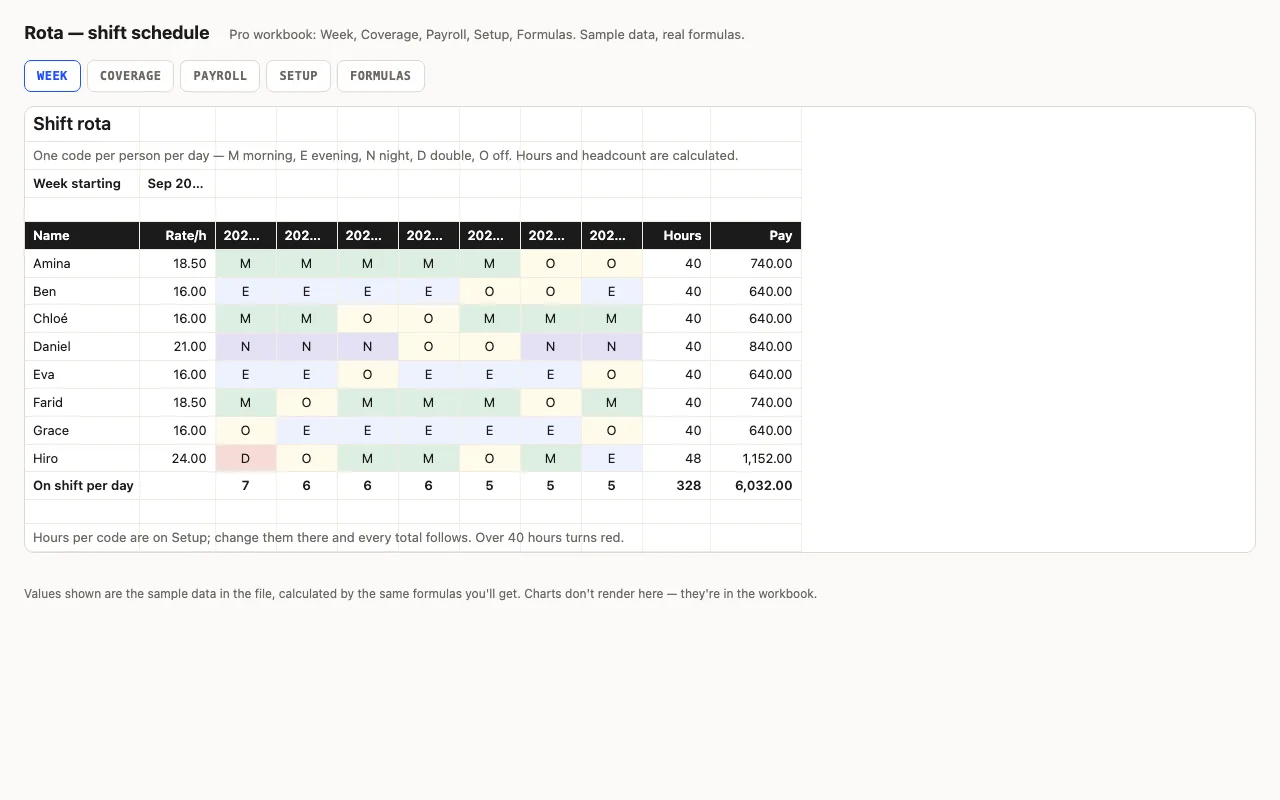
Rota — shift schedule spreadsheet preview

A week of shifts: people down the side, seven days across, a shift code per cell from a dropdown — hours and pay per person come from the code table, headcount per day is counted. Pro adds coverage against required staffing per shift, payroll with overtime, and a formulas walkthrough. No macros.

  • XLSX
  • No macros
  • SUMPRODUCT
live demo →
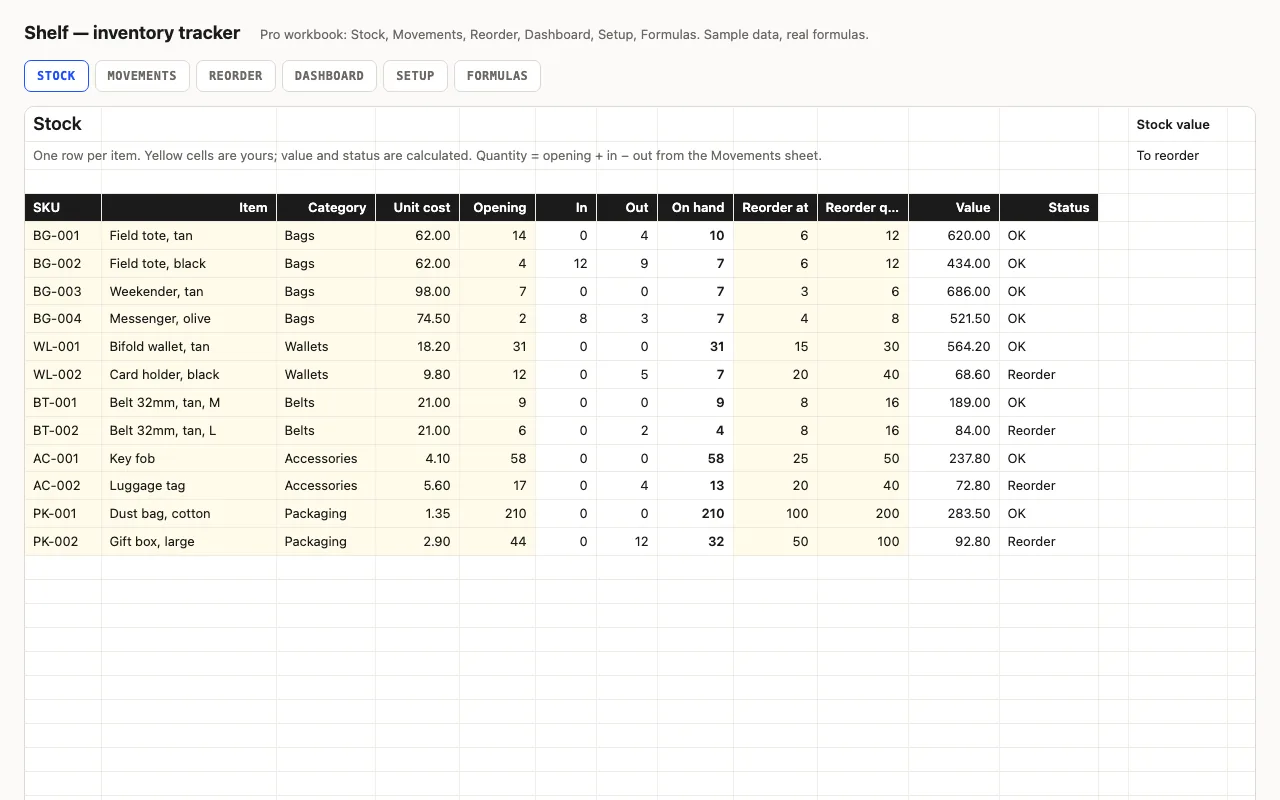
Shelf — inventory tracker spreadsheet preview

Stock levels, reorder points and stock value for Excel and Google Sheets, every number a visible formula. Status turns yellow at the reorder point and red at zero. Pro adds a Movements log that updates quantities, a Reorder list with the cost to restock, a Dashboard by category, and a formulas walkthrough.

  • XLSX
  • No macros
  • SUMIFS
live demo →
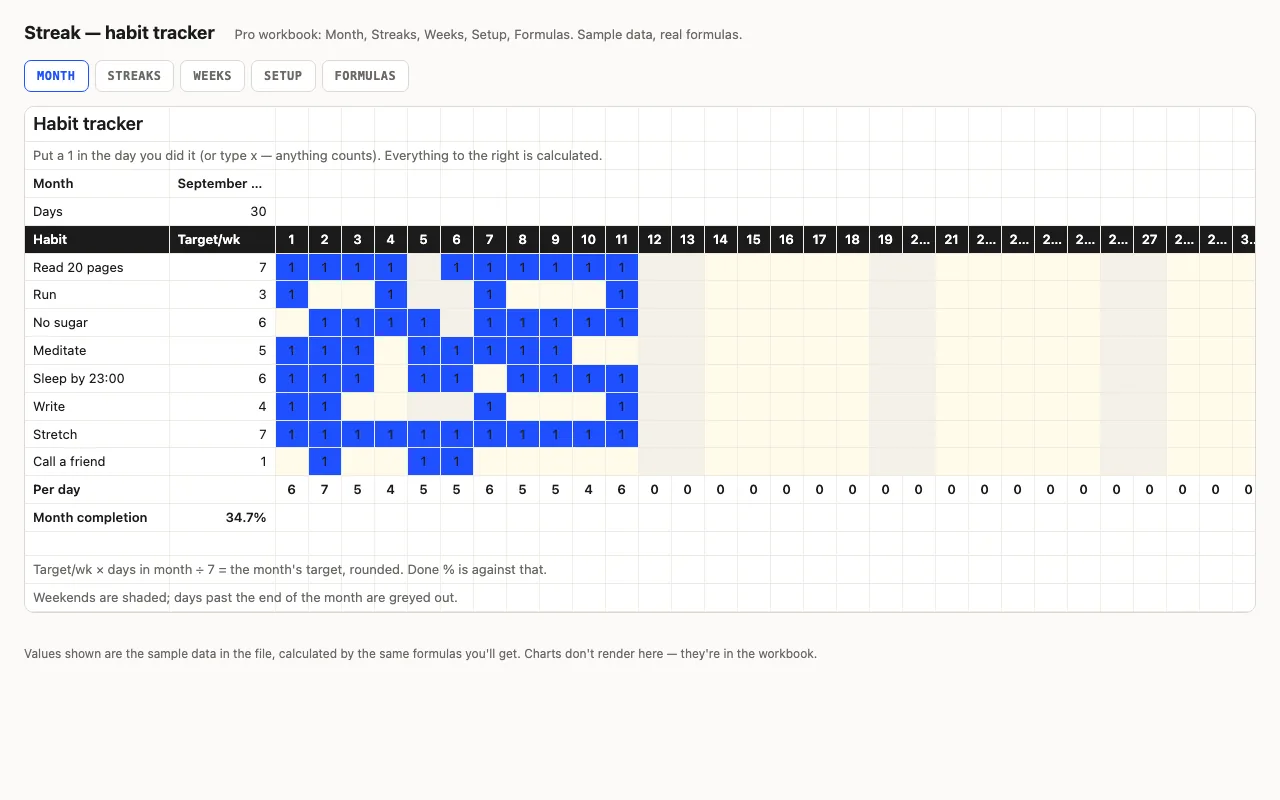
Streak — habit tracker spreadsheet preview

Habits down the side, days across the top, a mark when you did it. Done counts, a monthly target scaled from your weekly one, completion bars, weekends shaded. Pro adds current and best streaks with the running count on its own sheet, a by-week view, and a formulas walkthrough. No macros.

  • XLSX
  • No macros
  • COUNTA
live demo →
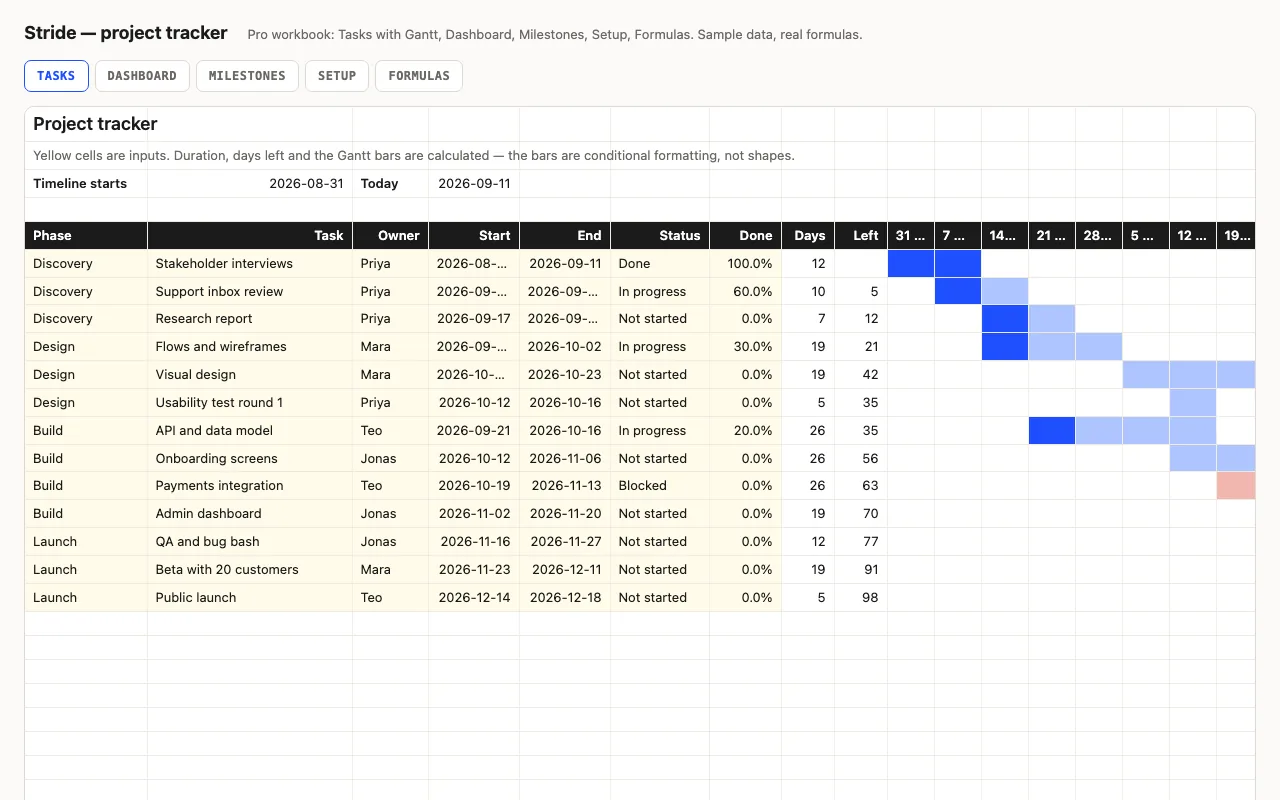
Stride — project tracker spreadsheet with Gantt chart preview

A task list with a Gantt chart drawn entirely by conditional formatting — no shapes, no macros. Start and end dates make the bar, Done % fills it, Blocked turns it red, a line marks this week. Pro adds a 26-week timeline, a Dashboard, Milestones and a formulas walkthrough.

  • XLSX
  • No macros
  • Gantt
live demo →
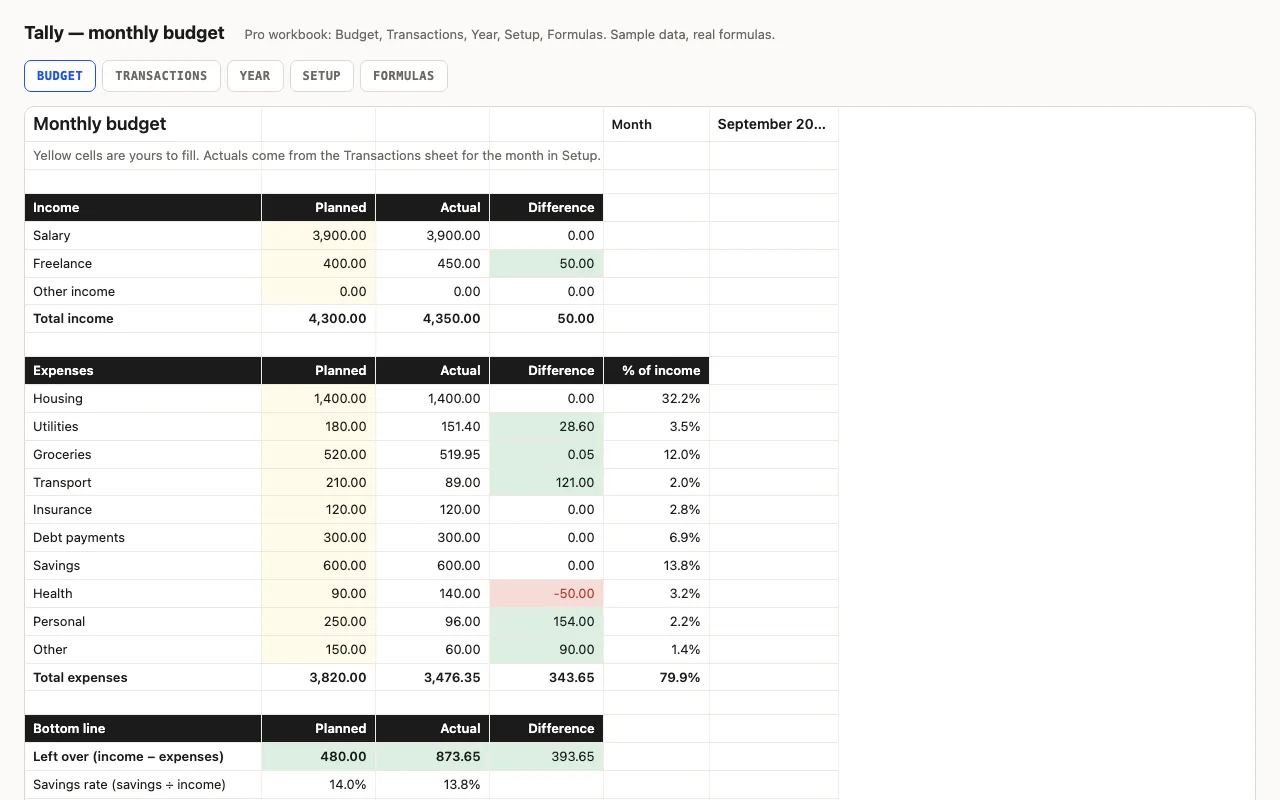
Tally — monthly budget spreadsheet preview

A monthly budget for Excel and Google Sheets with every formula visible: planned vs actual by category, red/green differences, savings rate. Pro adds a transactions log that fills the budget automatically, a twelve-month view with a chart, and a sheet explaining each formula.

  • XLSX
  • No macros
  • SUMIFS
live demo →

What "built for Numbers" means here

Numbers is the strictest of the three: it has fewer functions than Excel, and it imports Excel files by translating them into its own document model. So the rule for every workbook in this catalogue is the Numbers rule — only the functions all three applications share, bounded ranges instead of whole columns, no macros, no array formulas that need special entry. Each formula is written down on the Pro Formulas sheet in plain words, so if something reads oddly after import you can see what it was meant to do.

What we check, and what we don't

The build recalculates every workbook in LibreOffice and in a second, independent formula engine and compares the results with figures computed outside any spreadsheet. It does not run Numbers. Numbers' own import handles the functions fine — that is the construction rule — but two features translate loosely: formula-based conditional formatting (Numbers highlights by value, not by formula) and dropdowns that read from a named range. The numbers in the sheet are unaffected; the colours and pop-up menus are what to glance at. We would rather say that than claim a test we didn't run.

The other way round

If you mostly live in Numbers and want to hand a file to an Excel or Google Sheets user, File → Export To → Excel writes an .xlsx with the formulas intact — the same set the workbook started with, so nothing is lost in either direction.

Questions

How do I open an .xlsx in Numbers?

Double-click it on a Mac, or in Numbers choose File → Open. On iPad and iPhone, open the file from Files and tap Share → Numbers. Numbers converts it into its own document; the original .xlsx stays as it was.

Do the formulas work?

Every workbook is built only from functions that Excel 2016, Google Sheets and Numbers all have — SUMIFS, COUNTIFS, SUMPRODUCT, INDEX/MATCH, EDATE, EOMONTH, PMT, IFERROR. No FILTER, XLOOKUP, LET or dynamic arrays, no macros. That is a construction rule we check in two engines; we do not run Numbers in the build, which is why we say built for, not tested in.

What should I check after importing?

Two things. Dropdown lists: Numbers turns Excel data validation into pop-up menus for simple lists, but a list that reads from a named range may come through as plain text — the Setup sheet still holds the values to pick from. Conditional formatting: Numbers highlights by cell value, not by a formula, so rules like "colour the whole row when the status is Overdue" may not carry over. The status columns themselves still calculate.

Can I get the file back to Excel?

File → Export To → Excel. Numbers writes an .xlsx that Excel and Google Sheets open.

Tell us what happened

Goes straight to a person. No account, no ticket number.

What is this about?

We keep the message and the page it came from. Nothing else — not your IP, not your browser. Privacy.