foldout
Free + Pro 6-sheet workbook no macros

Slate — calendar spreadsheet

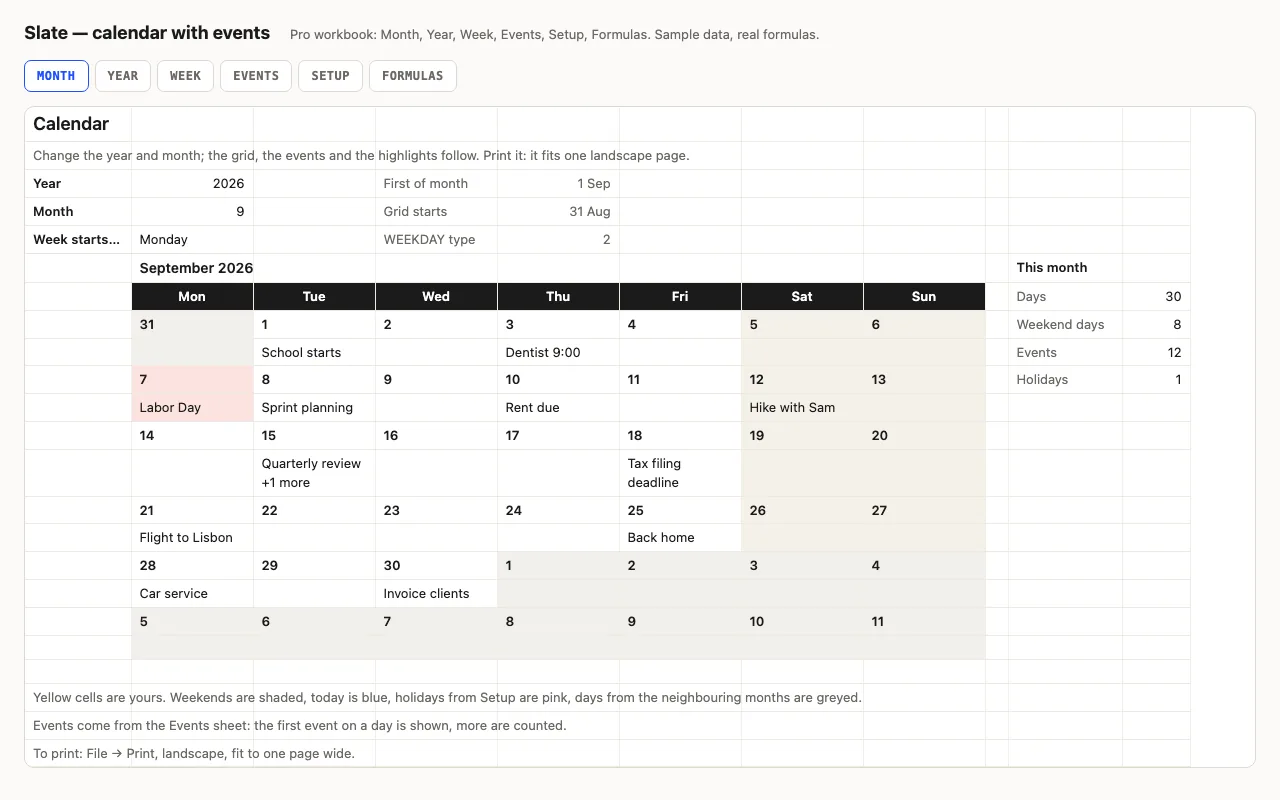
Type a year and a month and the calendar redraws itself: weekends shaded, today blue, other months greyed, and your events written into the right days from a list. Pro adds the whole year on one sheet, a week planner, holidays, and a formulas walkthrough. No macros.

  • XLSX
  • No macros
  • WEEKDAY
  • INDEX/MATCH
  • Conditional formatting
  • Google Sheets

The sheets

  1. 01
    Month

    Year, month and week start (Monday or Sunday). A 7 × 6 grid of real dates: the first event of each day under the number, '+N more' when there are several, weekends shaded, today blue, other months greyed. Days, weekend days and events this month counted. Prints on one landscape page.

    Free + Pro
  2. 02
    Year

    Twelve months on one sheet from the same settings — weekends, holidays and today highlighted.

    Pro
  3. 03
    Week

    Type any date; the week containing it is laid out with holiday names and up to six events a day.

    Pro
  4. 04
    Events

    Two hundred rows: date, event, category from a dropdown. Any order. A helper column numbers events that share a date — that's how the grid finds the second one without array formulas.

    Pro
  5. 05
    Setup

    Year, month, week start, forty holiday rows, event categories.

    Pro
  6. 06
    Formulas

    Fifteen formulas explained: the grid-start arithmetic, the day-name CHOOSE, the event key, the weekend count without NETWORKDAYS.

    Pro

Built for

  • Excel 2016+
  • Google Sheets
  • Numbers

Every workbook is recalculated in LibreOffice and by a second, independent formula engine on the sample data; the totals are compared with numbers worked out outside any spreadsheet, and every formula cell is scanned for errors. We don't run Excel itself on the build machine, so this says built for, not tested in — open the live preview to see the numbers the formulas produce.

Pro

$9

Every page, the Pro-only pages, the source files, no attribution, and 12 months of updates and email support.

Month grid that redraws for any year and month
yes
Events written into the days
200 rows + categories
Holidays highlighted and named
yes
Year on one sheet
yes
Week planner
yes
Formulas walkthrough sheet
yes
Credit line on the sheet
not required
Updates and support
12 months, email

Licence

Use it for unlimited personal and commercial purposes, including client work.
Do not resell the spreadsheet itself, alone or in a bundle.

Full licence terms →

A calendar that is all formulas

Most calendar templates are a picture of one year. This one is arithmetic: the first of the month, stepped back to the start of its week, plus an offset — so every cell in the grid is a real date and the whole thing redraws when you change the year or the month. Weekends shade themselves, today turns blue, the days that belong to August or October go grey.

Events live in a list — date, text — and appear under the right day. Two on the same day? The first is shown and the rest are counted, and the Week sheet lists them all.

Pro: the year, the week, the holidays

The Year sheet lays out twelve months on one printable page from the same settings. The Week sheet takes any date and shows that week with up to six events a day. Holidays come from a list on Setup: pink on Month and Year, named in the day, named on Week. The Events sheet grows to two hundred rows with a category dropdown.

No array formulas, no TEXT()

Finding “the second event on the 15th” usually needs an array formula, which Numbers and older Excel handle differently. Instead, the Events sheet numbers events that share a date and builds a numeric key — date × 10 + number — so a plain INDEX/MATCH finds the first, second or sixth event. Day names come from CHOOSE(WEEKDAY(…)) rather than TEXT(…,"ddd"), which changes with the app’s language. Every one of these is on the Formulas sheet.

Checked, not just built

The build recalculates the workbook in LibreOffice and in a second, independent engine and compares forty-three values — grid start, day names, the text under specific days including the holiday and the “+1 more”, the counts, the week lookups, the year blocks — against numbers computed outside Excel.
Free download

  • slate.xlsx · Month sheet with event list
  • README.md · LICENCE.txt

Pro download

  • slate-pro.xlsx · Month, Year, Week,
  • Events, Setup, Formulas
  • README.md · LICENCE.txt (Pro)

Read before you build

Version history

  • 1.0.02026-09-12

    First release

  • 0
    macros
  • 15
    formulas explained
  • 43
    checks the build runs
  • 12
    months on one page

Related spreadsheets

Rota — shift schedule spreadsheet preview

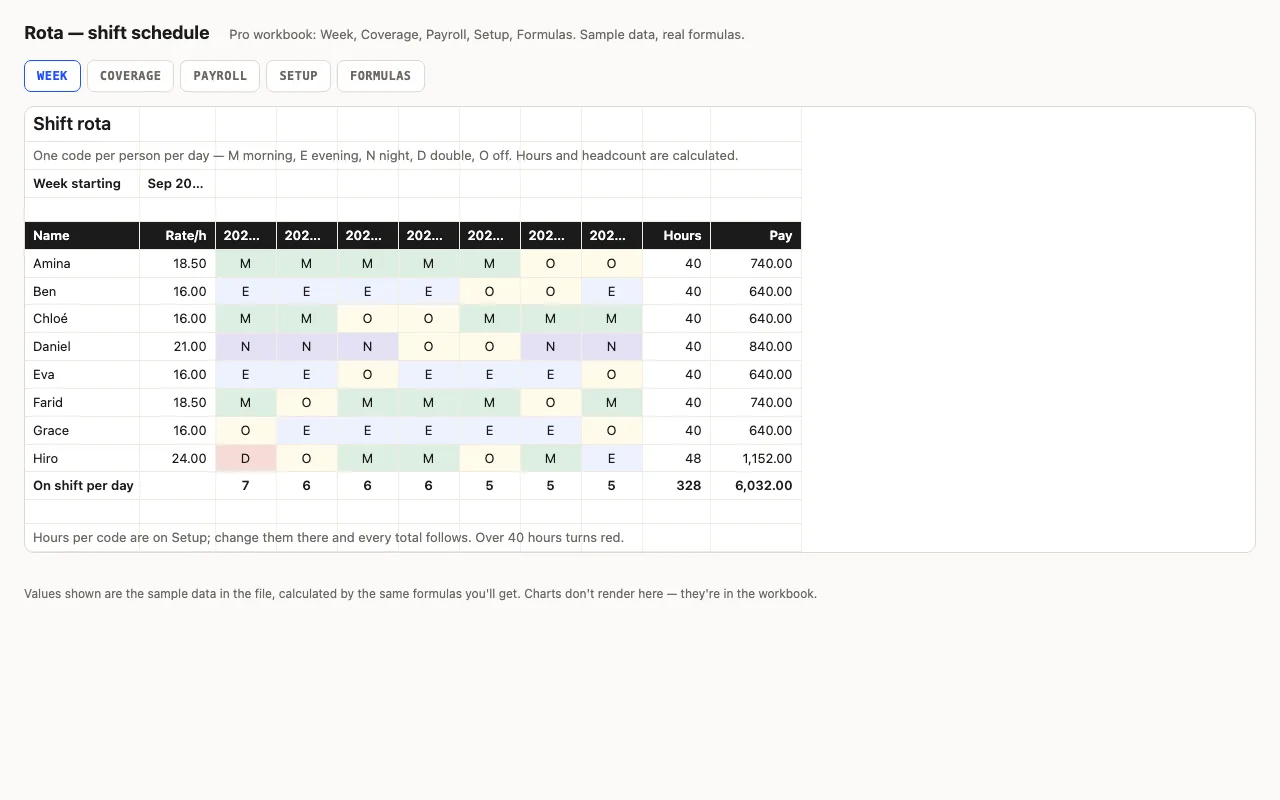
A week of shifts: people down the side, seven days across, a shift code per cell from a dropdown — hours and pay per person come from the code table, headcount per day is counted. Pro adds coverage against required staffing per shift, payroll with overtime, and a formulas walkthrough. No macros.

  • XLSX
  • No macros
  • SUMPRODUCT
live demo →
Clock — timesheet spreadsheet preview

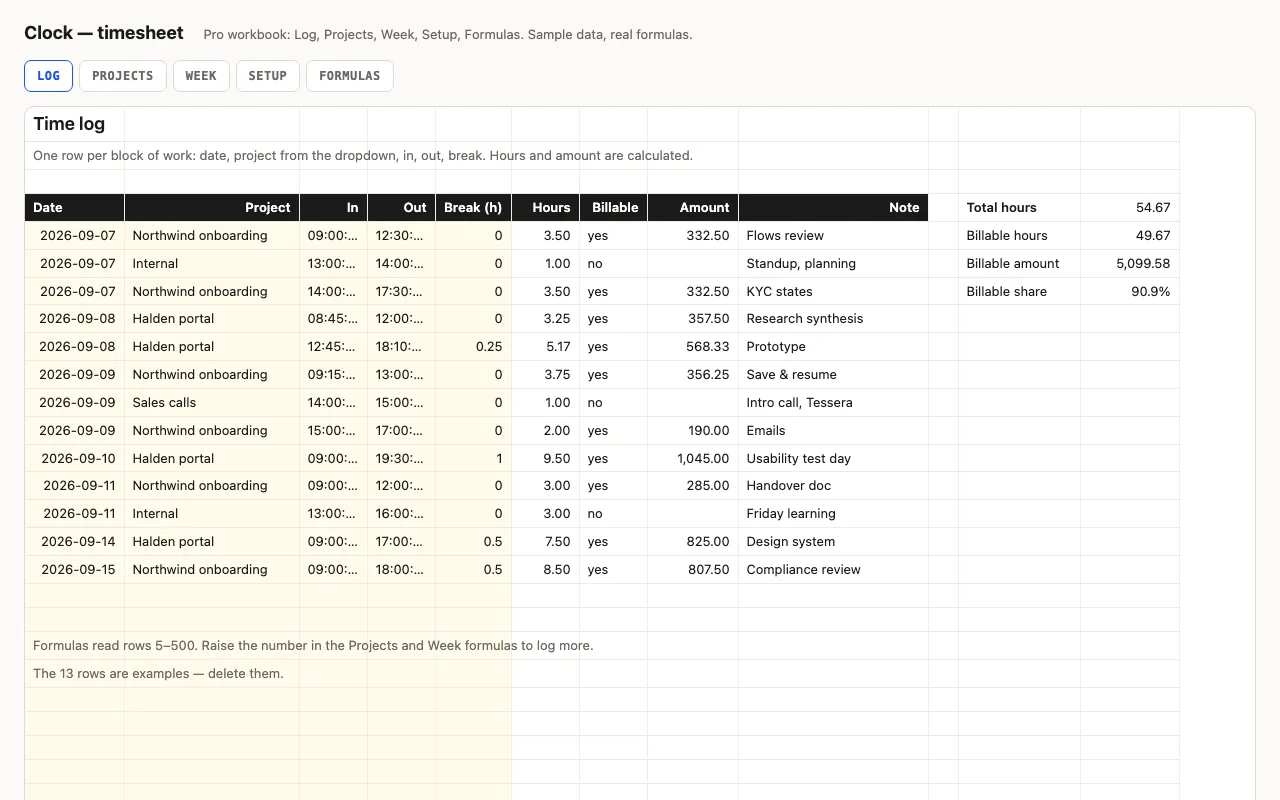
Type in and out as times and a break in hours; hours and overtime are calculated, night shifts past midnight included. Pro adds a log with projects and hourly rates, billable amounts per project and per week, distinct days worked, and a formulas walkthrough. No macros.

  • XLSX
  • No macros
  • Time arithmetic
live demo →
Tick — task checklist spreadsheet preview

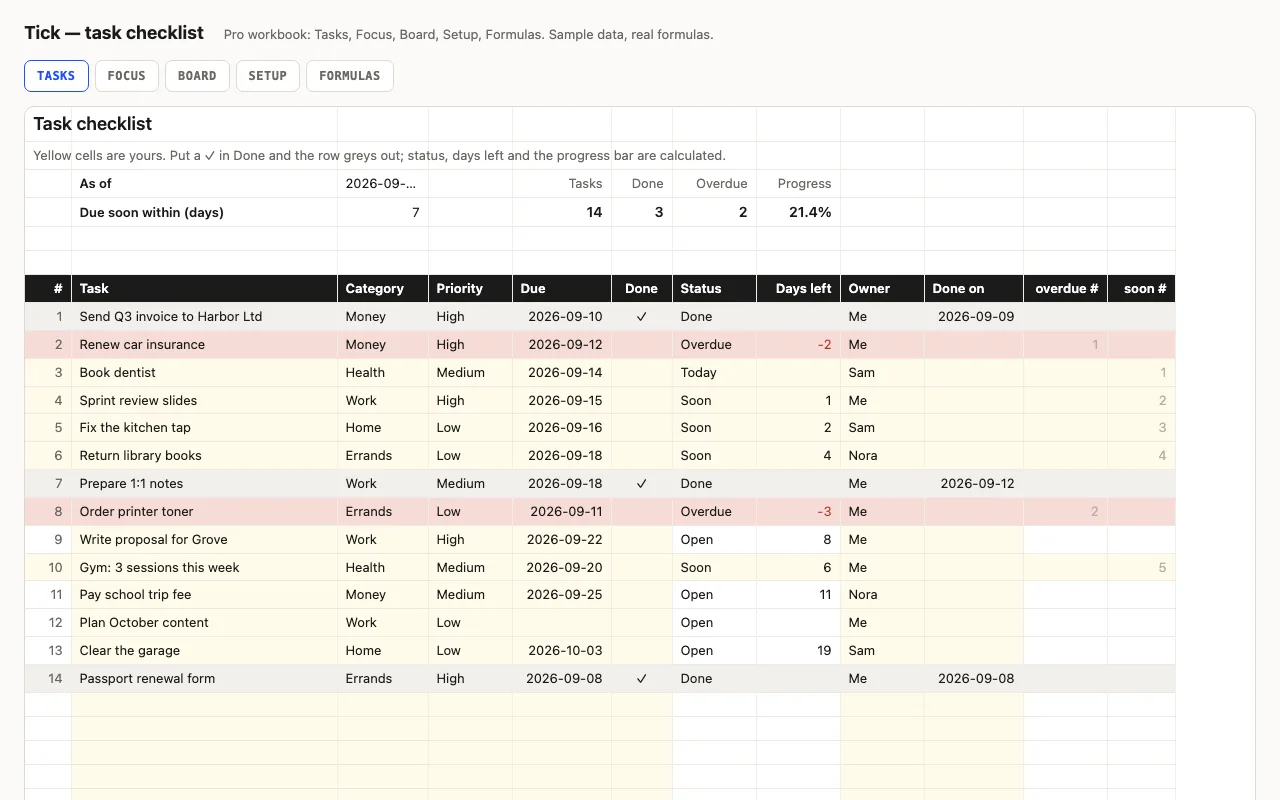
A to-do list that knows what's late: task, category, priority, due date and a ✓ when done; status (Done, Overdue, Today, Soon, Open), days left and a progress bar are calculated. Pro adds a Focus sheet listing what's overdue and due this week, a Board with counts per category, person and priority, and a formulas walkthrough. No macros.

  • XLSX
  • No macros
  • COUNTIFS
live demo →