foldout
Free + Pro 6-sheet workbook no macros

Route — travel itinerary and budget spreadsheet

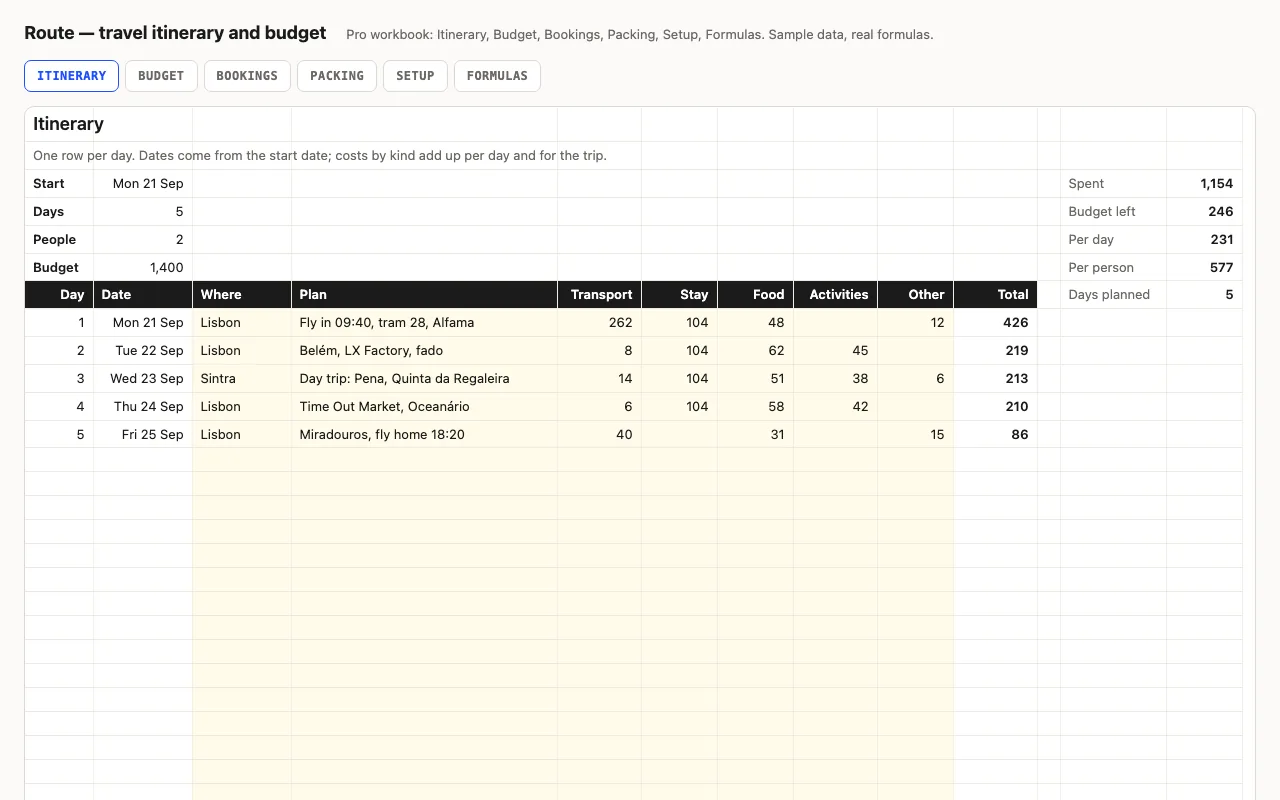
One row per day of the trip: dates from the start date, where you are, what you plan, and what it costs by kind. Daily and trip totals, per day and per person, against a budget. Pro adds a Budget sheet by kind, Bookings with confirmations and what's still to pay, and a Packing checklist. No macros.

  • XLSX
  • No macros
  • SUMIF
  • COUNTIFS
  • Conditional formatting
  • Google Sheets

The sheets

  1. 01
    Itinerary

    Up to 30 days: day and date from the start, place, plan, five cost columns, daily total with bars. Trip totals by kind; spent, budget left, per day, per person. Days beyond the trip greyed, weekends shaded.

    Free + Pro
  2. 02
    Budget

    Planned per kind from Setup vs actual from the itinerary; left (red when over), used with bars, share; per day and per person; booked but not yet paid.

    Pro
  3. 03
    Bookings

    Twelve bookings: provider, reference, cost, paid ✓, due; status against an as-of date; booked, paid, outstanding.

    Pro
  4. 04
    Packing

    Forty items with a group and ✓; packed per group with bars.

    Pro
  5. 05
    Setup

    Start, days, travellers, budget per kind, packing groups, as-of date.

    Pro
  6. 06
    Formulas

    Seven formulas explained.

    Pro

Built for

  • Excel 2016+
  • Google Sheets
  • Numbers

Every workbook is recalculated in LibreOffice and by a second, independent formula engine on the sample data; the totals are compared with numbers worked out outside any spreadsheet, and every formula cell is scanned for errors. We don't run Excel itself on the build machine, so this says built for, not tested in — open the live preview to see the numbers the formulas produce.

What that means app by app: in Google Sheets, in Apple Numbers, in LibreOffice Calc.

Pro

$5

Every page, the Pro-only pages, the source files, no attribution, and 12 months of updates and email support.

Day-by-day itinerary with costs and totals
yes
Spent, left, per day, per person
yes
Budget by kind, planned vs actual
yes
Bookings with paid and due status
yes
Packing checklist with progress
yes
Formulas walkthrough sheet
yes
Credit line on the sheet
not required
Updates and support
12 months, email

Licence

Use it for unlimited personal and commercial purposes, including client work.
Do not resell the spreadsheet itself, alone or in a bundle.

Full licence terms →

The trip on one sheet

Type the start date and the number of days and the rows date themselves; days past the end grey out, weekends shade. Each day has a place, a plan, and five cost cells — transport, stay, food, activities, other — that add up across the row and down the trip. The summary at the top is what you actually want to know on day three: spent so far, what’s left of the budget, per day, per person.

Pro: budget, bookings, packing

Budget compares the plan per kind (from Setup) with what the itinerary says you spent, with bars and a red “left” when a kind goes over. Bookings holds the confirmations — reference, cost, paid ✓, due date — and works out the status against today and what’s still outstanding, which feeds back into the budget. Packing is a checklist with a group per item and progress per group.

Checked, not just built

The build recalculates both workbooks in LibreOffice and in a second, independent engine and compares forty values — daily and trip totals, the summary, budget by kind, booking statuses and the outstanding balance, packing progress — against numbers computed outside Excel.
Free download

  • route.xlsx · Itinerary sheet
  • README.md · LICENCE.txt

Pro download

  • route-pro.xlsx · Itinerary, Budget, Bookings,
  • Packing, Setup, Formulas
  • README.md · LICENCE.txt (Pro)

Read before you build

Version history

  • 1.0.02026-09-13

    First release

  • 0
    macros
  • 7
    formulas explained
  • 40
    checks the build runs
  • 30
    days

Related spreadsheets

Agenda — weekly planner spreadsheet preview

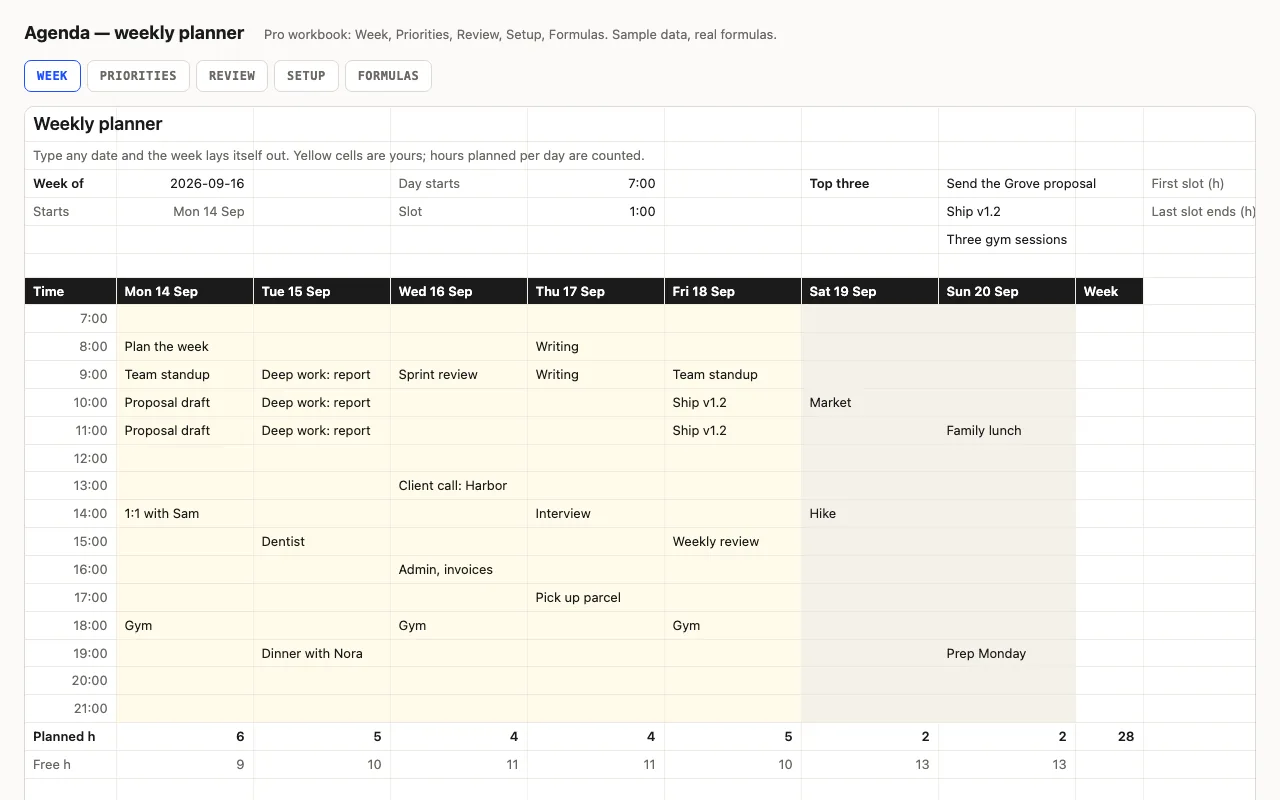
Type any date and the week lays itself out: seven day columns with real dates, fifteen time slots from the hour you start, weekends shaded, today highlighted. Planned and free hours per day are counted. Pro adds a Priorities sheet whose top three show on the week, a Friday Review sheet, and a formulas walkthrough. No macros.

  • XLSX
  • No macros
  • WEEKDAY
live demo →
Slate — calendar spreadsheet preview

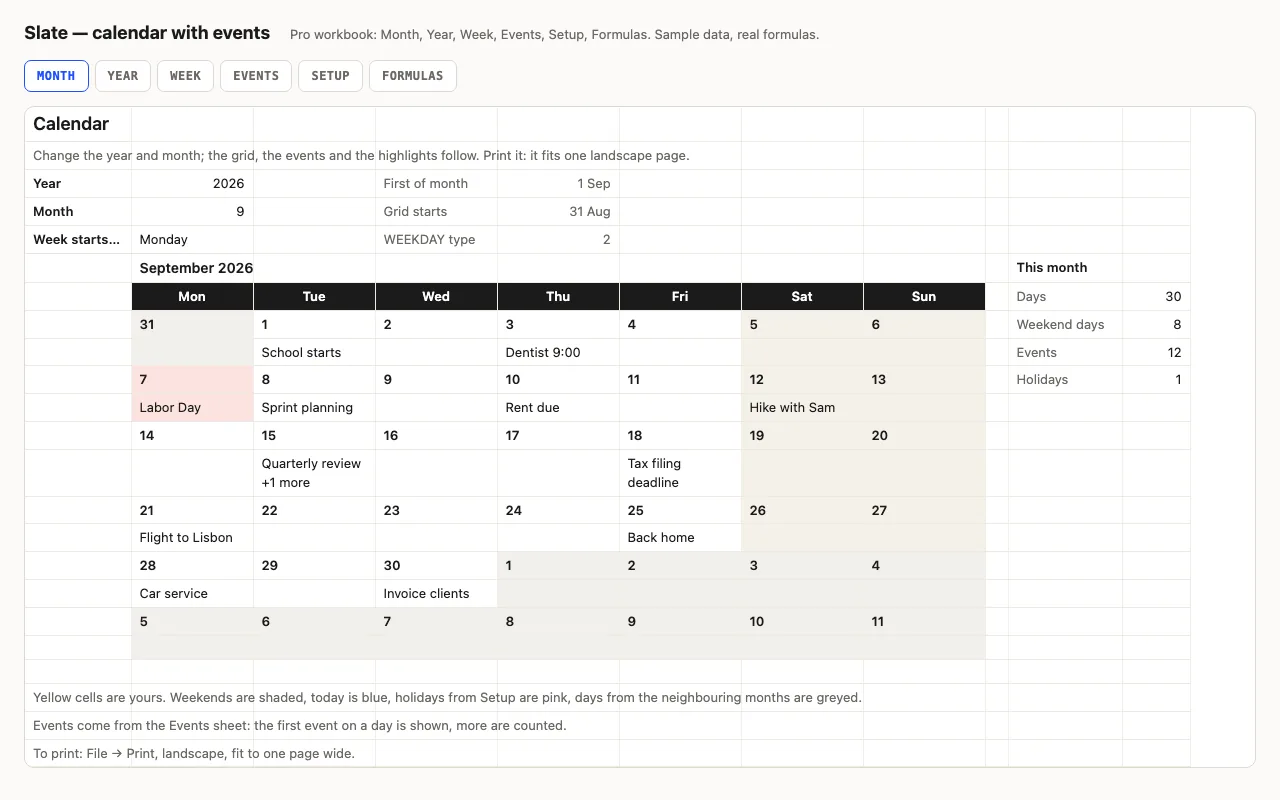
Type a year and a month and the calendar redraws itself: weekends shaded, today blue, other months greyed, and your events written into the right days from a list. Pro adds the whole year on one sheet, a week planner, holidays, and a formulas walkthrough. No macros.

  • XLSX
  • No macros
  • WEEKDAY
live demo →
Chores — household chore chart spreadsheet preview

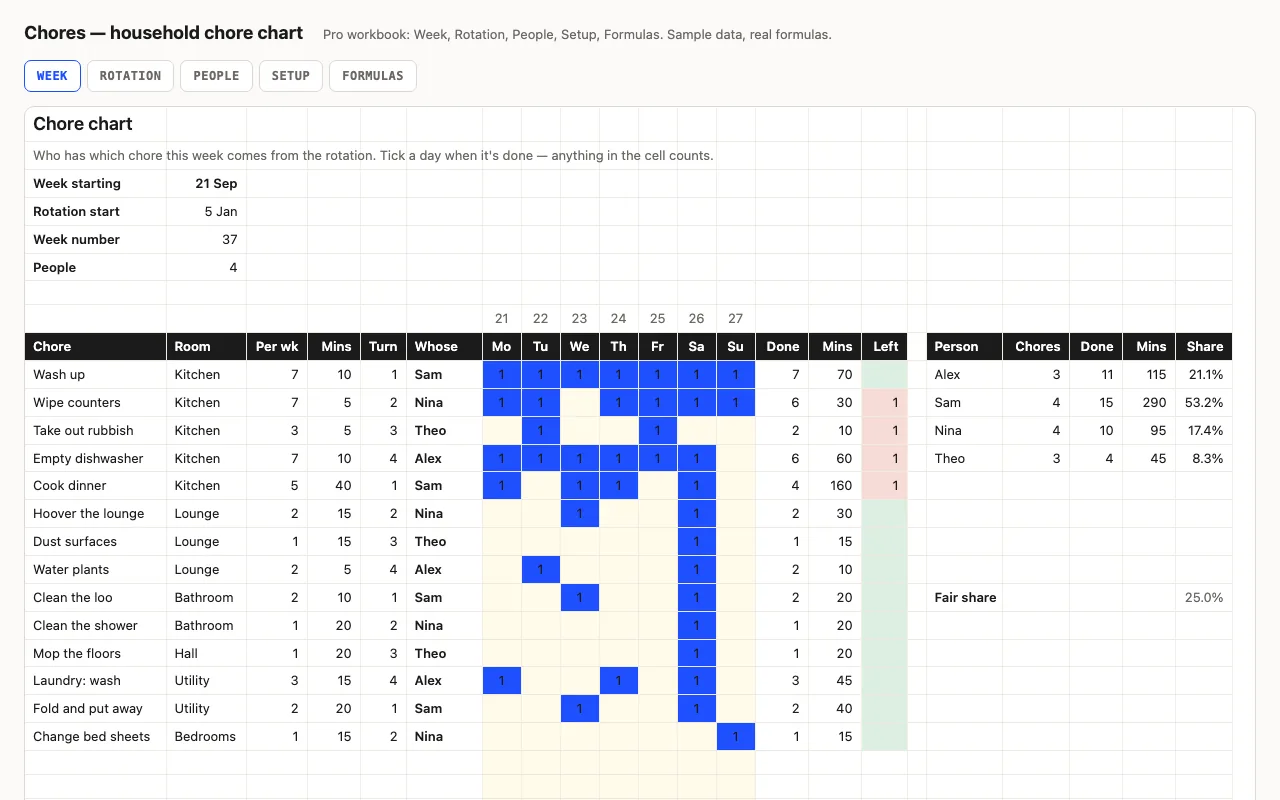
Chores down the side, seven days across, and a rotation that says whose turn each one is this week — change the date and the chart re-deals itself. Ticks, minutes and what's still owed are calculated, and each person's share is worked out on minutes, not on the number of chores. Pro adds eight weeks of the rotation printed ahead and a People sheet comparing everyone against a fair share. No macros.

  • XLSX
  • No macros
  • MOD rotation
live demo →

Tell us what happened

Goes straight to a person. No account, no ticket number.

What is this about?

We keep the message and the page it came from. Nothing else — not your IP, not your browser. Privacy.