foldout
Free + Pro 6-sheet workbook no macros

Lease — rental property tracker spreadsheet

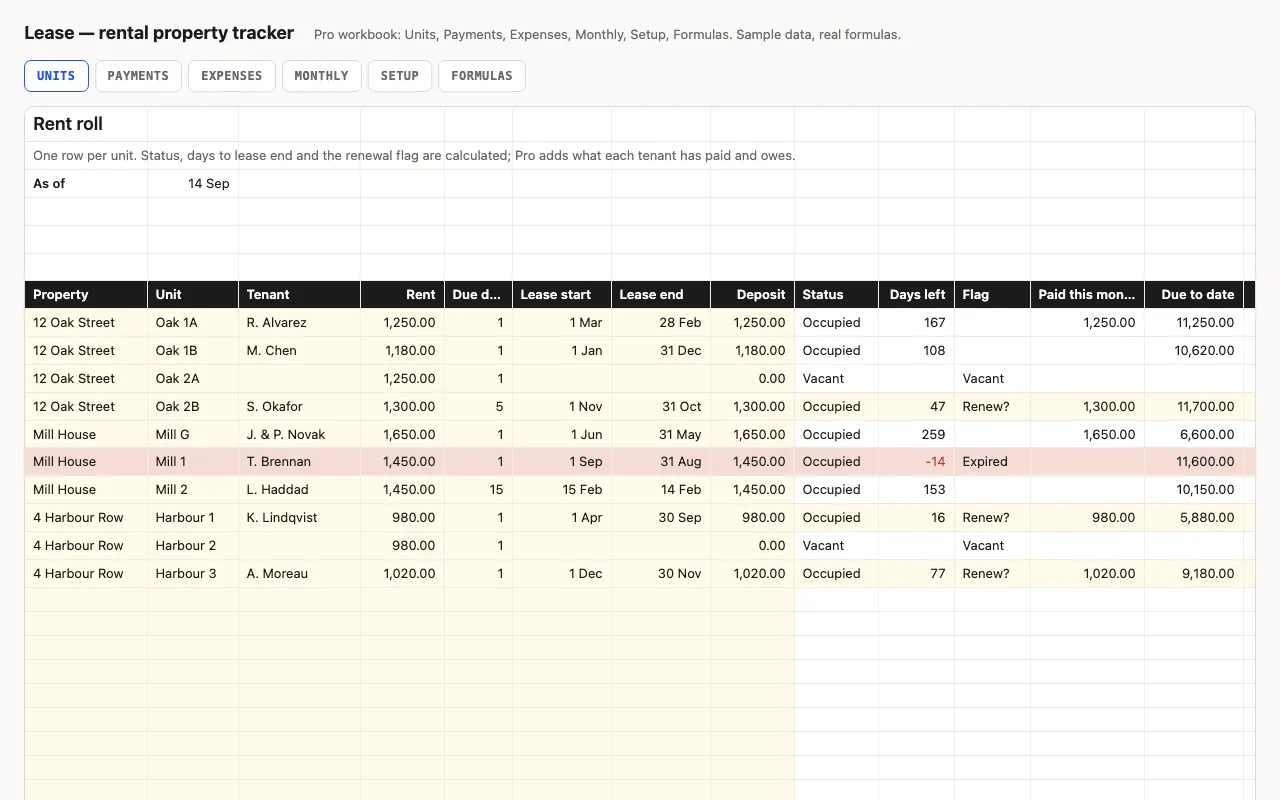
One row per unit: property, tenant, rent, due day, lease dates, deposit. Vacancies, leases ending in ninety days, occupancy and monthly rent are calculated. Pro adds the rent payment log with a balance per tenant, an expense log, and a month-by-month view of rent due, collected and spent. No macros.

  • XLSX
  • No macros
  • SUMIFS
  • INDEX/MATCH
  • EDATE
  • Google Sheets

The sheets

  1. 01
    Units

    Forty rows: property from a list, unit, tenant, rent, due day, lease start and end, deposit. Status (Occupied / Vacant), days to lease end, flag — Renew? within 90 days, Expired, Vacant — with rows tinted to match. Units, occupied, occupancy %, monthly rent, rent lost to vacancy, leases ending soon. Pro adds paid this month, due to date, paid to date and balance per unit, collected this month and outstanding.

    Free + Pro
  2. 02
    Payments

    Two hundred rows: date, unit (dropdown from Units), amount, the month it covers, method. Tenant and rent looked up; 'short by' red when a month isn't fully paid. Received this year and this month.

    Pro
  3. 03
    Expenses

    A hundred and twenty rows: date, property, category, amount, note. This year per category with bars, and per property.

    Pro
  4. 04
    Monthly

    Twelve months from the first month on Setup: rent due from the leases that cover the month, collected, collection rate (yellow when short), expenses, net (red when negative), occupied units; year totals.

    Pro
  5. 05
    Setup

    As-of date, first month of the Monthly view, 'count rent from', payment methods, expense categories, properties.

    Pro
  6. 06
    Formulas

    Ten formulas explained: the due-to-date arithmetic without DATEDIF, the SUMIFS behind rent due and collected, the short-by check.

    Pro

Built for

  • Excel 2016+
  • Google Sheets
  • Numbers

Every workbook is recalculated in LibreOffice and by a second, independent formula engine on the sample data; the totals are compared with numbers worked out outside any spreadsheet, and every formula cell is scanned for errors. We don't run Excel itself on the build machine, so this says built for, not tested in — open the live preview to see the numbers the formulas produce.

What that means app by app: in Google Sheets, in Apple Numbers, in LibreOffice Calc.

Pro

$5

Every page, the Pro-only pages, the source files, no attribution, and 12 months of updates and email support.

Rent roll with status, days left and flags
yes
Occupancy, monthly rent, rent lost to vacancy
yes
Rent payment log and a balance per tenant
yes
Expense log by property and category
yes
Month-by-month rent due, collected, net
yes
Formulas walkthrough sheet
yes
Credit line on the sheet
not required
Updates and support
12 months, email

Licence

Use it for unlimited personal and commercial purposes, including client work.
Do not resell the spreadsheet itself, alone or in a bundle.

Full licence terms →

The rent roll first

A landlord’s spreadsheet starts as a list of units, and most of the questions are about that list: what’s empty, whose lease ends soon, what does a full month bring in. Each is a formula here. Status comes from whether the tenant cell is filled; the flag compares the lease end to the as-of date — within ninety days it says Renew? and the row turns yellow, past it Expired and red. Rent lost to vacancy is the empty units’ rent added up, which is the number that makes you list the flat.

Pro: who has paid

Payments is a plain log — date, unit, amount, the month it covers — and from it the Units sheet gets four more columns. Due to date is rent × the number of monthly due days that have passed since the lease start, or since the count rent from date on Setup if you’re starting the log mid-lease; it’s written as plain year-and-month arithmetic rather than DATEDIF, so it works the same in Excel 2016, Sheets and Numbers. Balance is paid minus due, red when the tenant owes. On Payments itself, short by checks each month against the rent, so a partial payment shows up on the row where it happened.

Expenses is the other side, and Monthly puts them together: rent due from the leases that cover each month, what was collected for it, the collection rate, expenses dated in the month, and what’s left.

Checked, not just built

The build recalculates both workbooks in LibreOffice and in a second, independent engine and compares fifty-nine values — flags, occupancy, each tenant’s due, paid and balance, the short-by column, the per-category and per-property expense totals, and every column of Monthly — against numbers computed outside Excel.
Free download

  • lease.xlsx · Units sheet
  • README.md · LICENCE.txt

Pro download

  • lease-pro.xlsx · Units, Payments, Expenses,
  • Monthly, Setup, Formulas
  • README.md · LICENCE.txt (Pro)

Read before you build

Version history

  • 1.0.02026-09-14

    First release

  • 0
    macros
  • 10
    formulas explained
  • 59
    checks the build runs
  • 40
    units

Related spreadsheets

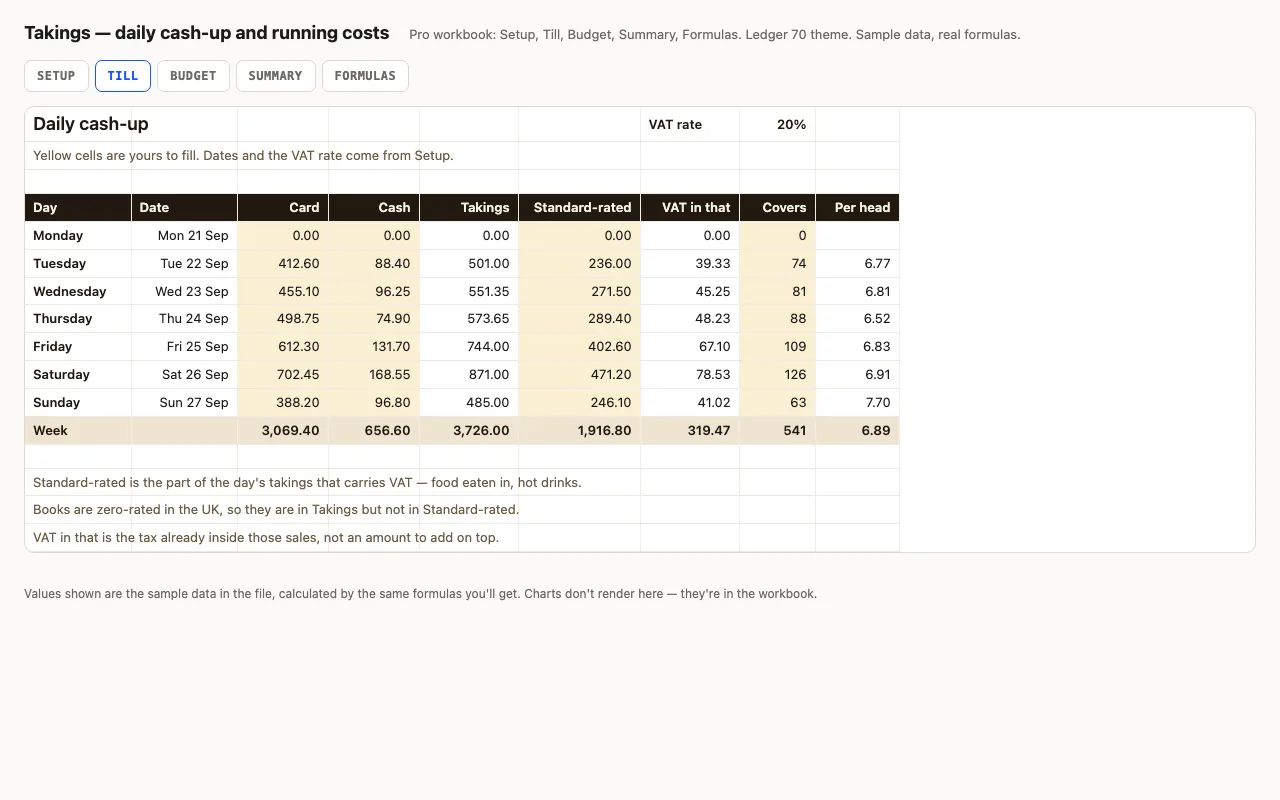
Takings — daily cash-up spreadsheet preview

A week of trading, one row a day: card, cash, how much of it carried VAT, and how many people came in. Takings, the VAT already inside those sales and the spend per head are calculated. Pro adds the month's running costs with a budget, a variance and an On plan / Watch / Over status on every line, plus a summary that reads the week back to you. No macros.

  • XLSX
  • No macros
  • VAT inside gross
live demo →
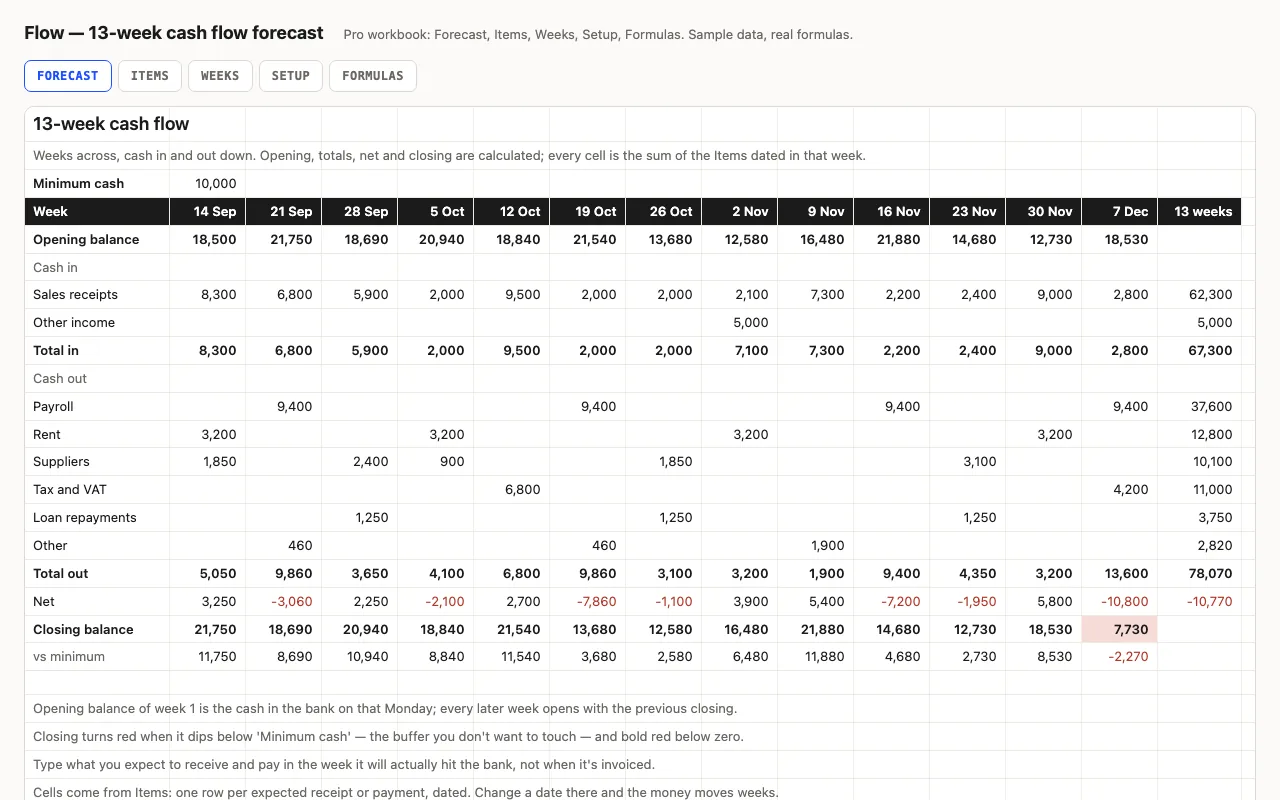
Flow — 13-week cash flow forecast spreadsheet preview

Thirteen weeks across, cash in and out down: the balance carries forward, weeks below your buffer turn red, and the lowest point and its week are found for you. Pro fills the grid from a dated list of expected receipts and payments and shows what's still outstanding from past weeks. No macros.

  • XLSX
  • No macros
  • SUMIFS
live demo →
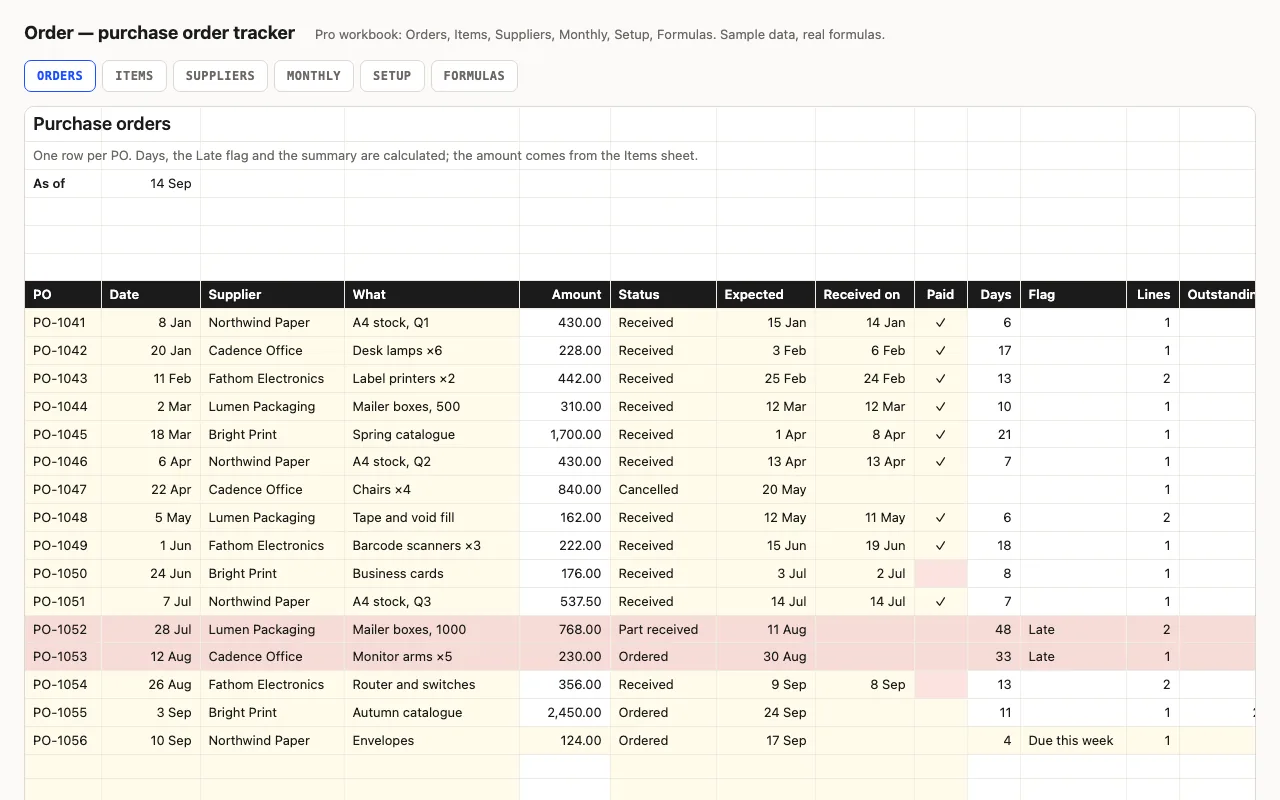
Order — purchase order tracker spreadsheet preview

One row per purchase order: supplier, amount, status, expected and received dates, paid. Days open or lead time, a Late flag, open value, unpaid invoices. Pro adds line items per PO with what's still to arrive, a supplier view with lead times, and a monthly view. No macros.

  • XLSX
  • No macros
  • SUMIFS
live demo →

Tell us what happened

Goes straight to a person. No account, no ticket number.

What is this about?

We keep the message and the page it came from. Nothing else — not your IP, not your browser. Privacy.