Pick meals, get the numbers
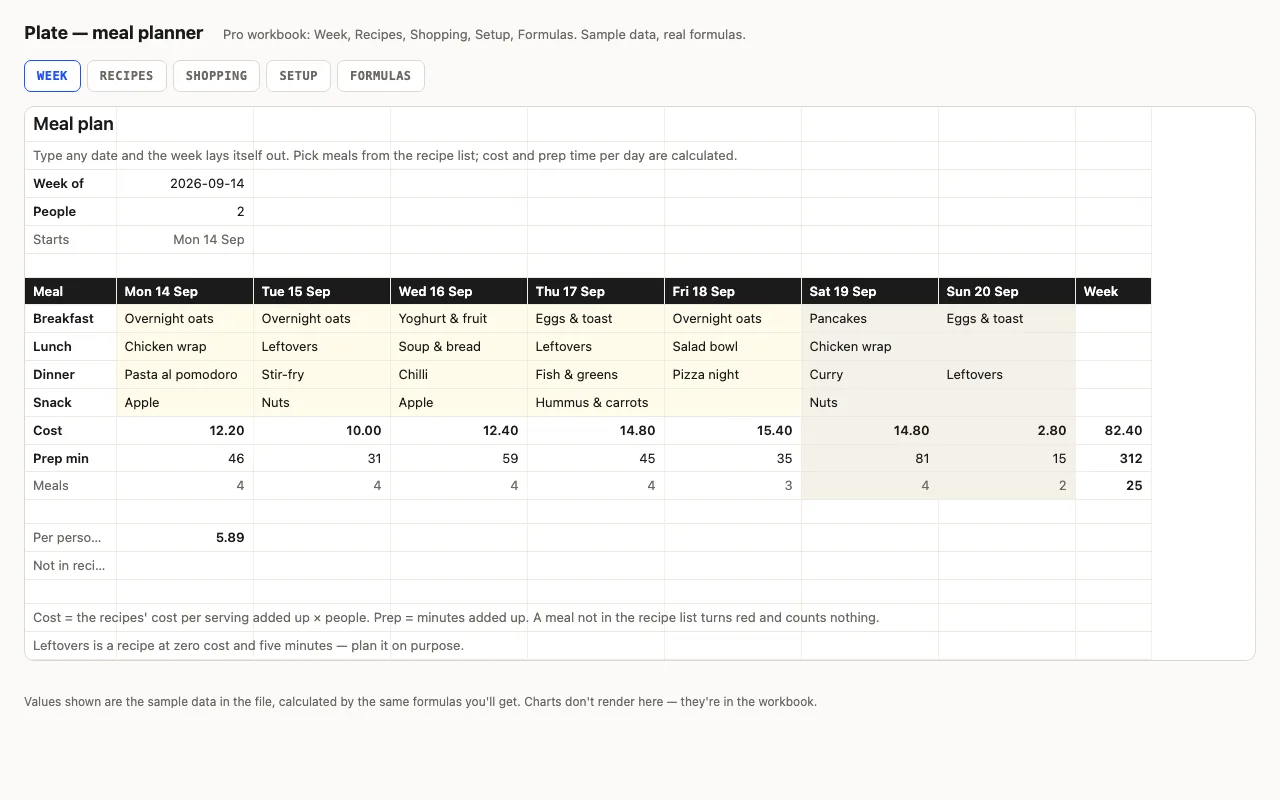
Type any date and the week lays itself out. Each day has four cells — breakfast, lunch,
dinner, snack — with a dropdown of your recipes, and under them the day’s cost (cost per
serving × people) and prep minutes, both looked up from the recipe list with one
SUMPRODUCT(SUMIF(…)) per day. A meal that isn’t on the list turns red and counts nothing;
“Leftovers” is a recipe at zero cost so you can plan it on purpose.
Pro: recipes and aisles
Recipes gets its own sheet — category, servings, cost per serving, prep, notes — and shows
how many times each was planned this week, so you notice when it’s pasta again. Shopping
gets aisles: items, got and left per aisle, so you walk the shop once.
Checked, not just built
The build recalculates both workbooks in LibreOffice and in a second, independent engine and
compares twenty-four values — cost and minutes per day and for the week, per person per day,
meals counted, unknown-recipe count, recipe usage, what’s left per aisle — against numbers
computed outside Excel.