foldout
Free + Pro 4 .docx documents no macros

Resume, cover letter and references — ATS-friendly Word templates

A resume the parser can actually read: no tables, no text boxes, nothing in the header, standard section names. Plus an entry-level version, a cover letter and a reference list. Plain .docx for Word, Google Docs, LibreOffice and Pages.

  • DOCX
  • ATS-safe
  • No tables
  • No text boxes
  • One column

The documents

  1. 01
    Resume

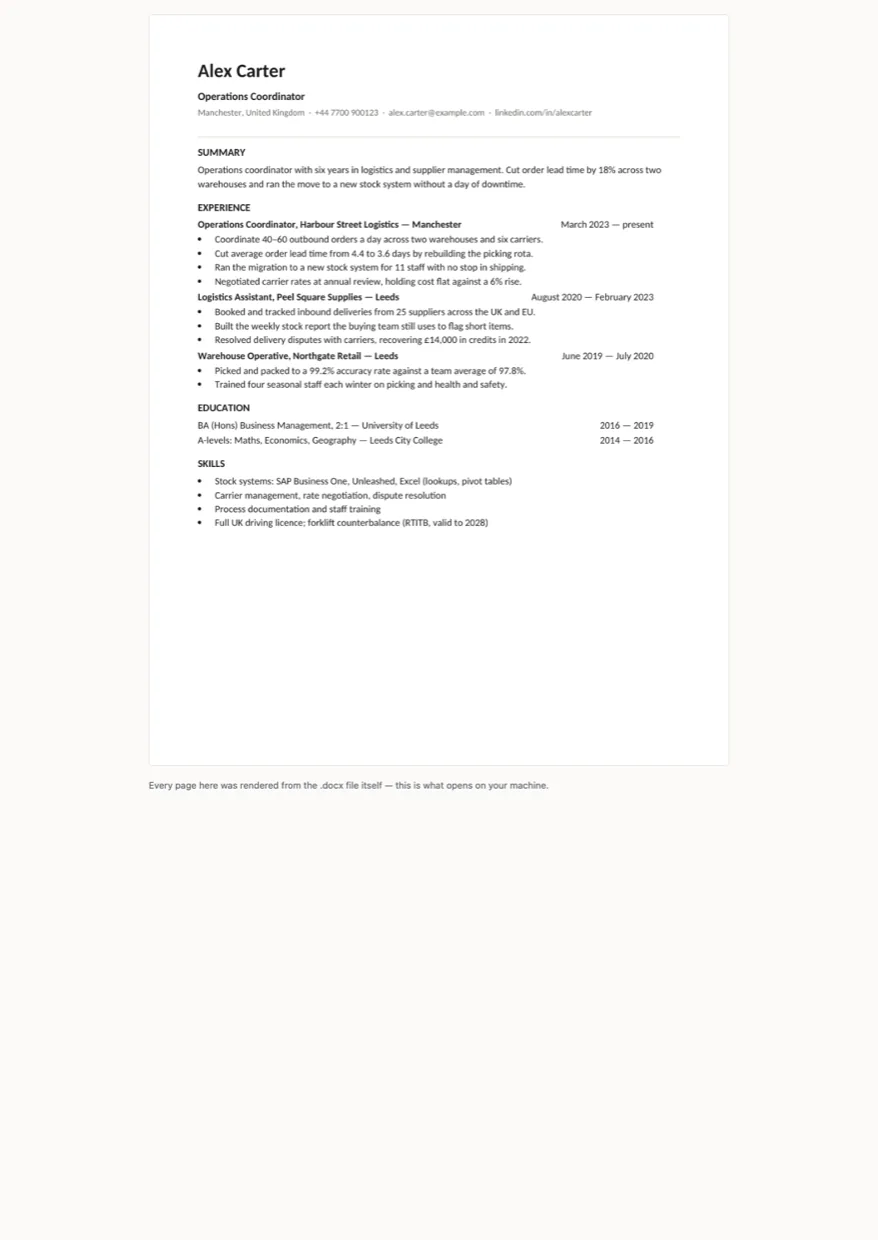
    Reverse-chronological: Summary, Experience, Education, Skills. Dates sit right of each role on a tab stop rather than in a table column, because a table is where a parser mixes the two up. One page.

    Free + Pro
  2. 02
    Entry-level resume

    For a first job: Education and Projects come before Experience, because that is where the evidence is when the work history is two part-time lines. Same machine-readable structure.

    Pro
  3. 03
    Cover letter

    One page, addressed to a named vacancy with its reference, three paragraphs: why this role, what you did that proves it, why this employer.

    Pro
  4. 04
    Reference list

    The separate sheet you send when asked: each referee with their relationship to you, how long, and how to reach them.

    Pro

Built for

  • Word 2016+
  • LibreOffice Writer
  • Google Docs
  • Pages

Every document is converted to PDF on the build machine and the resulting pages are read back as text, so the build fails if a total, a label or a line item has gone missing. We don't run Word itself there, so this says built for, not tested in — open the pages above to see exactly what prints.

There are no Word fields anywhere in these files. A field like =SUM(ABOVE) shows a stale cached number in Word and a zero in LibreOffice and Google Docs, which is the worst way for a total to be wrong. Every number is typed into the cell, so what you see is what the person receiving it sees.

Pro

$9

Every page, the Pro-only pages, the source files, no attribution, and 12 months of updates and email support.

Reverse-chronological resume
yes
Entry-level layout for a first job
yes
Cover letter
yes
Reference list
yes
Credit line at the bottom
not required
Updates and support
12 months, email

Licence

Use it for unlimited personal and commercial purposes, including client work.
Do not resell the documents themselves, alone or in a bundle.

Full licence terms →

The reader you have to get past first

A resume is read twice, and the first reader is not a person. Most vacancies route applications through an ATS — a system that opens your .docx, pulls the text out as a single stream and looks for the sections it knows. It does not see your layout. Everything that makes a document handsome on paper is, to that reader, either invisible or scrambled.

This set is built around that fact, and the choices are not stylistic.

No tables anywhere. The usual way to put dates on the right is a two-column table. Read as a stream, that table comes out row by row: your job title lands in the date column, the company lands in the title. Here the right-hand column is a tab stop — same look on paper, one clean line in the text.

Nothing in the header or footer. It is where people put the phone number, and it is what many parsers never extract. The contact line sits in the body, under the name.

No text boxes, no icons, no photo, one column. A text box often does not come out at all; two columns get glued into one long one. What is left is a document that reads the same whether it is a person or a parser doing the reading.

Standard section names — Summary, Experience, Education, Skills, Projects, References. “About me” and “What I bring” are not names the system recognises, so it finds no section at all and your experience becomes unlabelled text.

How we know, rather than hope

Every build runs two independent checks, because the two ways this can fail are different.

The first reads the file the way a parser does — body only, paragraphs in order — and fails if a table appeared, a header got filled, a text box crept in, a font left the safe list, a standard heading went missing, or the order of key lines stopped matching the printed page. Six checks per file.

The second converts all four documents to PDF and reads the printed pages back as text, which catches what the structural check cannot see: content that silently moved or vanished.

The check is written to fail, and we made sure it does: on a deliberately broken file — one table, a phone number in the footer, Papyrus — it reports three faults and finds no sections.

What is honest about this

It will not get you the job, and no template will. What it does is make sure the system between you and the hiring manager can read what you wrote. The words are still yours, and the sample text is there to be replaced — the README says which three places to change.

If you need the figures behind an application rather than the application itself — what you earned where, or a budget for the move — the spreadsheets are the other half of the shop.
Free download

  • resume.docx
  • README.md · LICENCE.txt

Pro download

  • resume.docx · resume-entry-level.docx
  • cover-letter.docx · reference-list.docx
  • README.md · LICENCE.txt (Pro)

Version history

  • 1.0.02026-10-14

    First release

  • 0
    tables
  • 6
    ATS checks per file
  • 4
    documents
  • 1
    page each

Related documents

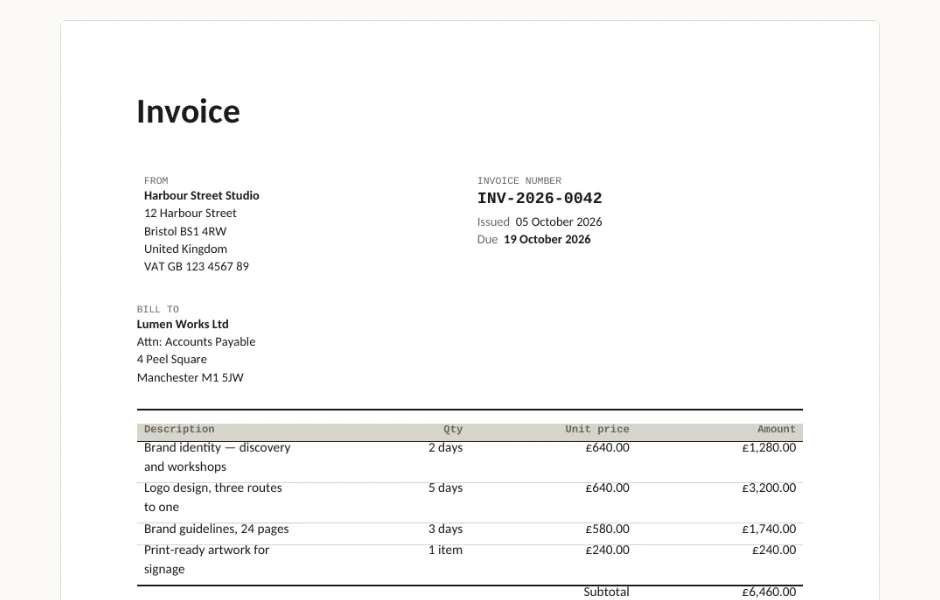
Invoice, quote, credit note and statement — Word templates preview

Four .docx documents that print the way they look: an invoice with VAT and payment terms, a quote that expires, a credit note that references the invoice it cancels, and a statement with the debt split by age. No macros, no Word fields that come out as zero somewhere else.

  • DOCX
  • No macros
  • No fields
live demo →

Tell us what happened

Goes straight to a person. No account, no ticket number.

What is this about?

We keep the message and the page it came from. Nothing else — not your IP, not your browser. Privacy.