foldout
Free + Pro 4 .docx documents no macros

Meeting minutes, LLC and board minutes, and the agenda — Word templates

Four .docx documents around one meeting. The quorum, the outcome of every vote and the action dates are worked out when the file is built, so the three figures that go wrong quietly are right. No macros, no Word fields that print zero in Google Docs.

  • DOCX
  • No macros
  • No fields
  • Quorum calculated
  • Print-ready

The documents

  1. 01
    Minutes

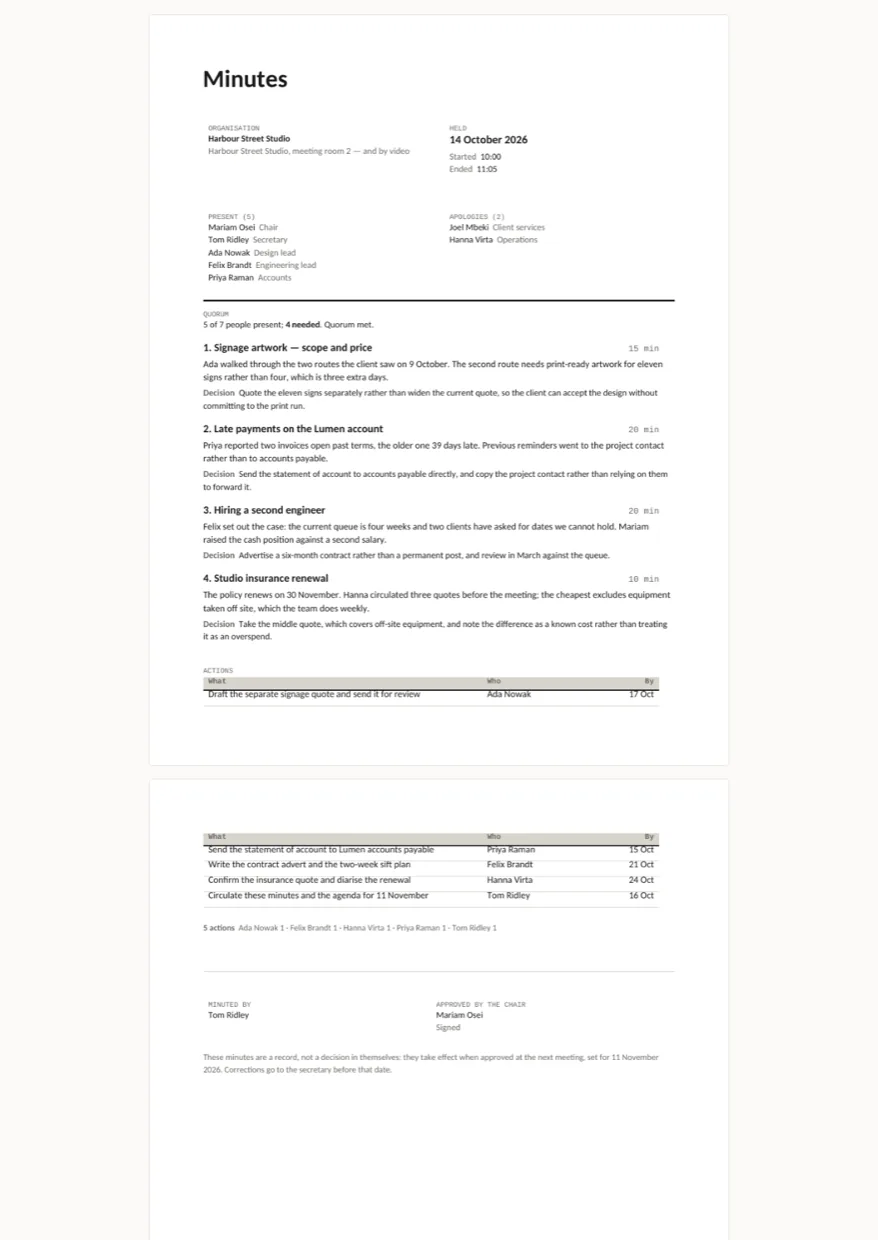
    An ordinary working meeting: who was there and who sent apologies, the quorum line with the number actually needed, each item with what was discussed and what was decided kept apart, the action table with owner and date, and the sign-off.

    Free + Pro
  2. 02
    LLC members' minutes

    Votes counted by holding rather than by head, which is the default for an LLC unless the operating agreement says otherwise. Quorum is measured in percent of holdings present, and each resolution carries its own tally.

    Pro
  3. 03
    Board minutes (nonprofit)

    Motions in the form a charity's minute book expects: moved by, seconded by, for / against / abstaining, and the verdict derived from the tally. Quorum at a third of trustees, the figure most articles use.

    Pro
  4. 04
    Agenda

    The document that goes out before. Items with minutes against them and a running clock, so the chair can see at 10:40 that item three has eaten item four.

    Pro

Built for

  • Word 2016+
  • LibreOffice Writer
  • Google Docs
  • Pages

Every document is converted to PDF on the build machine and the resulting pages are read back as text, so the build fails if a total, a label or a line item has gone missing. We don't run Word itself there, so this says built for, not tested in — open the pages above to see exactly what prints.

There are no Word fields anywhere in these files. A field like =SUM(ABOVE) shows a stale cached number in Word and a zero in LibreOffice and Google Docs, which is the worst way for a total to be wrong. Every number is typed into the cell, so what you see is what the person receiving it sees.

Pro

$9

Every page, the Pro-only pages, the source files, no attribution, and 12 months of updates and email support.

Working-meeting minutes with quorum and actions
yes
LLC members' minutes, votes by holding
yes
Nonprofit board minutes with motions
yes
Agenda with a running clock
yes
Credit line in the footer
not required
Updates and support
12 months, email

Licence

Use it for unlimited personal and commercial purposes, including client work.
Do not resell the documents themselves, alone or in a bundle.

Full licence terms →

Three figures that go wrong quietly

Most of a set of minutes is prose, and prose is easy to write and easy to check. The parts that go wrong without anyone noticing are the ones with arithmetic behind them, so those are worked out when the file is built and read back out of the printed page afterwards.

The quorum. 5 of 7 people present; 4 needed. Quorum met. The number needed comes from the fraction the document is built with — a half for a working meeting, a third for a charity board, more than half the holdings for an LLC. If the meeting was not quorate the document says so and adds the sentence that matters: nothing below this line is a decision, it is discussion, and it has to be put again.

The outcome of a vote. “Carried” is derived from the tally rather than typed beside it. Change 65 against 20 to 20 against 65 and the verdict changes with it. That is the opposite of what happens when somebody edits a number in a finished document and leaves the word underneath alone.

The action dates. Each action carries a date counted from the day of the meeting, and the table ends with a count per person. Five actions across five people reads very differently from five actions on one, and the line is there so you see which you have.

Discussion and decision are not the same paragraph

Every item keeps them apart: a paragraph of what was said, then Decision in bold with what was agreed. Six months later nobody reads the discussion — they open the file to find out what was decided, and it should not be buried in the middle of a sentence about who raised what.

No Word fields, as everywhere here

Word can total a column with =SUM(ABOVE). We do not ship it. LibreOffice Writer and Google Docs either fail on the field or print the number Word cached when the file was last saved. A vote tally that reads zero in half the world’s editors is worse than one you retype. When you change a figure, change the verdict beside it — the README says which three to touch.

Checked by printing it

Every build renders all four documents to PDF with LibreOffice and reads the pages back as text. If the quorum line, a tally or an action date is missing from the printed page, the build fails and nothing ships. The same check is what caught a table splitting across a page break with its header left behind — the rows are now held together.

What this is not

A drafting aid, not legal advice. Whether a third of trustees is really your quorum, whether your members vote by holding or by head, how much notice a meeting needs — that lives in your articles, your operating agreement or your local law. The figures here are the common defaults, put in so you can see the shape and replace them with yours.

Keeping the actions afterwards is a different job: Tick is a task checklist with status and days left worked out, and Agenda is the weekly planner the meeting feeds into.
Free download

  • minutes.docx
  • README.md · LICENCE.txt

Pro download

  • minutes.docx · minutes-llc.docx
  • minutes-board.docx · agenda.docx
  • README.md · LICENCE.txt (Pro)

Version history

  • 1.0.02026-10-27

    First release

  • 0
    macros
  • 0
    Word fields
  • 4
    documents
  • 3
    figures calculated

Related documents

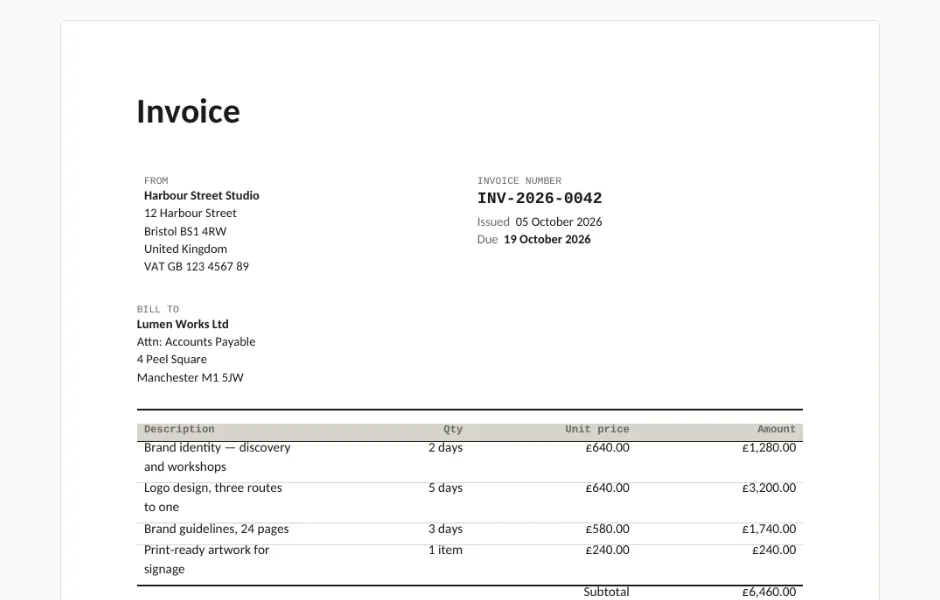
Invoice, quote, credit note and statement — Word templates preview

Four .docx documents that print the way they look: an invoice with VAT and payment terms, a quote that expires, a credit note that references the invoice it cancels, and a statement with the debt split by age. No macros, no Word fields that come out as zero somewhere else.

  • DOCX
  • No macros
  • No fields
live demo →

Tell us what happened

Goes straight to a person. No account, no ticket number.

What is this about?

We keep the message and the page it came from. Nothing else — not your IP, not your browser. Privacy.