Anatomy of a newsletter email
A newsletter is six or seven blocks in a fixed order. Knowing what each one is for makes the layout decisions obvious — and three of them are the ones readers actually see.
Contents
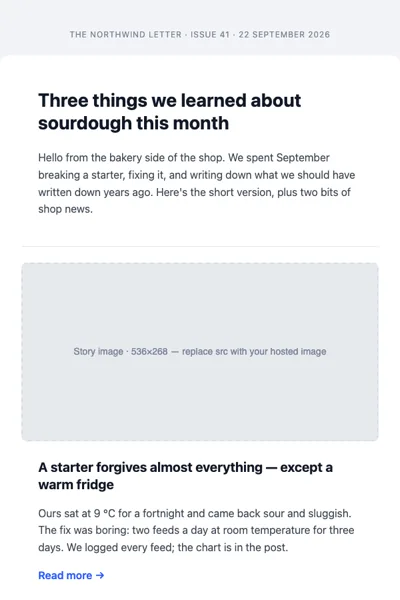
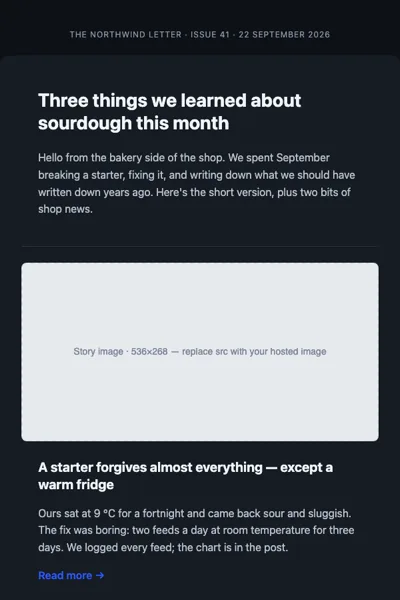
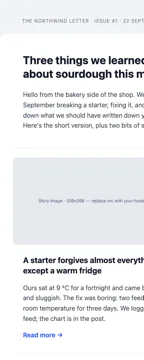
The three things read before the email opens
Subject line, sender name and preheader are the whole email as far as the inbox list is concerned. Two of them are set in your sending tool; the third is markup, and it’s the one people forget.
<div style="display:none; max-height:0; overflow:hidden; mso-hide:all;">
Three pieces on type this week, plus the tool we stopped using.
      
</div>Without it, the inbox preview shows whatever text comes first — usually “View in browser” or an alt attribute. Write it as a continuation of the subject, not a repeat of it: the subject says what the issue is, the preheader says why this one is worth opening.
Those zero-width and figure-space characters after the text are deliberate padding. They stop the client from pulling the next visible line — your masthead link — into the preview.
Masthead
A name, an issue number and a date. It orients a reader who subscribed three months ago and has forgotten what this is.
Keep it small: 40–60 px tall, logo as a real <img> with alt set to the publication name so it
degrades to text when images are blocked. The “View in browser” link lives here, right-aligned,
at 12–13 px in muted grey. It is not a design element — it is the fallback when a client mangles
the render, and readers look for it in that corner.
Lead story
One story gets the space: an image at full column width, a headline at 22–26 px, two or three sentences, and a text link. This is the issue’s argument for existing. If everything in the newsletter is the same size, the reader has to do the ranking, and mostly they won’t — they’ll scan and leave.
<tr>
<td style="padding:0 32px 8px">
  <img src="https://example.com/lead.png" alt="A page of the 1957 catalogue"
       width="536" height="268" style="width:100%; height:auto; display:block; border-radius:8px" />
</td>
</tr>
<tr>
<td style="padding:16px 32px 0">
  <h1 style="margin:0; font-size:24px; line-height:30px; font-weight:700; color:#111826">
    What a type specimen was for
  </h1>
  <p style="margin:12px 0 0; font-size:16px; line-height:26px; color:#3d4655">
    Before the sample PDF there was a printed book whose only job was to show every size…
  </p>
  <a href="https://example.com/issue-12" style="display:inline-block; margin-top:14px; font-size:16px; font-weight:600; color:#1f4fff; text-decoration:underline">Read it →</a>
</td>
</tr>
The story list
Everything else is a list: three to six items, each a headline and one line. Two shapes work.
- One column, rules between. A 1-px horizontal rule and 20 px of padding does the whole job. Safest layout in email, reads well on a phone, and never needs a media query.
- Two-up grid. Thumbnail plus headline, two per row, built as
inline-blockcolumns that wrap on narrow screens (see Responsive email without a framework). Fits more above the fold, costs you the ghost tables for Outlook.
Do not mix the two in one issue. The alternating rhythm reads as a rendering bug.
One call to action
A newsletter with six buttons has no call to action. Pick the one thing — read the issue, reply, book the thing — and give it a real button: a table cell with a background colour, 14 px of vertical padding, 24 of horizontal, and a text label. Every other link in the email stays a text link.
For the button to render in desktop Outlook it needs VML, which is the one place hand-written email
gets genuinely tedious. This is where MJML earns its keep — mj-button writes both versions.
Footer, and the part that is law
The footer is not optional decoration. In the US, CAN-SPAM requires a working unsubscribe mechanism and a valid physical postal address in every commercial message. The EU and UK add consent rules on top under GDPR and PECR, and Gmail and Yahoo now require one-click unsubscribe headers for bulk senders. Practically, that means:
- An unsubscribe link that works without a login, in visible text — not 9-px grey on light grey.
- A postal address. A registered office or a mailbox is fine; nothing is not.
- Who you are and why they’re getting this — one line: “You’re getting this because you signed up at example.com.”
- List-Unsubscribe headers, set in your sending tool rather than in the HTML.
Put them at the bottom in 12–13 px muted text, centred, on the page background rather than the card. This is the standard shape and readers find it by muscle memory.
Numbers worth fixing
- 600 px content width, fluid below that. Still the default that behaves everywhere.
- Under 102 KB of HTML. Gmail clips past it, and it clips from the bottom — where the unsubscribe link lives, which is the compliance problem, not just a cosmetic one.
- 16 px body text, 26 px line height. Smaller reads badly on a phone.
- Alt text on every image. Many clients block images by default; the alt text is the newsletter for those readers.
- A plain-text alternative. Your sending tool generates one — read it once before the first send. A newsletter whose plain text is a wall of URLs looks like spam to filters as well as to people.
Three shapes, one skeleton
Most newsletters are one of three layouts, and they share every block above:
- Digest — one column, four to six equal items, rules between. The workhorse.
- Magazine — lead story plus a two-up grid underneath. For issues with a clear headline piece.
- Announcement — masthead, one message, one button, footer. For a single thing you need read.
The Newsletter set in the catalogue is exactly those three, in MJML with the compiled HTML beside them and a preview page that shows each in a light and a dark inbox. If you’d rather build your own, the MJML editor compiles in the browser and the email check flags the rules that break in Outlook.